
MD Synth DAW User Manual
This manual shows how to make music for the Sega Mega Drive's sound chips with MD Synth DAW. Part 1 explains what the hardware can and can't do, because everything in the app follows from it. Part 2 is a quick tour of the app, from the first start to getting music out. Part 3 goes further: advanced automation, and the techniques composers use to get past what the hardware can't do on its own, each with an example you can open, play and listen to.
Part 1Understanding the hardware and its limits
What the Mega Drive's sound hardware is, what it can play at once, and where its limits are.
1The chips, and what can sound at once#
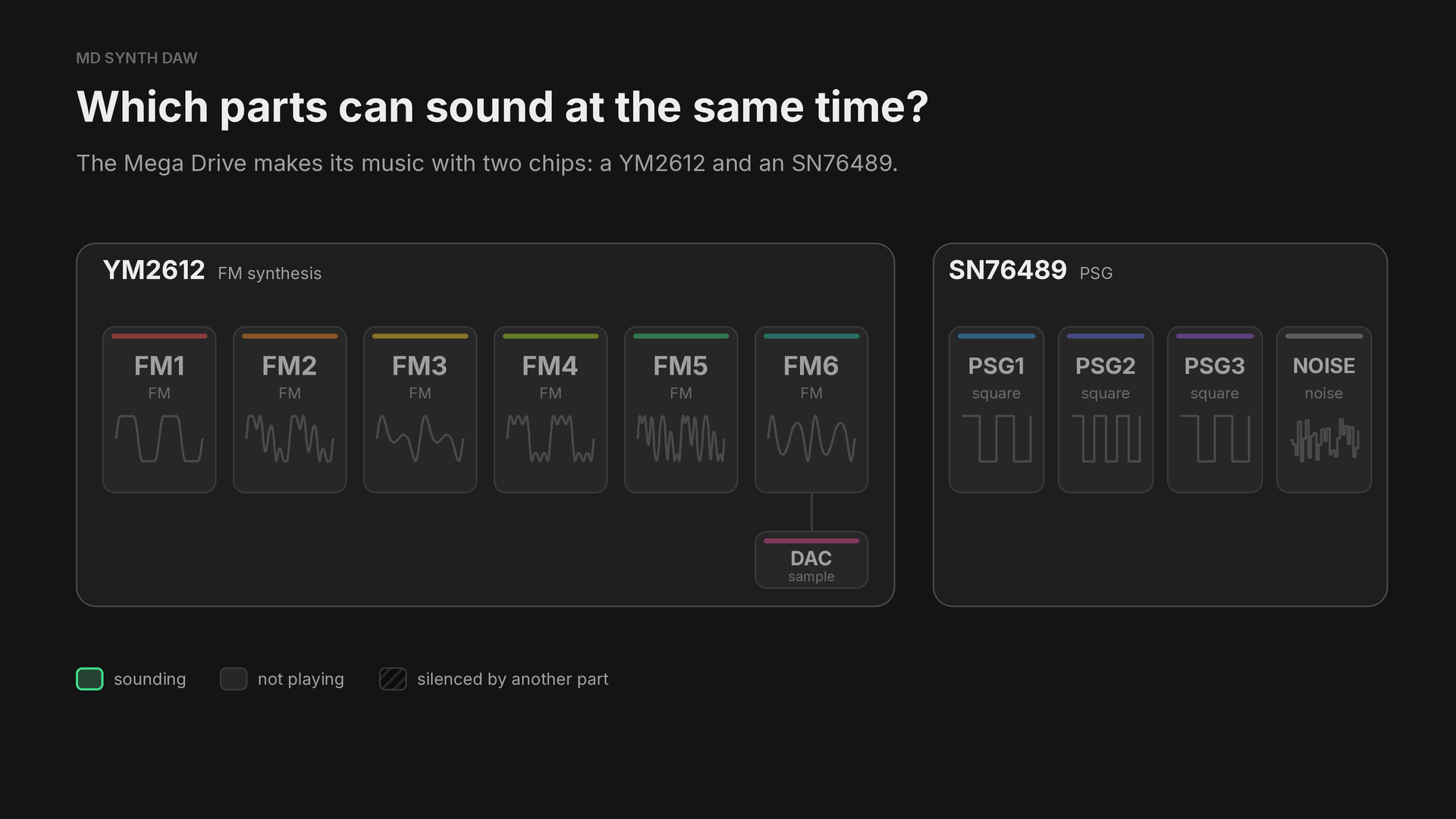
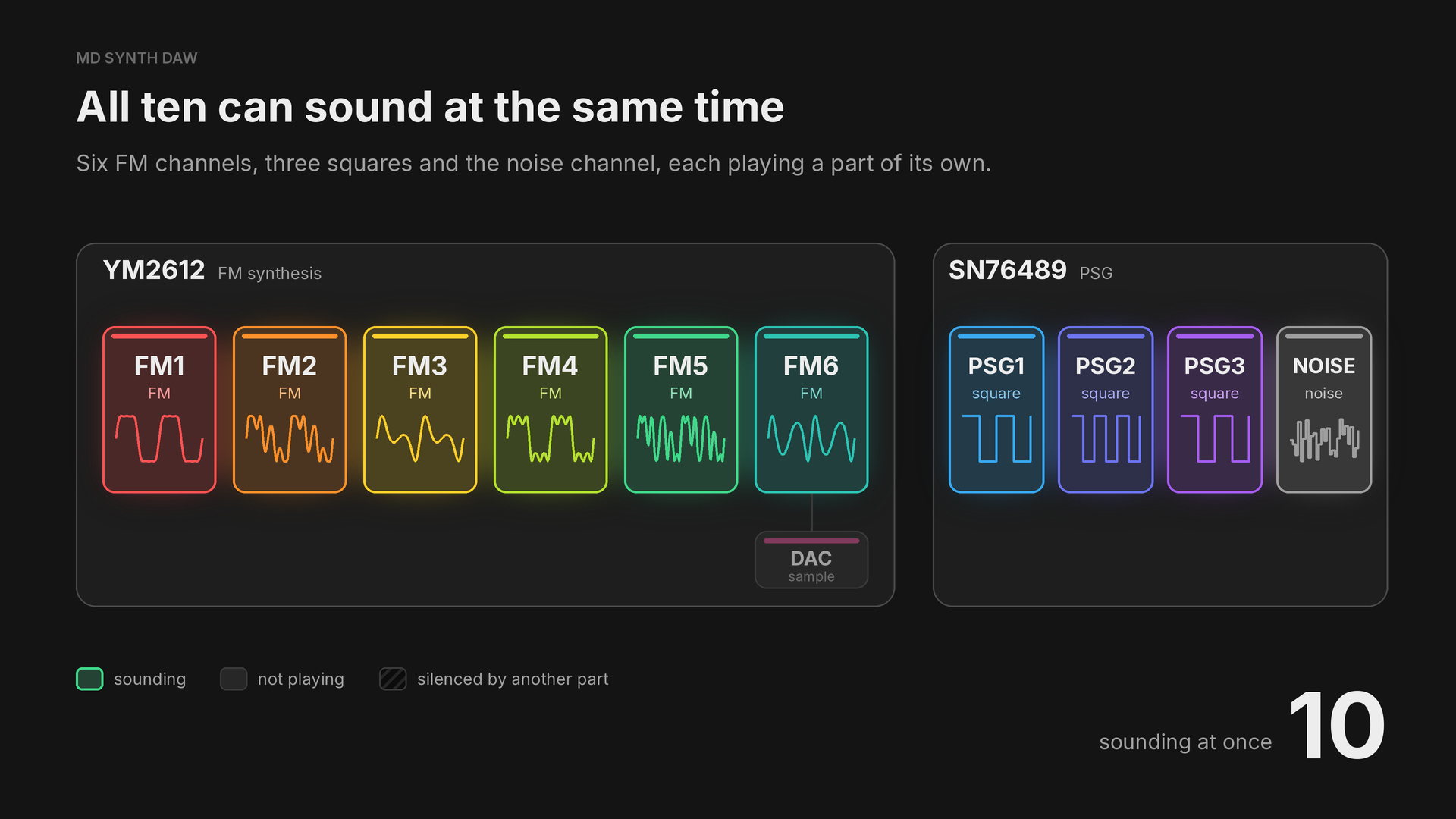
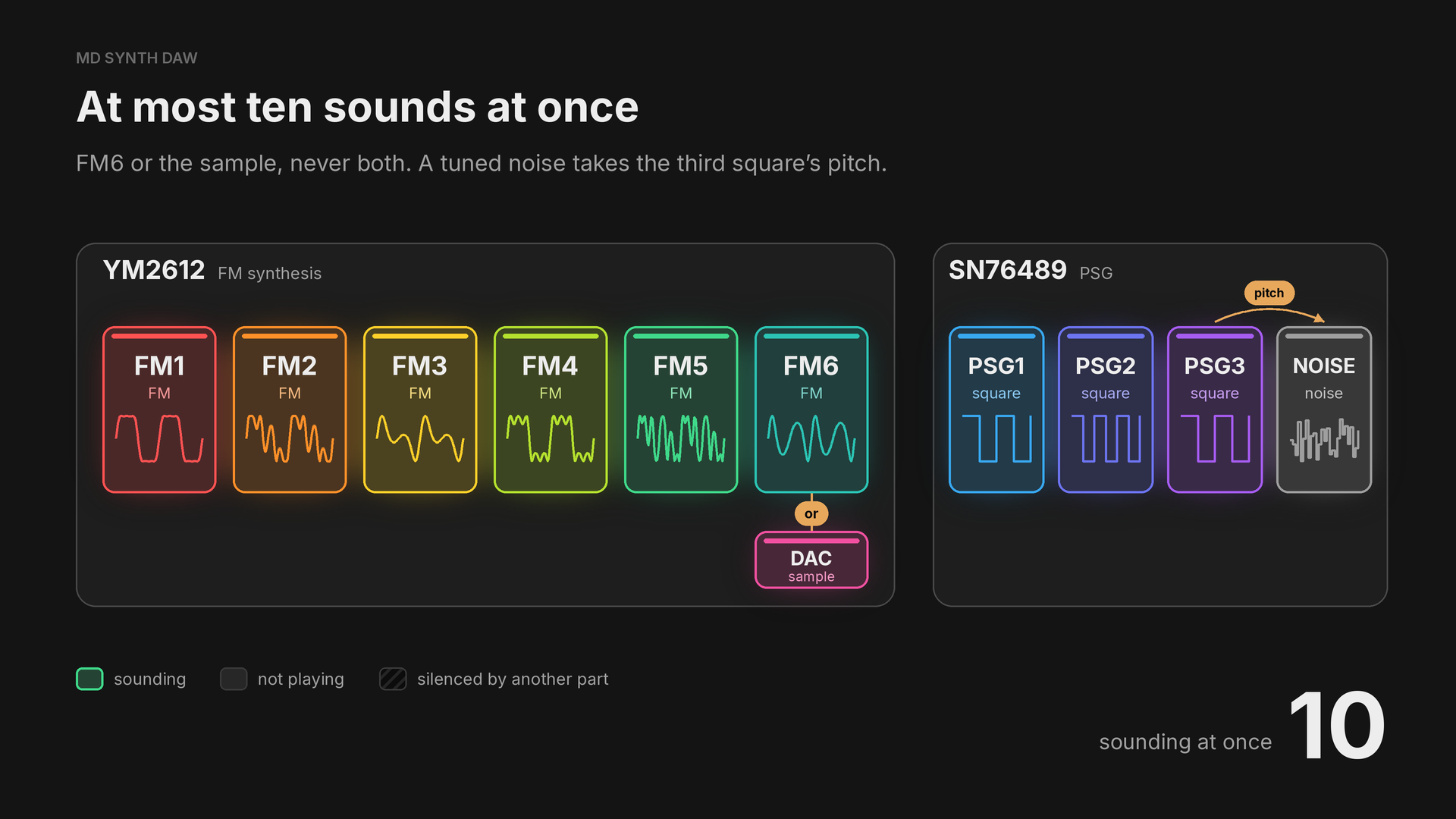
The YM2612 has six FM channels, FM1 to FM6, each a four operator FM voice, and the SN76489 has three square wave channels, PSG1 to PSG3, and a noise channel. MD Synth DAW shows them in the channel rack as eleven parts: those ten, and the sample channel, DAC.
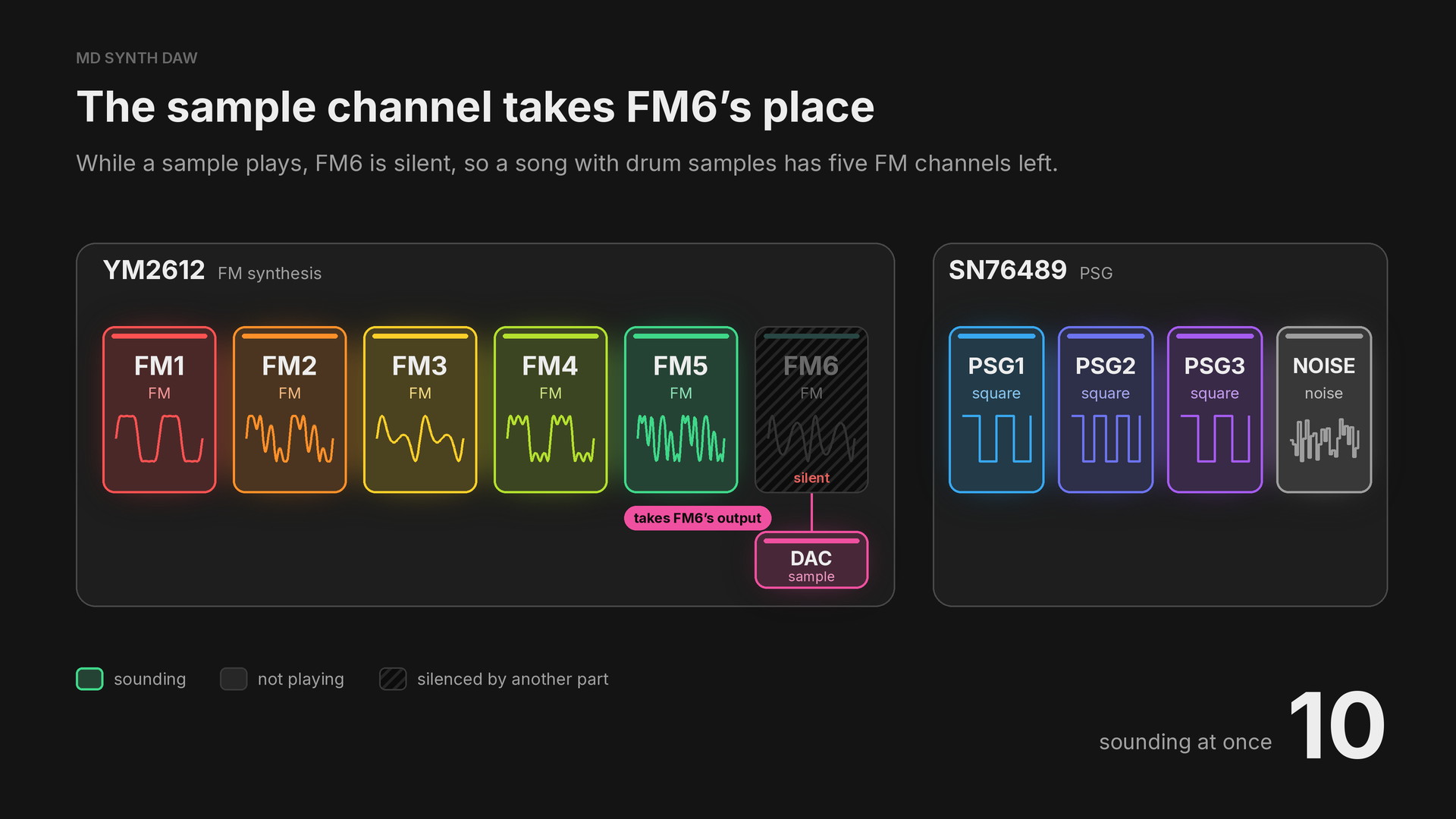
Sharing channel six shows how to get some of FM6 back.
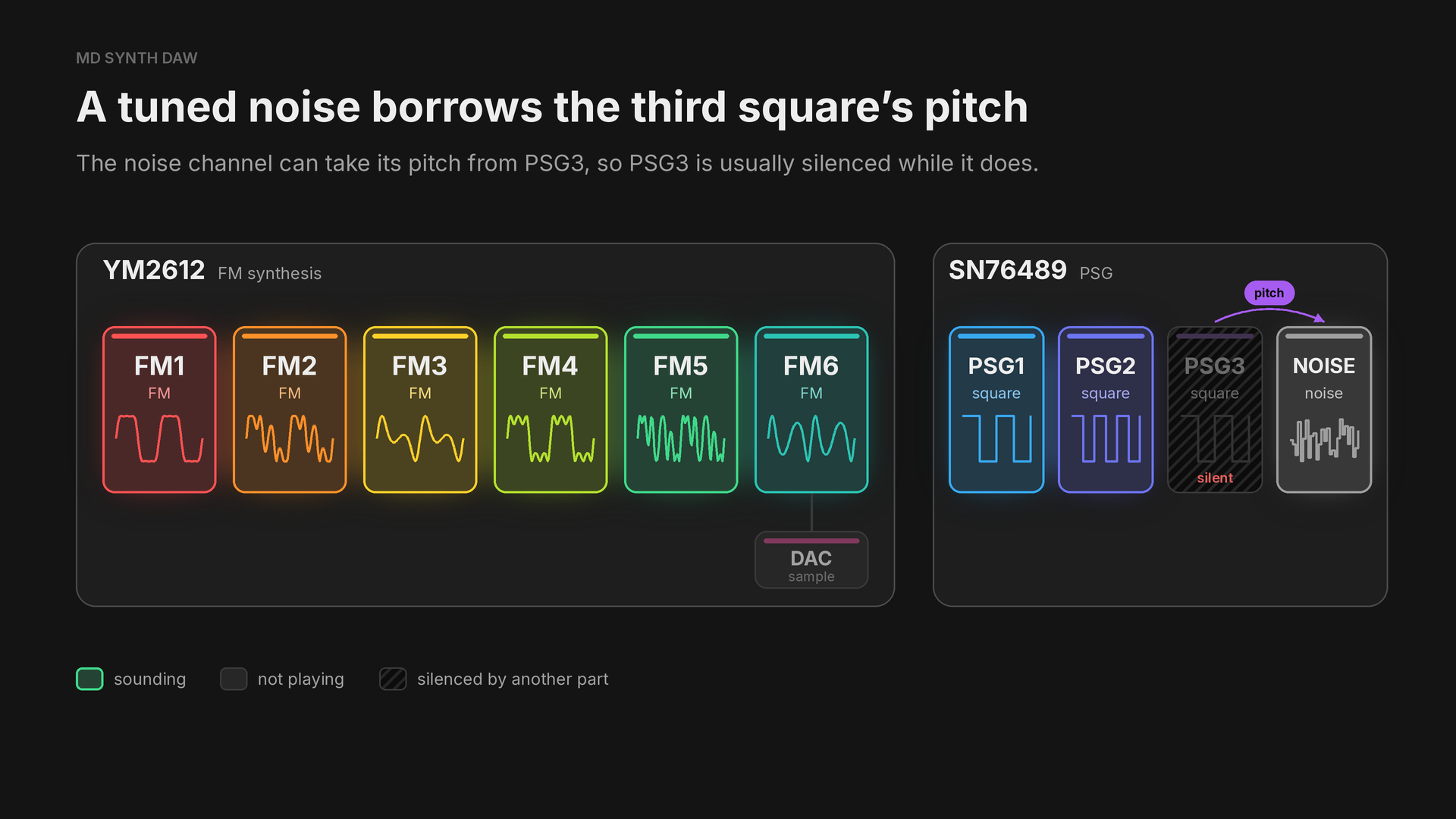
Pitched noise shows how to play a tune on the noise channel.
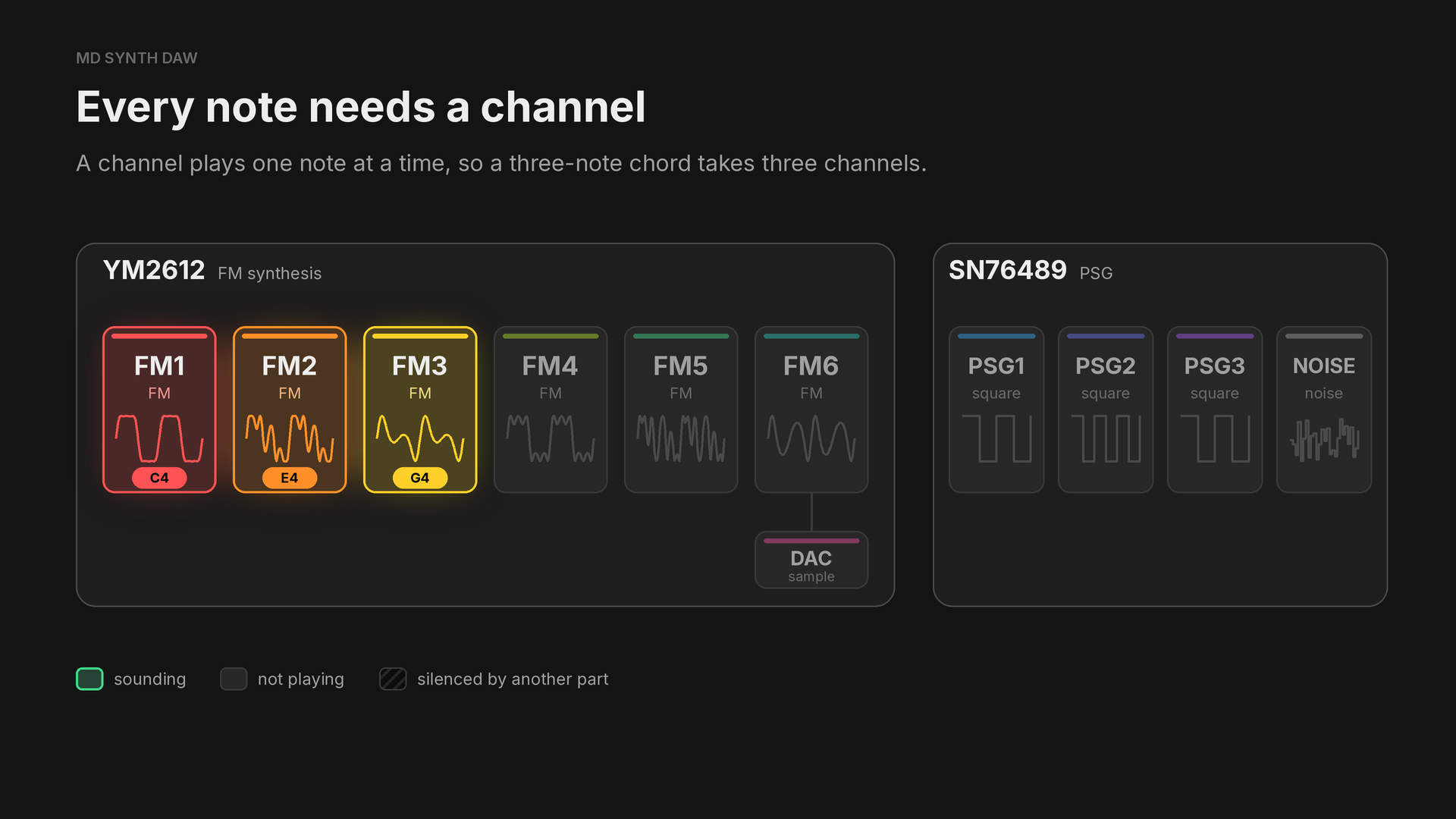
There's one exception:
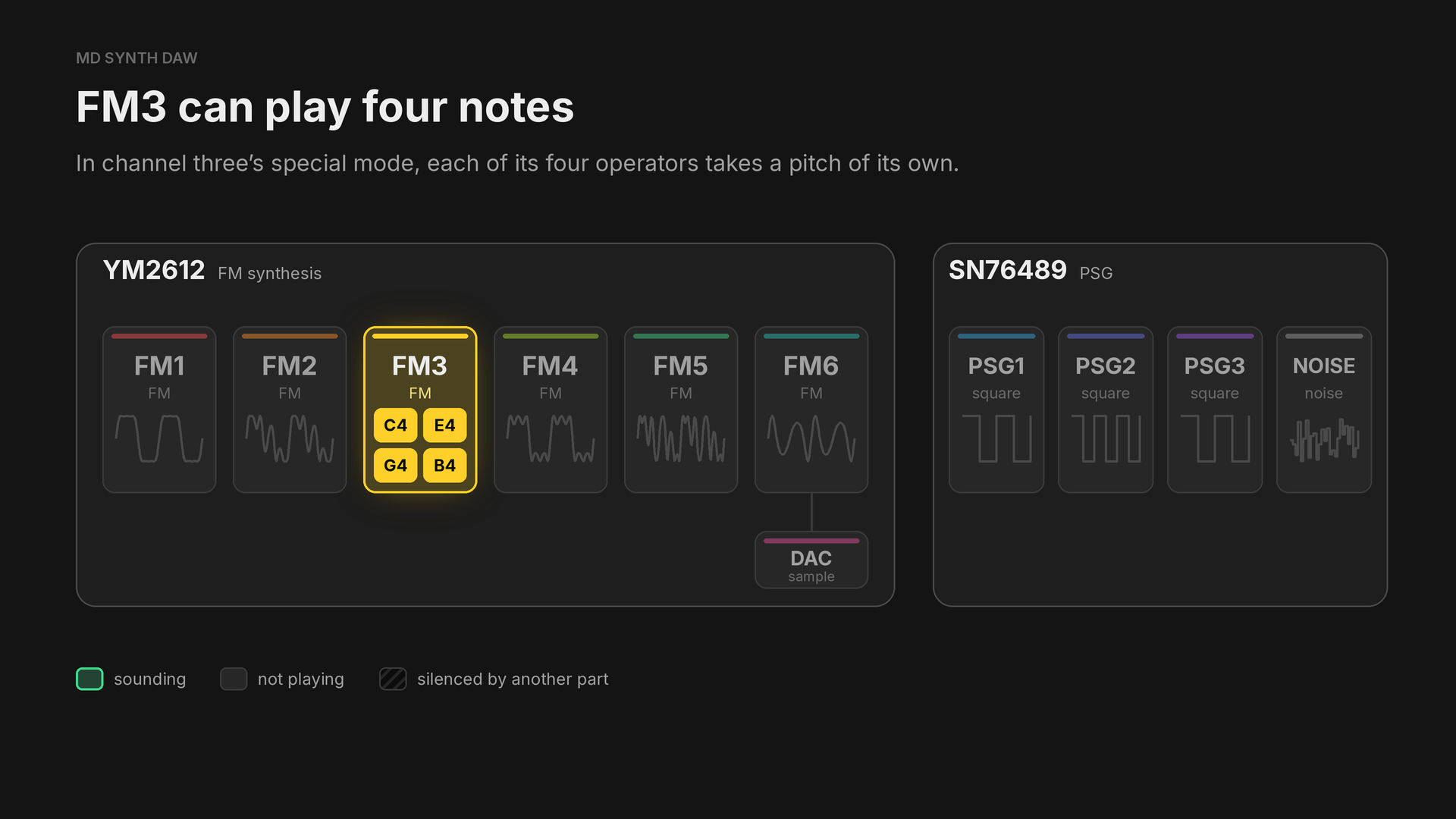
FM3 four notes shows how to switch it on.
2FM channels, operators and algorithms#
Each of the YM2612's six FM channels is one voice made of four operators. An operator is a sine wave with an envelope of its own. The algorithm wires the four together: an operator that feeds another is a modulator, and changes the tone of the one it feeds, while an operator that reaches the output is a carrier, and is heard. Operator 1 can also feed back into itself, which makes the sound brighter and rougher.
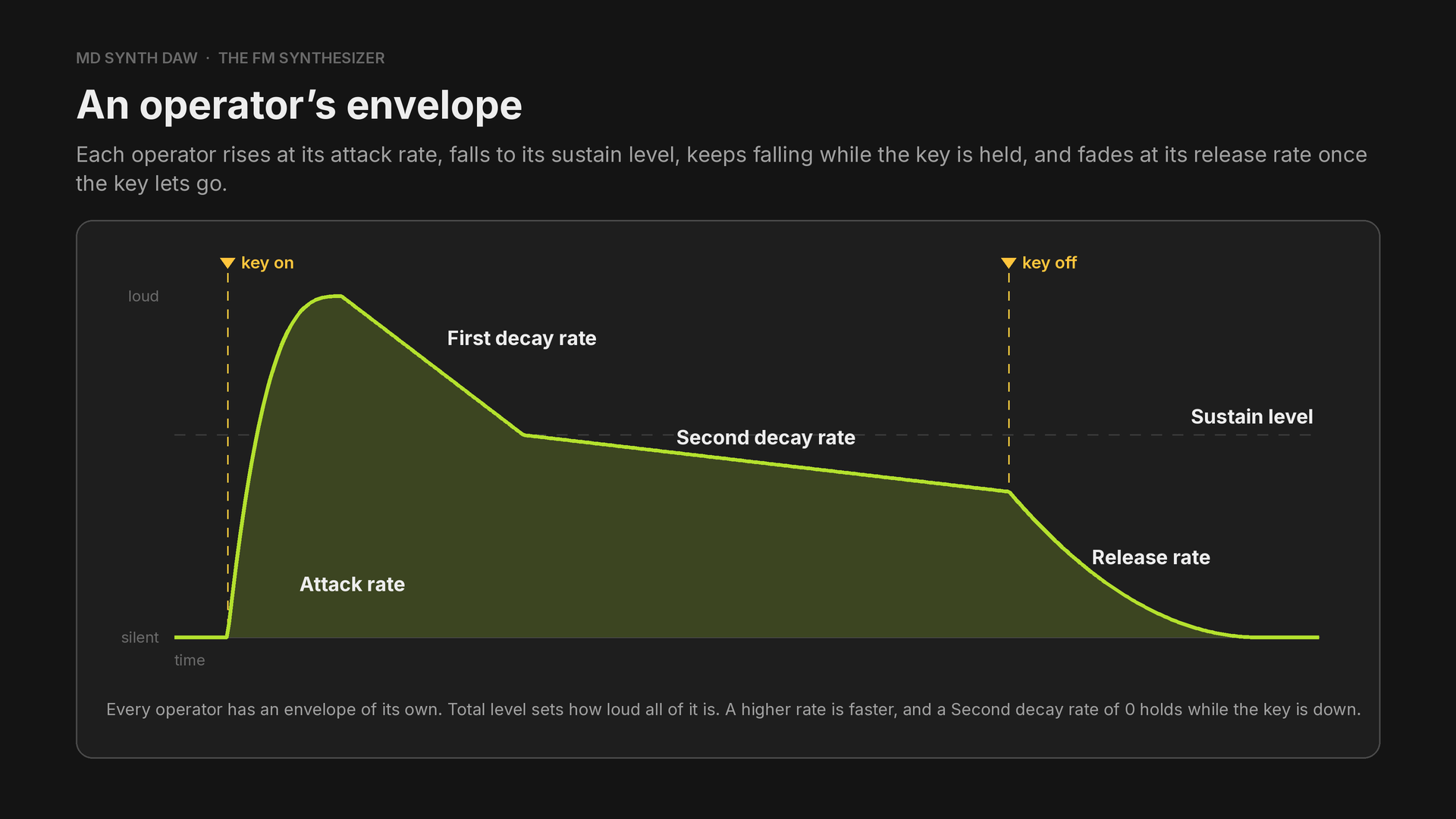
On a carrier the envelope shapes the volume, and on a modulator the tone.
Carriers are heard, modulators shape the tone#
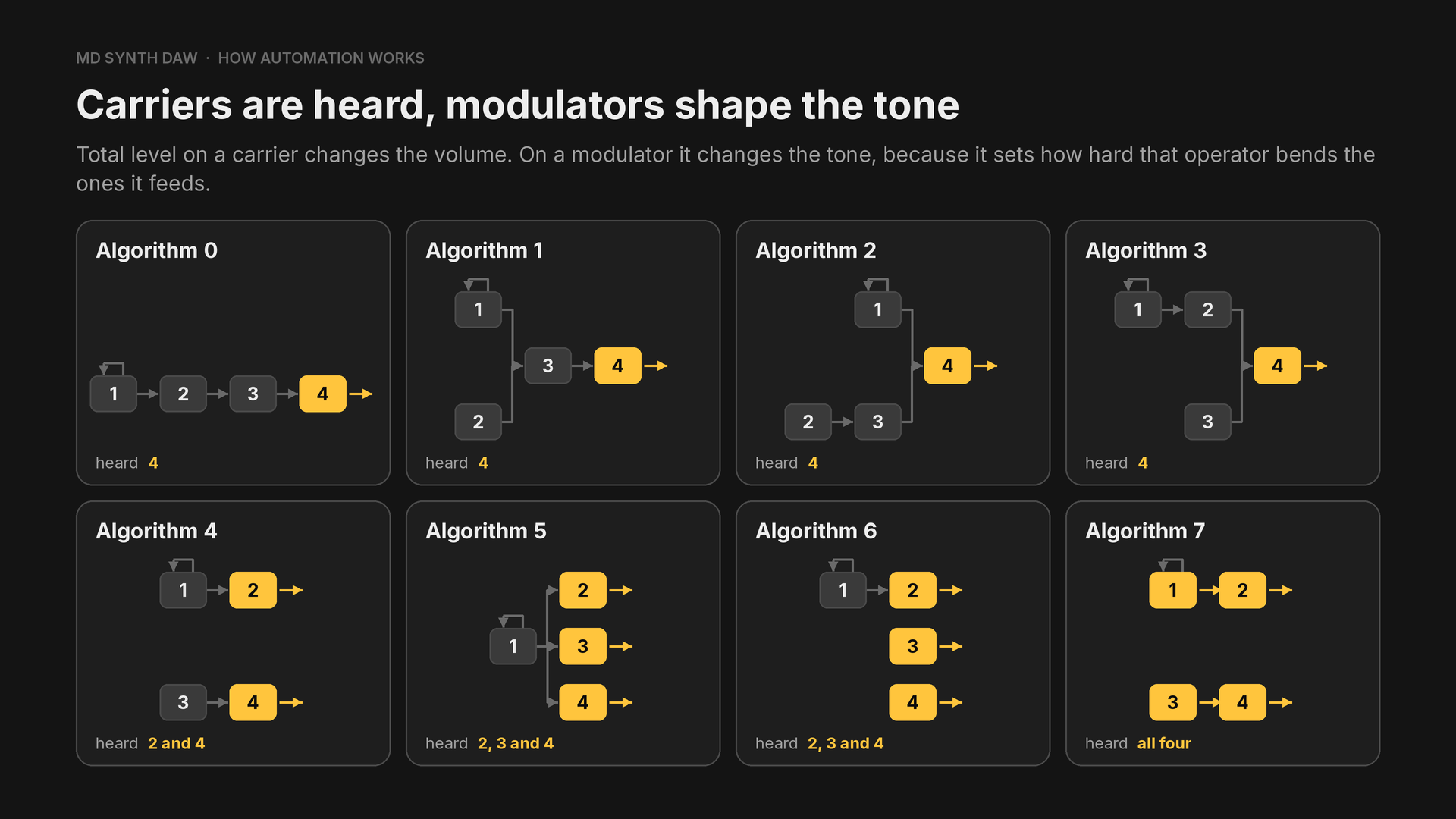
The algorithm decides which operators are carriers:
| Algorithm | Carriers |
|---|---|
| 0 to 3 | 4 |
| 4 | 2 and 4 |
| 5 and 6 | 2, 3 and 4 |
| 7 | all four |
3One LFO for the whole chip#
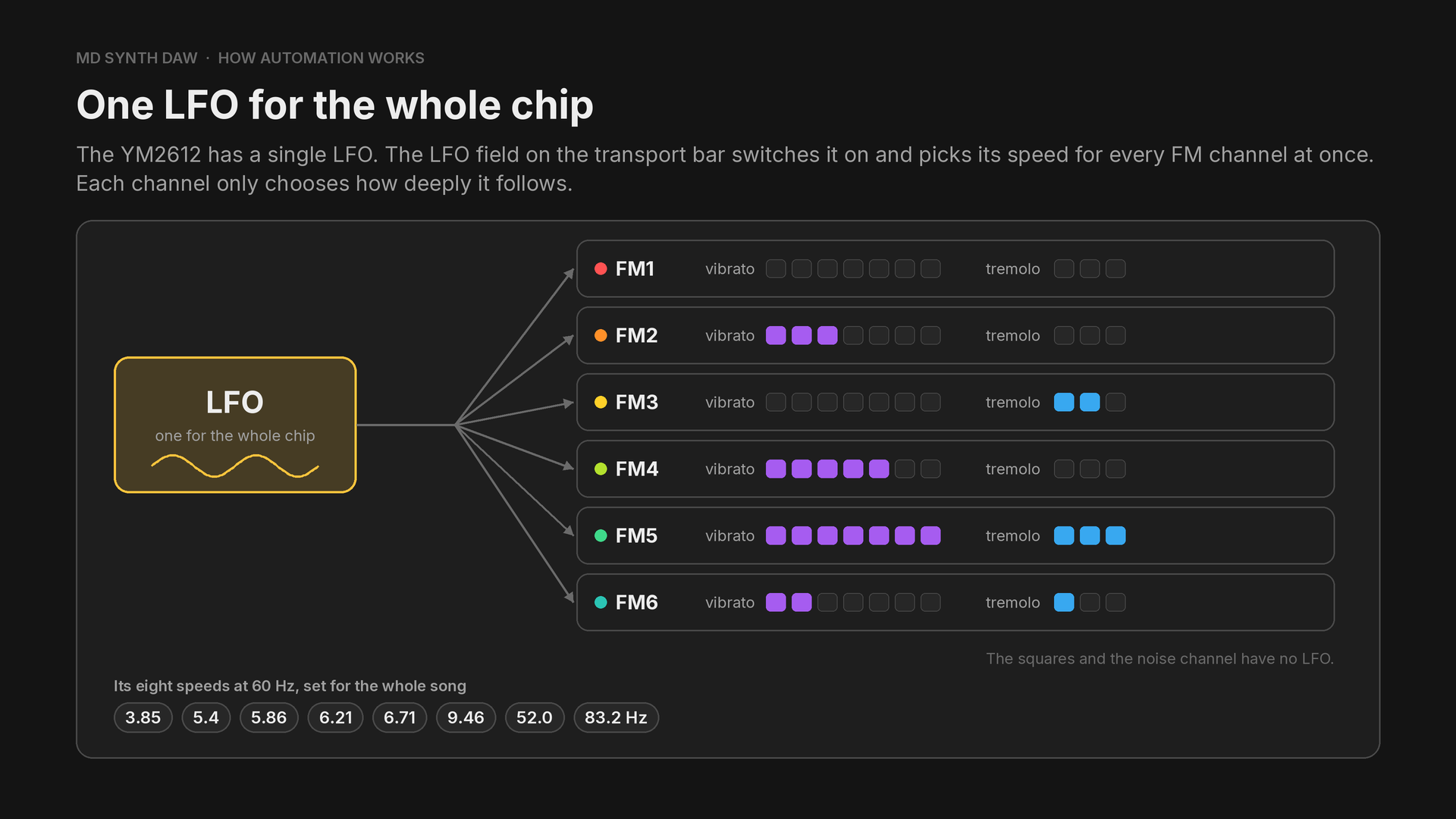
The LFO is a slow wave that can wobble the pitch (vibrato) and the volume (tremolo), and every FM channel that follows it wobbles at the same speed. A new project starts with it off. On a 50 Hz console both chips run from a clock 0.9 per cent slower, and the LFO slows with them.
The depth is set in the synthesizer: see Speed for the song, depth for the channel.
4Left, right or both#
An FM channel plays on the left output, the right, both, or neither, with nothing in between: the YM2612 has one bit for each side, and no pan control. The squares and the noise channel have no stereo at all on a stock console, so they always sound in the middle. A channel's two bits share a register with its two LFO depths. Panning shows how to place a sound in between anyway.
5The squares and the noise channel#
The SN76489 has three square wave channels and a noise channel. Each has a volume in 16 levels, 2 dB apart and the last of them silence, and nothing else: no attack, decay or release. A sound driver makes an envelope by writing the volume again every frame, and that is what a square's preset is in MD Synth DAW. The squares go no lower than about 109 Hz, a little below A2.
The noise channel plays periodic noise, a buzzing tone, or white noise, a hiss. It runs at one of three fixed rates, or at a rate taken from the third square, which is how it plays a tune:
| Noise | Kind | Rate |
|---|---|---|
| 0 | periodic | fastest fixed rate |
| 1 | periodic | middle fixed rate |
| 2 | periodic | slowest fixed rate |
| 3 | periodic | follows PSG3's pitch |
| 4 | white | fastest fixed rate |
| 5 | white | middle fixed rate |
| 6 | white | slowest fixed rate |
| 7 | white | follows PSG3's pitch |
On 3 or 7, notes written on NOISE play at their own pitch: see Pitched noise.
6The sample channel#
The YM2612's sixth channel can be switched to a converter that plays recordings, a byte at a time. It is one channel, so it plays one sample at a time, at the rate the sample was recorded, with no pitch or volume control of its own, and FM6 is silent while it plays. A song with drum samples therefore has five FM channels left. The recordings are stored in the cartridge, so their size counts against the space the game has. Sample stutter and Sharing channel six show how to make the most of it.
7How a song reaches the chips#
The chips don't play notes on their own. A program on the console, the sound driver, writes their registers, and every change of sound is one of those writes: a key on, a new pitch, a new level.
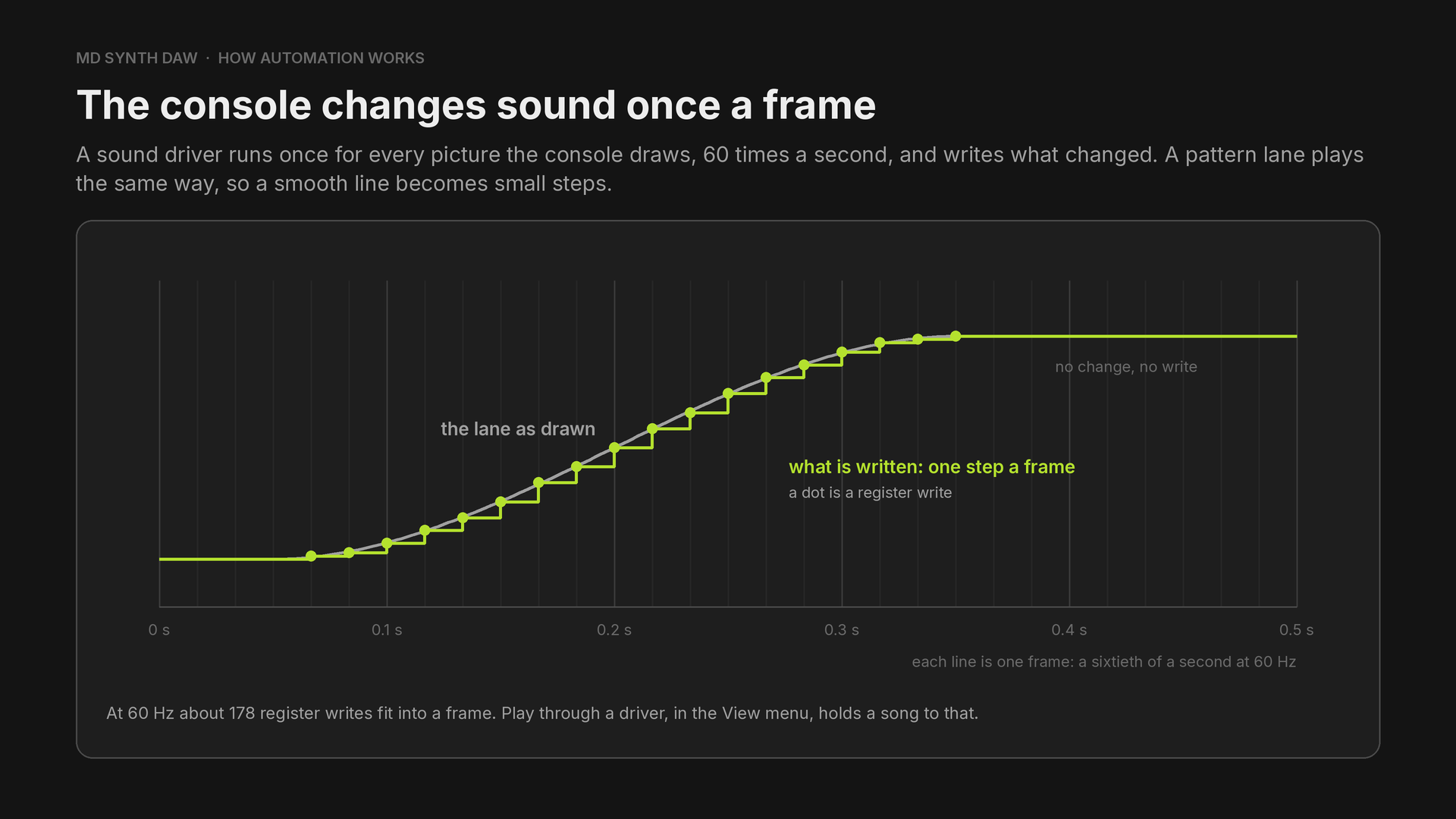
A slide or a fade reaches the chips as small steps, one a frame, and a song that asks for more writes than fit into a frame is heard arriving late.
Where a song plays changes how it sounds. A 50 Hz console, the one sold in Europe, runs its driver fifty times a second instead of sixty, and its chips from a slightly slower clock. The board after the chips filters the sound too, and the first and second models filter it differently.
| On the transport bar | How it plays |
|---|---|
| 60 Hz | a 60 Hz console, at the tempo you wrote |
| 50 Hz | a PAL console: five sixths of the tempo, and about 16 cents lower |
| Output stage, in Preferences, Sound | What it plays through |
|---|---|
| Chip alone | the chips, with no board after them |
| Mega Drive | the filtering of the first model's board |
| Mega Drive 2 | the filtering of the second model's board |
8The limits at a glance#
Every limit below has a way round it in Part 3.
| Limit | Where to go |
|---|---|
| Six FM channels, or five with drum samples | Preset swapping, FM drums, Sharing channel six |
| One note per channel | Chords and arpeggios |
| One LFO for the whole chip | Vibrato and tremolo |
| Left, right or both, with nothing in between | Panning |
| A note's pitch is fixed, with no portamento | Pitch bends, Gliding notes |
| No filter, distortion, delay or compressor | Filters and distortion, Echo and sidechain |
| A preset is a fixed sound | Changing a preset while it plays |
| Squares have 16 volume levels and no envelope | Square swells |
| Noise has three fixed rates | Pitched noise |
| A sample plays at the rate it was recorded | Sample stutter |
Part 2Using MD Synth DAW
A quick tour of the app, from the first start to getting music out. If you've used FL Studio before, you'll quickly get the hang of it, as most of its inspiration comes from there.
9The first start#
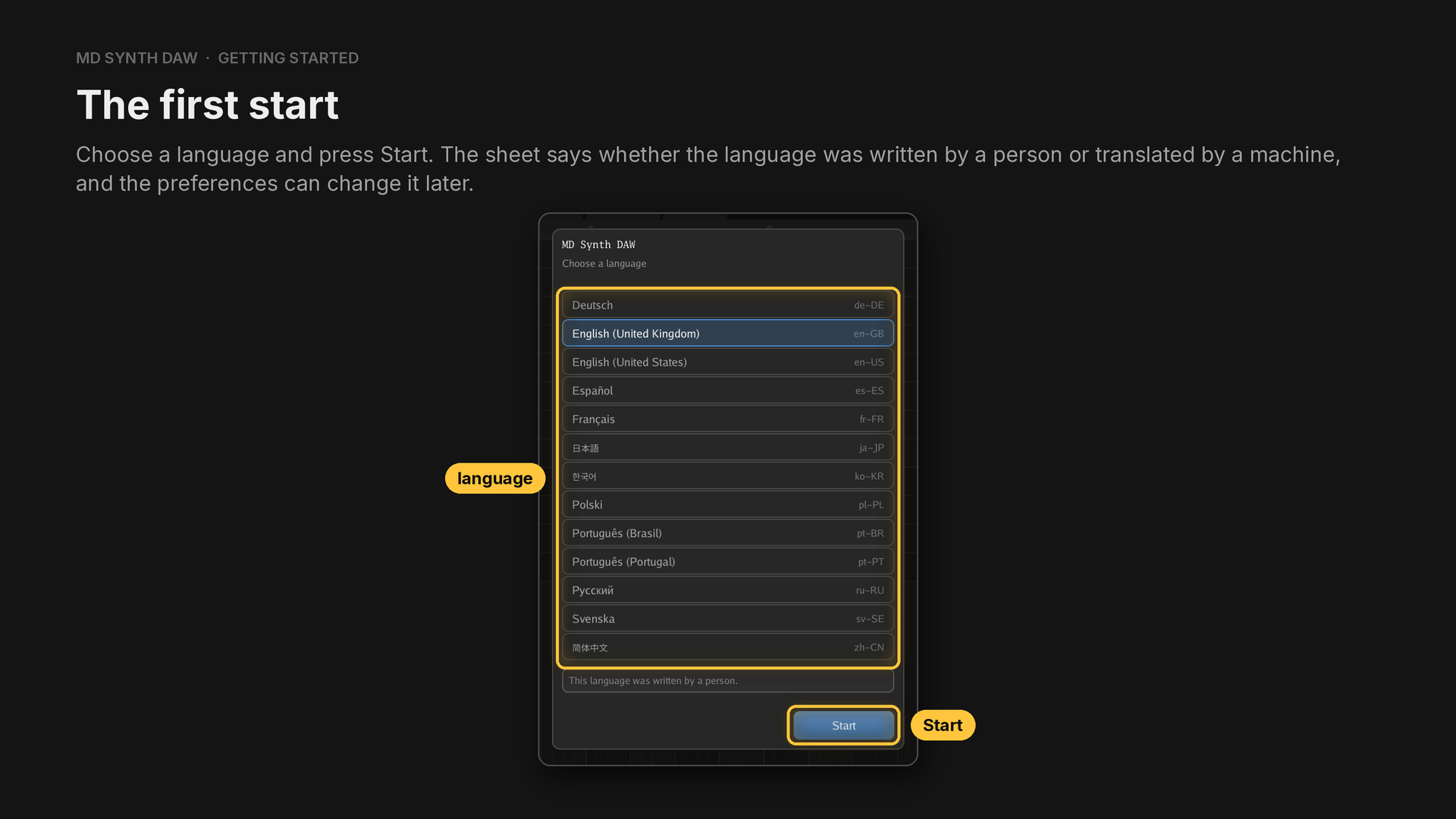
Thirteen languages ship. English (UK and US) is written by people, and the rest are machine translated. The language is in Preferences, Look.
10The window#
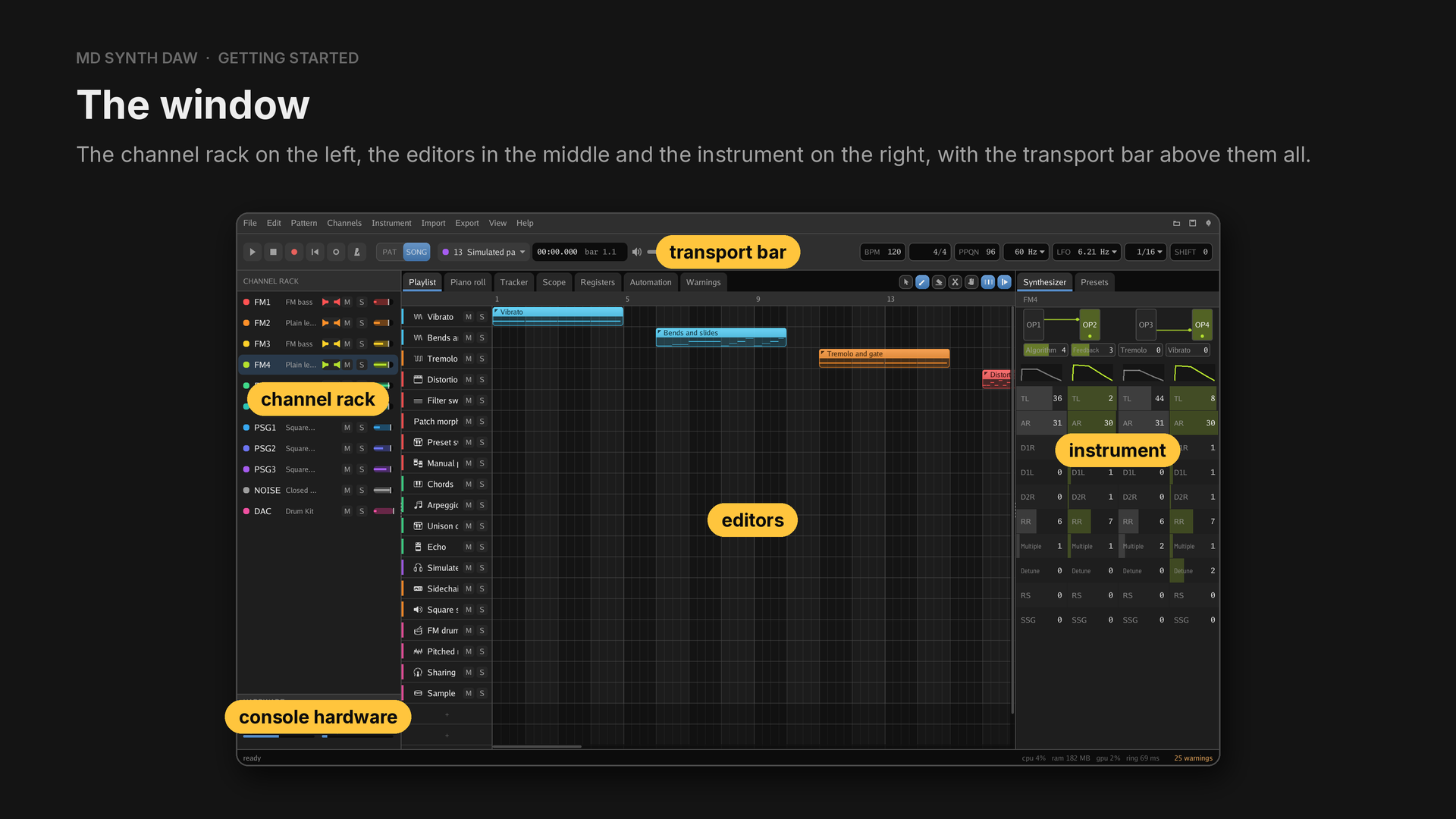
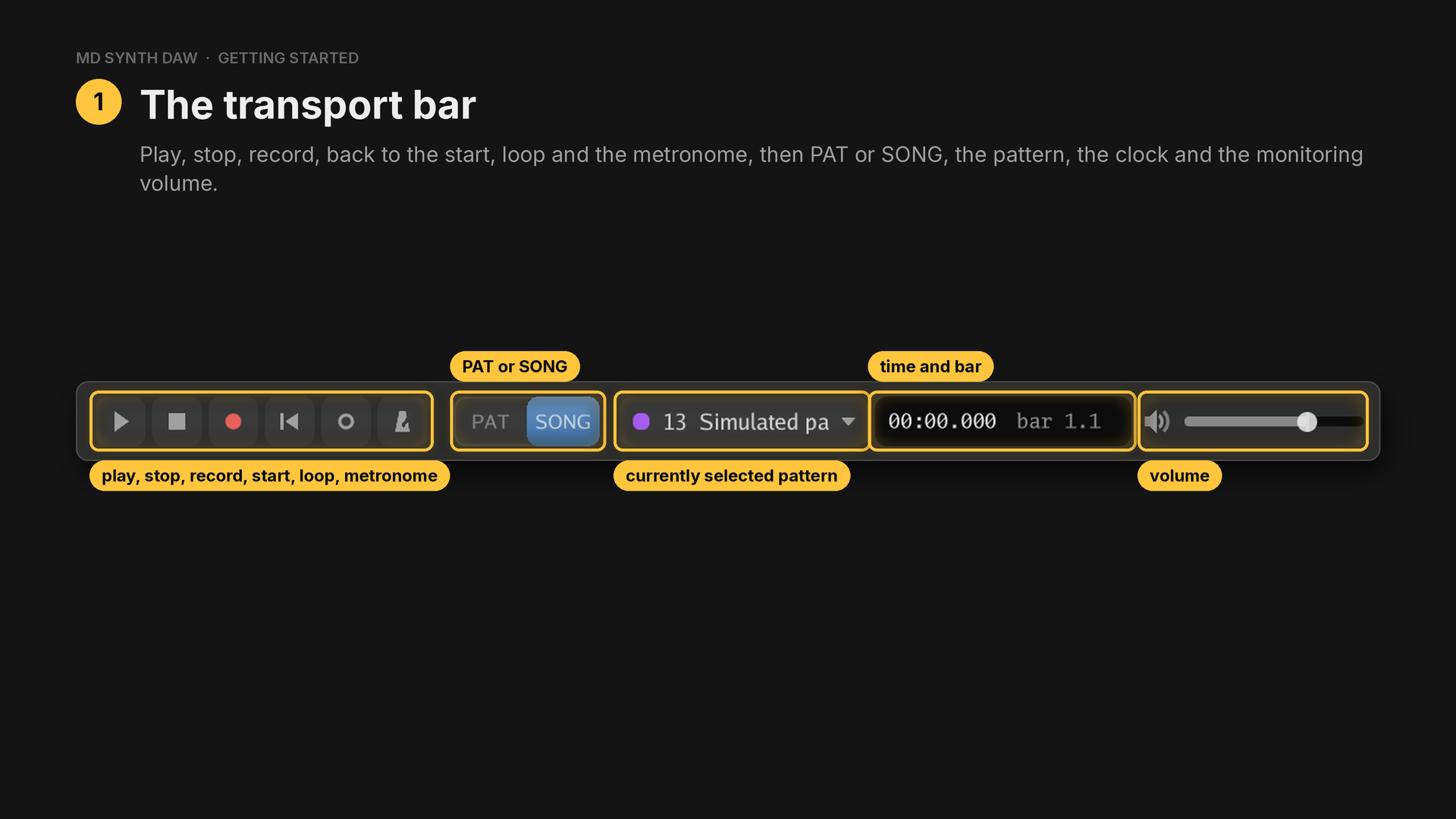
PAT plays the chosen pattern on its own and SONG the whole song. The monitoring volume only changes what you hear, never what is exported.
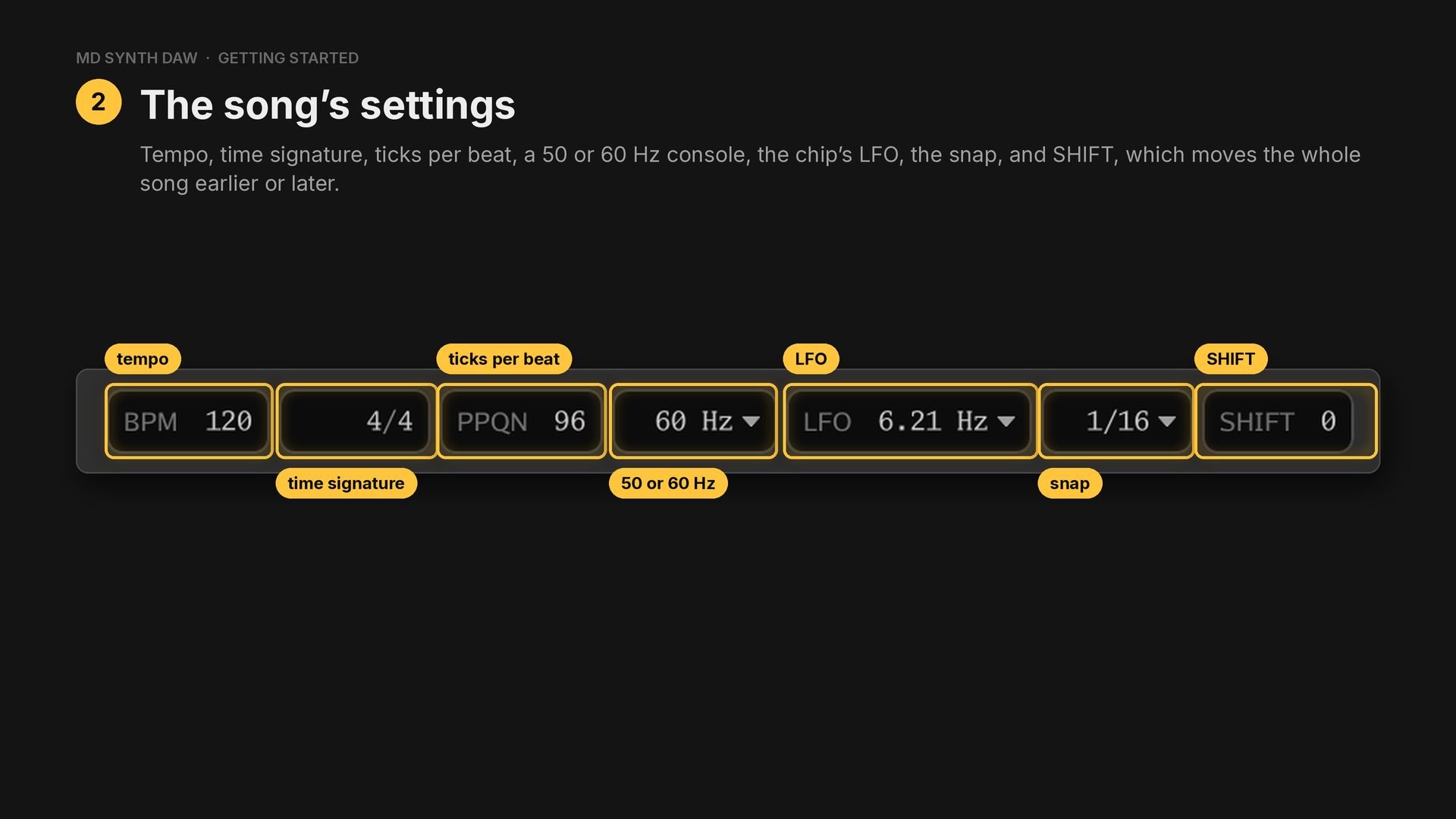
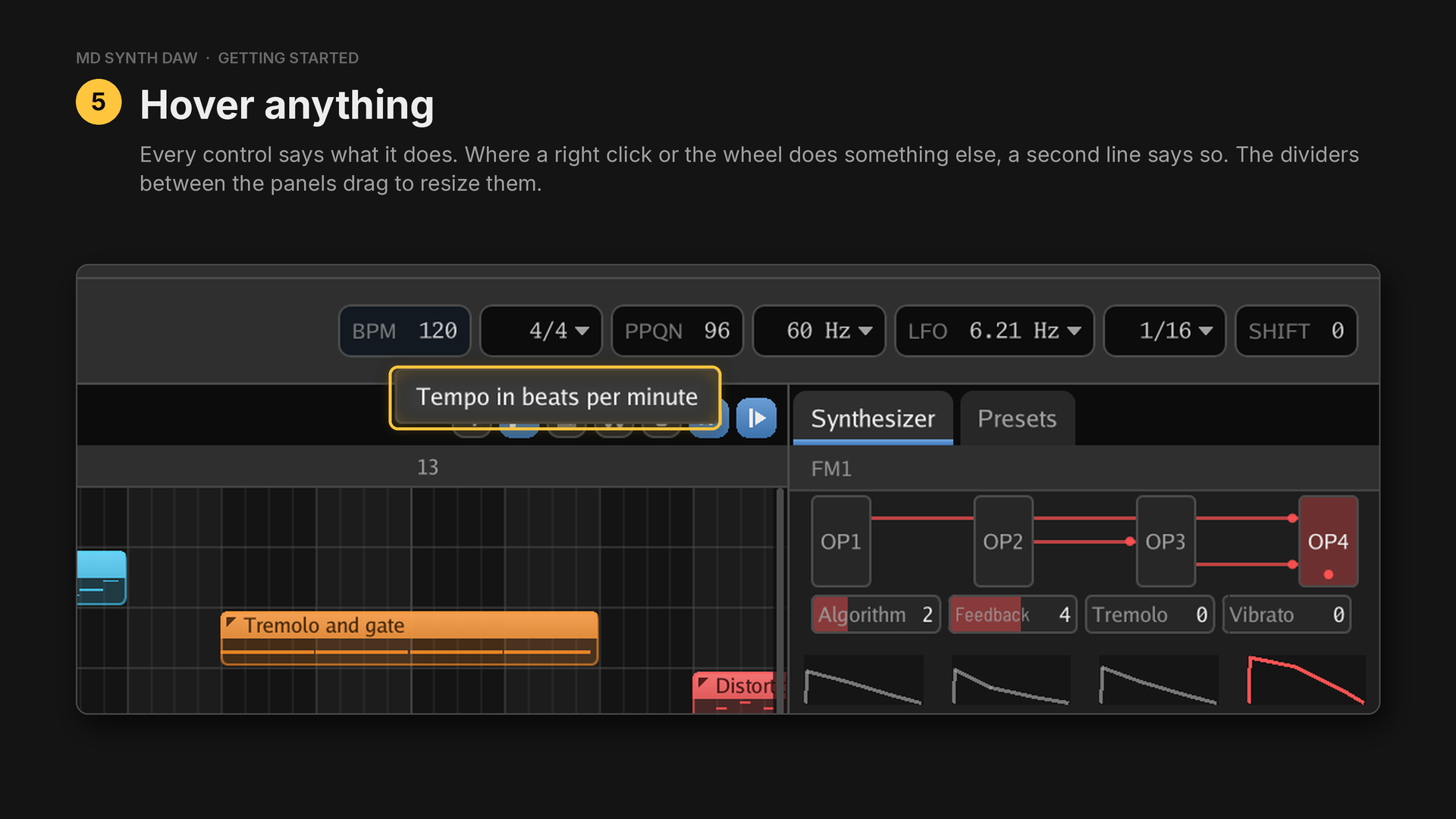
The tempo is in BPM. The time signature is one field: drag or scroll the upper number, from 1 to 32 beats, or the lower one, from a whole note down to a thirty second, or double click it and type one, so 11/32 is as easy as 4/4. PPQN is the number of ticks in a quarter note. SHIFT moves every note, clip and automation point by a number of ticks.
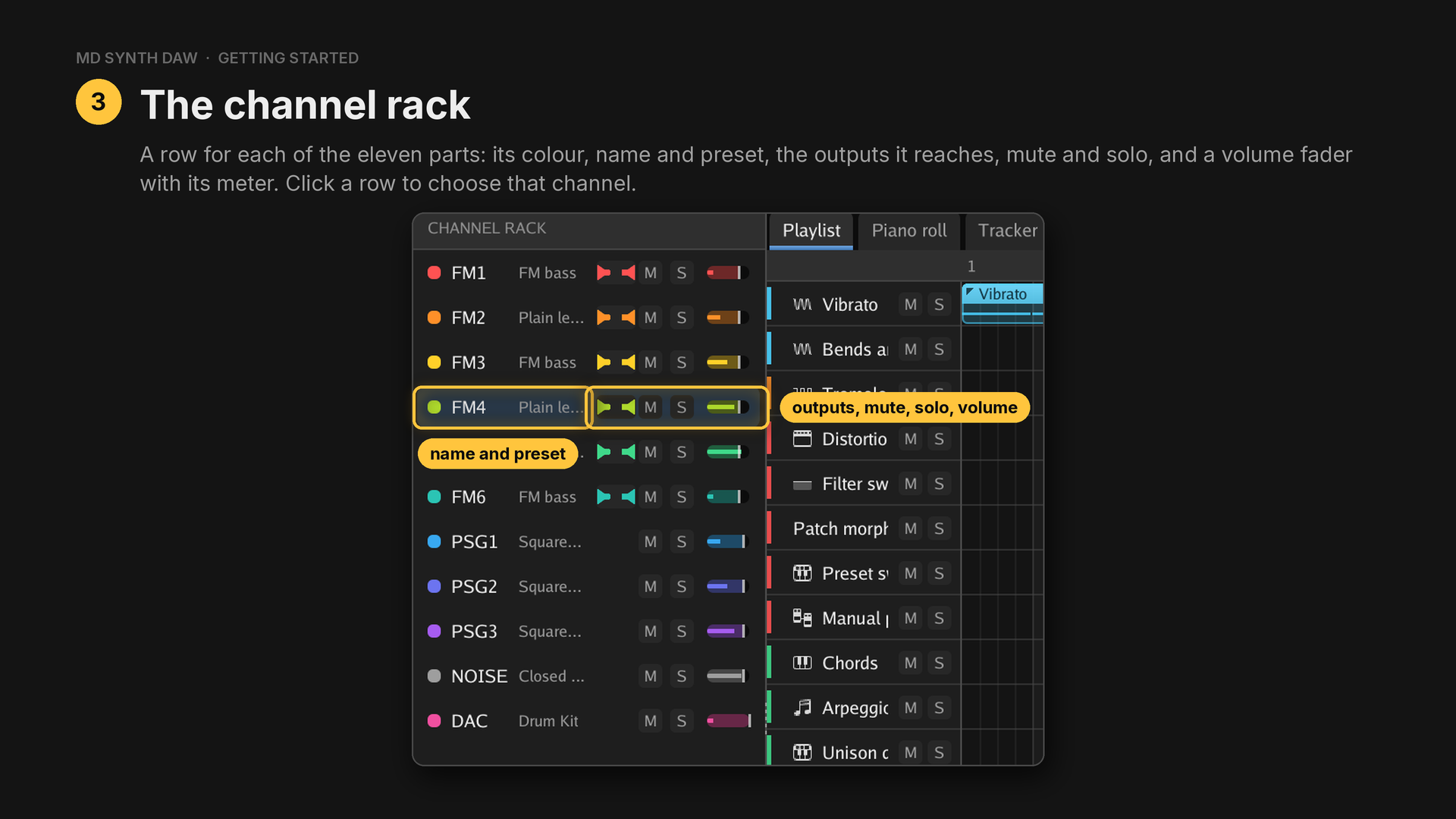
Only the FM channels show outputs, and M and S are mute and solo. The editors and the instrument work on the chosen channel. Right click a row for its menu.
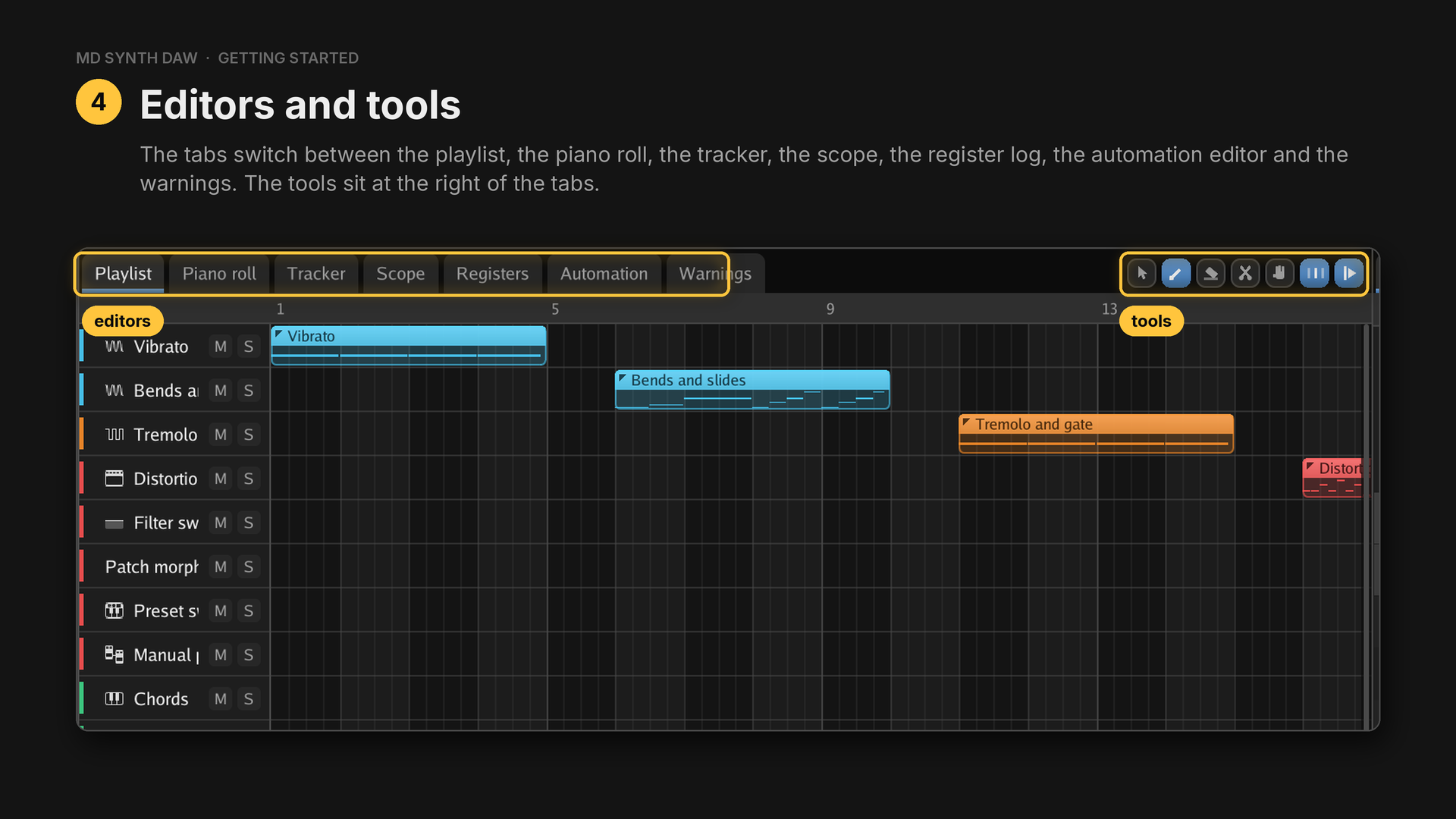
Each editor offers the tools that make sense in it:
| Tool | Key | What it does |
|---|---|---|
| Select | E | picks notes, clips or points, one at a time or with a box |
| Draw | P | writes notes, clips and points |
| Erase | D | takes away what you click or drag across |
| Slice | C | cuts a clip or a note in two |
| Pan | H | drags the view around |
| Snap to the grid | turns the grid on and off | |
| Follow playhead | keeps the playhead in sight while a song plays | |
| Notes on other channels | shows the other channels' notes faintly in the piano roll | |
| Keep the tracker to the pattern | holds the tracker to the chosen pattern |
Undo and redo cover everything, and a whole drag undoes as one step.
11Your first notes#
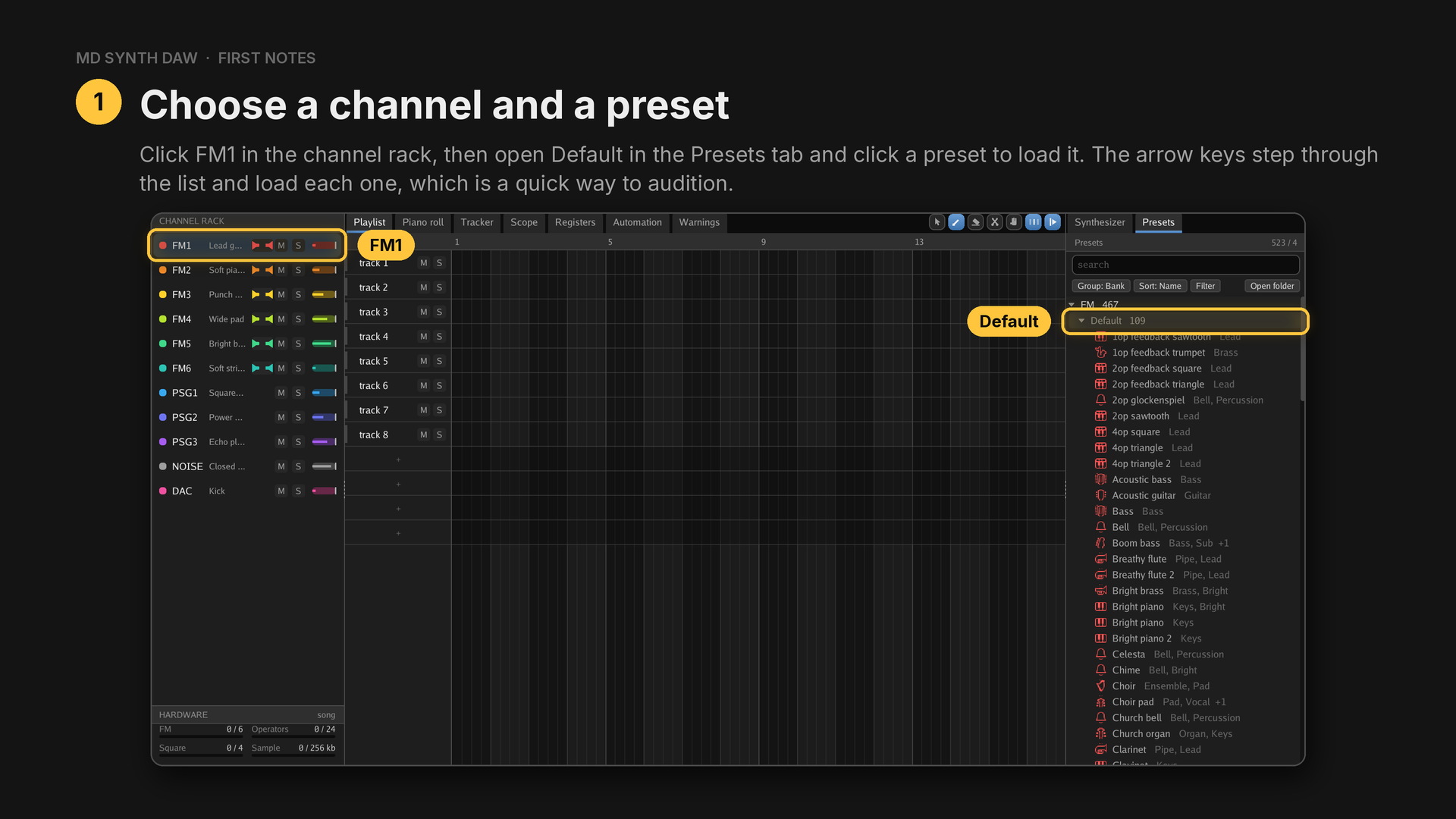
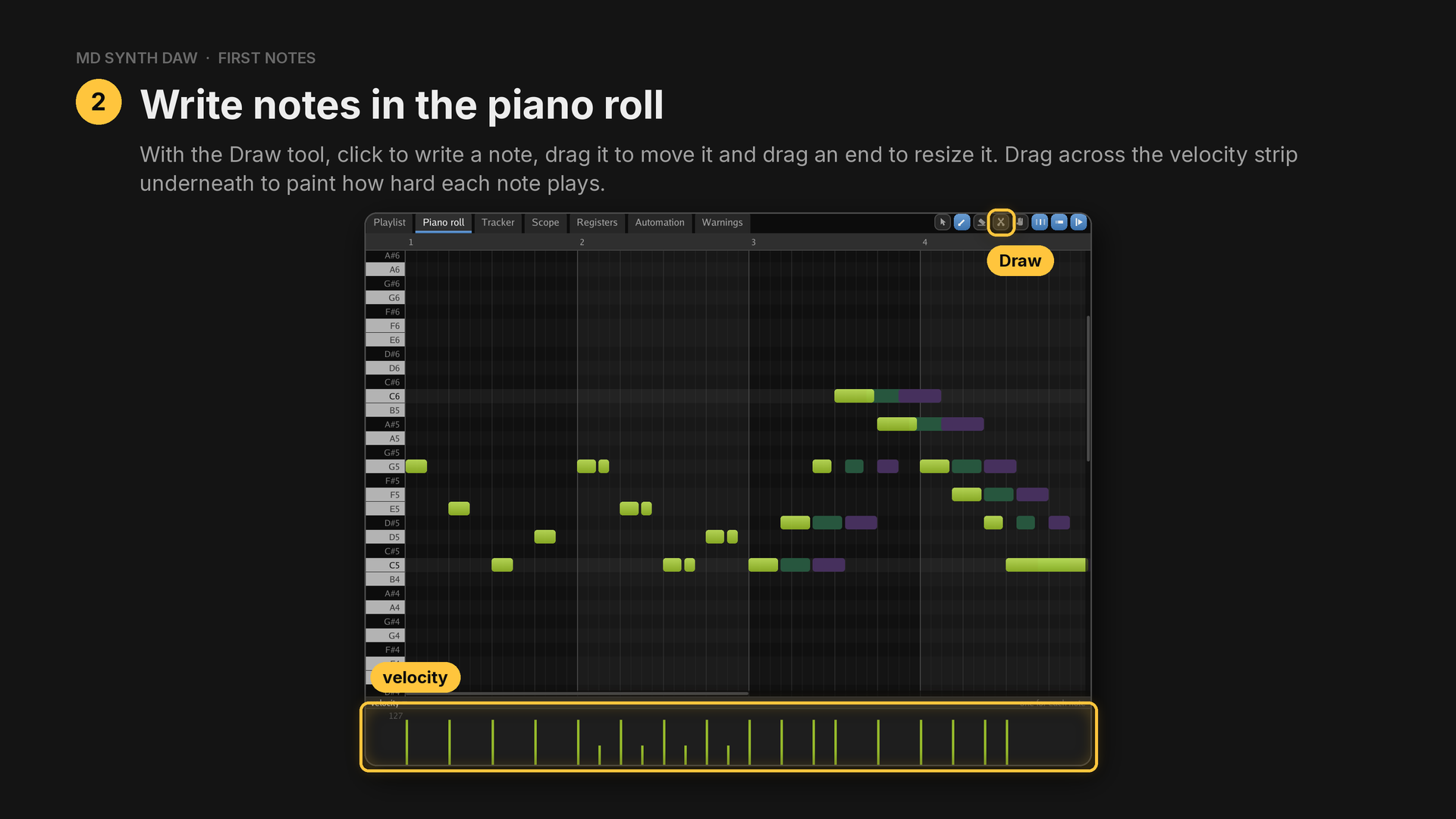
- Play it. The transport keys work from anywhere in the window:
| Key | What it does |
|---|---|
Space | play or pause |
Ctrl+Space | stop and rewind |
Home | back to the start |
Ctrl+L | loop |
R | record on or off |
Ctrl+M | metronome on or off |
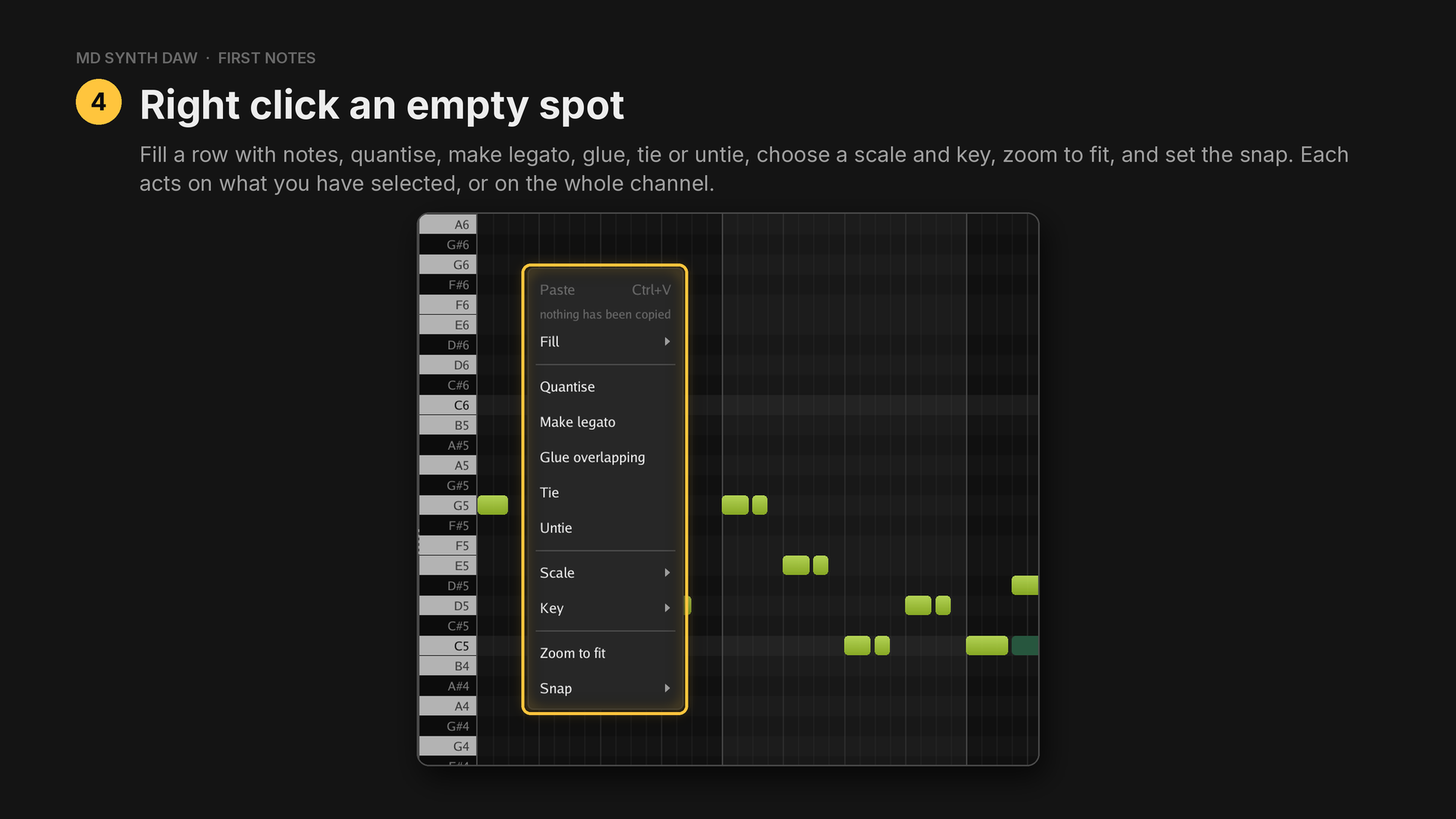
Fill writes a note on that row every step, every 2 or 4 steps, every beat, every 2 beats or every bar. There are nine scales and twelve roots.
Edit faster with the keyboard:
| Key | What it does |
|---|---|
| arrow keys | move the selected notes a semitone or a grid step |
Ctrl+Up, Ctrl+Down | move them an octave |
Shift+Up, Shift+Down | make them louder or quieter |
Ctrl+B | lay a copy straight after the selection |
Shift and a drag | carry a copy of a note, or of the selection |
Alt while dragging | leave the grid |
Ctrl and the wheel | zoom, or with Shift, make the rows taller or shorter |
| middle drag | move the view |
A note the chip can't sound is hatched straight away, with a warning that links to it.
Playing and recording from a MIDI keyboard#
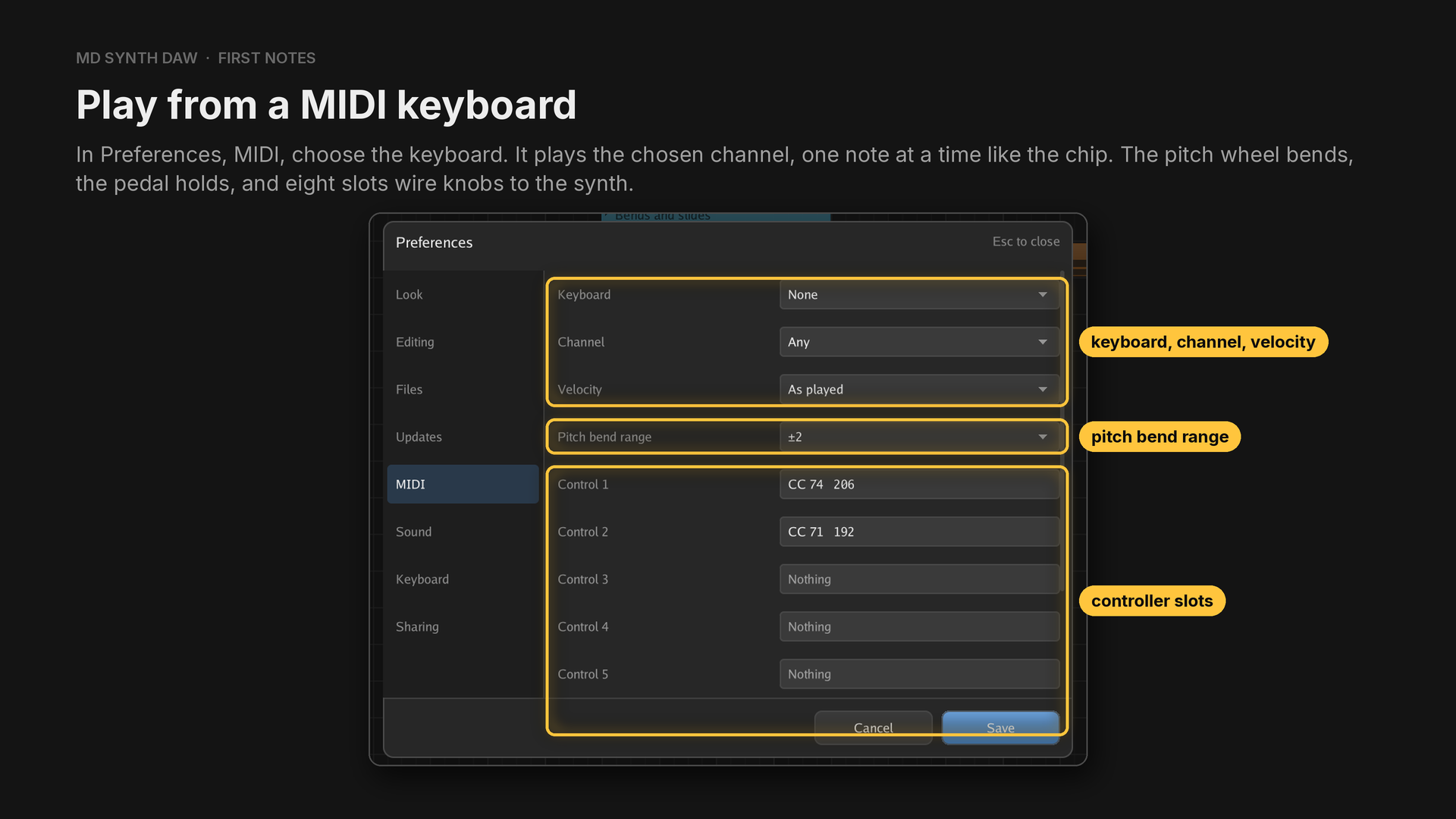
Preferences open with Ctrl+,. Leave Channel on Any and Velocity on As played. Hold a
key, play another and let it go, and the first comes back. The pitch wheel bends two semitones either
way unless Pitch bend range says otherwise, and a controller slot learns a knob when you click it
and move the knob.
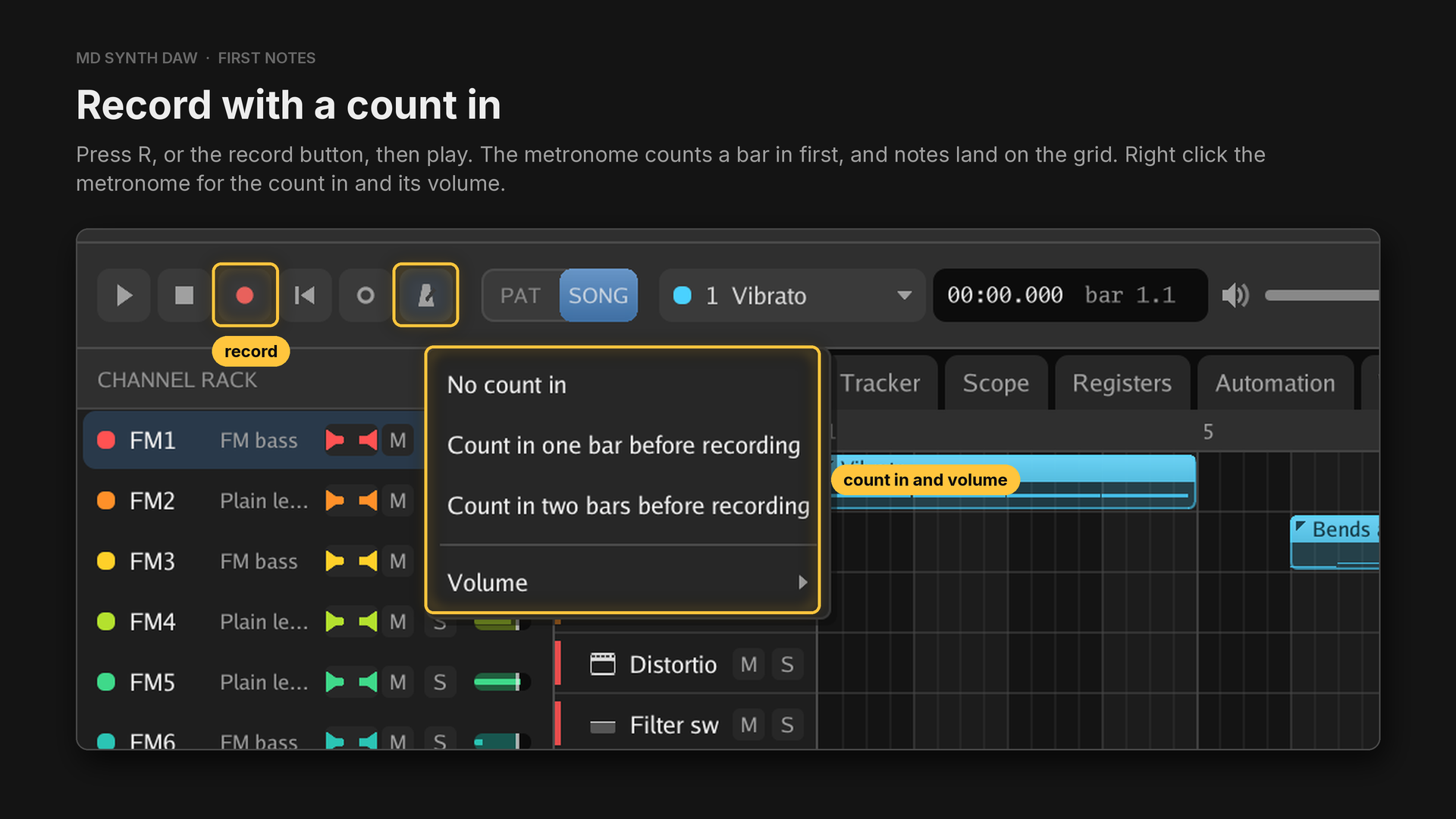
The readout beside the clock counts the beats in. Stop, then Ctrl+Z, and the whole take goes in one
step. The count in can be none, one bar or two. With the song stopped and record on, each key writes
one note a grid step long and moves the playhead on, so a line can be entered one note at a time.
12Patterns and the playlist#
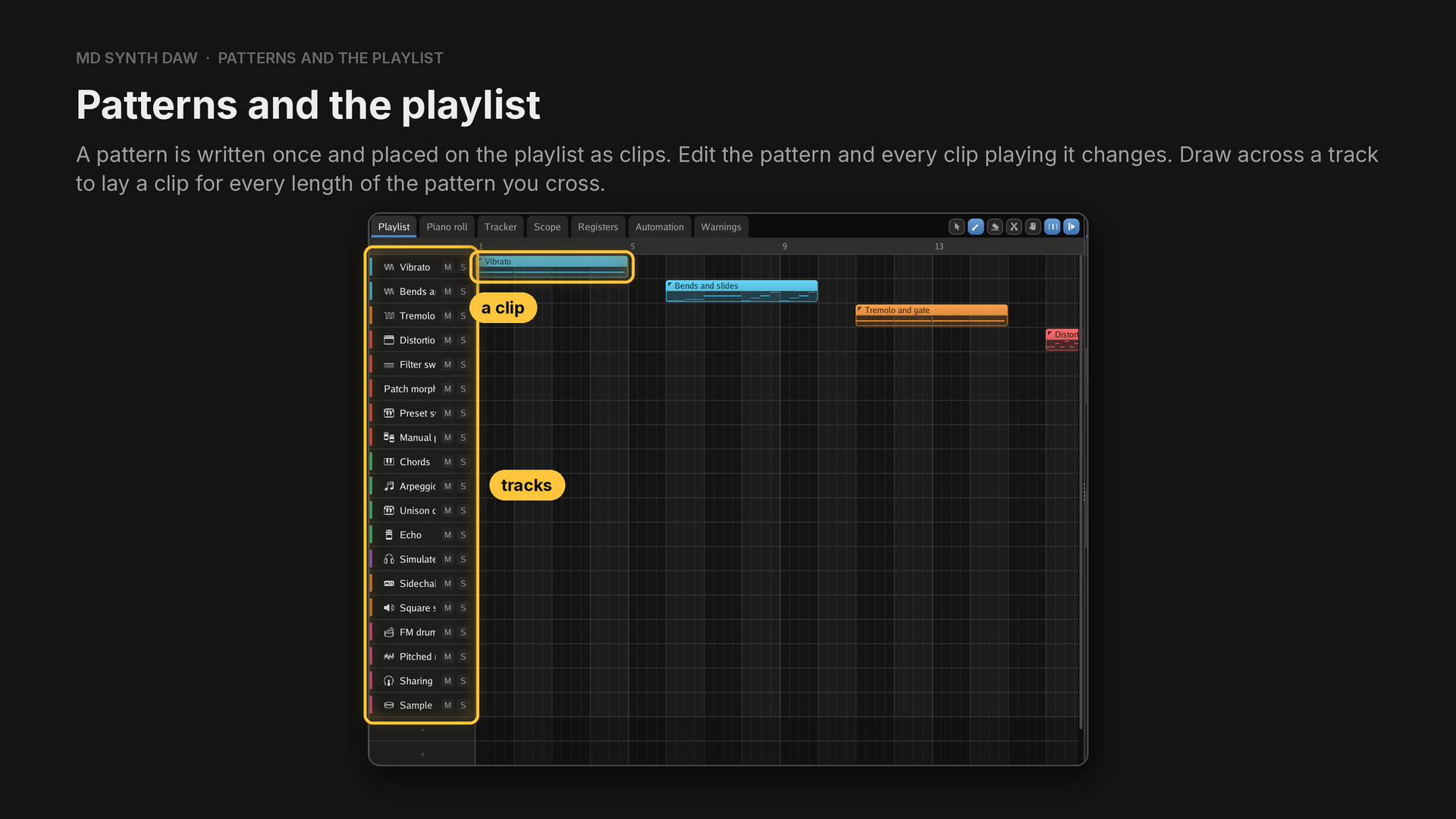
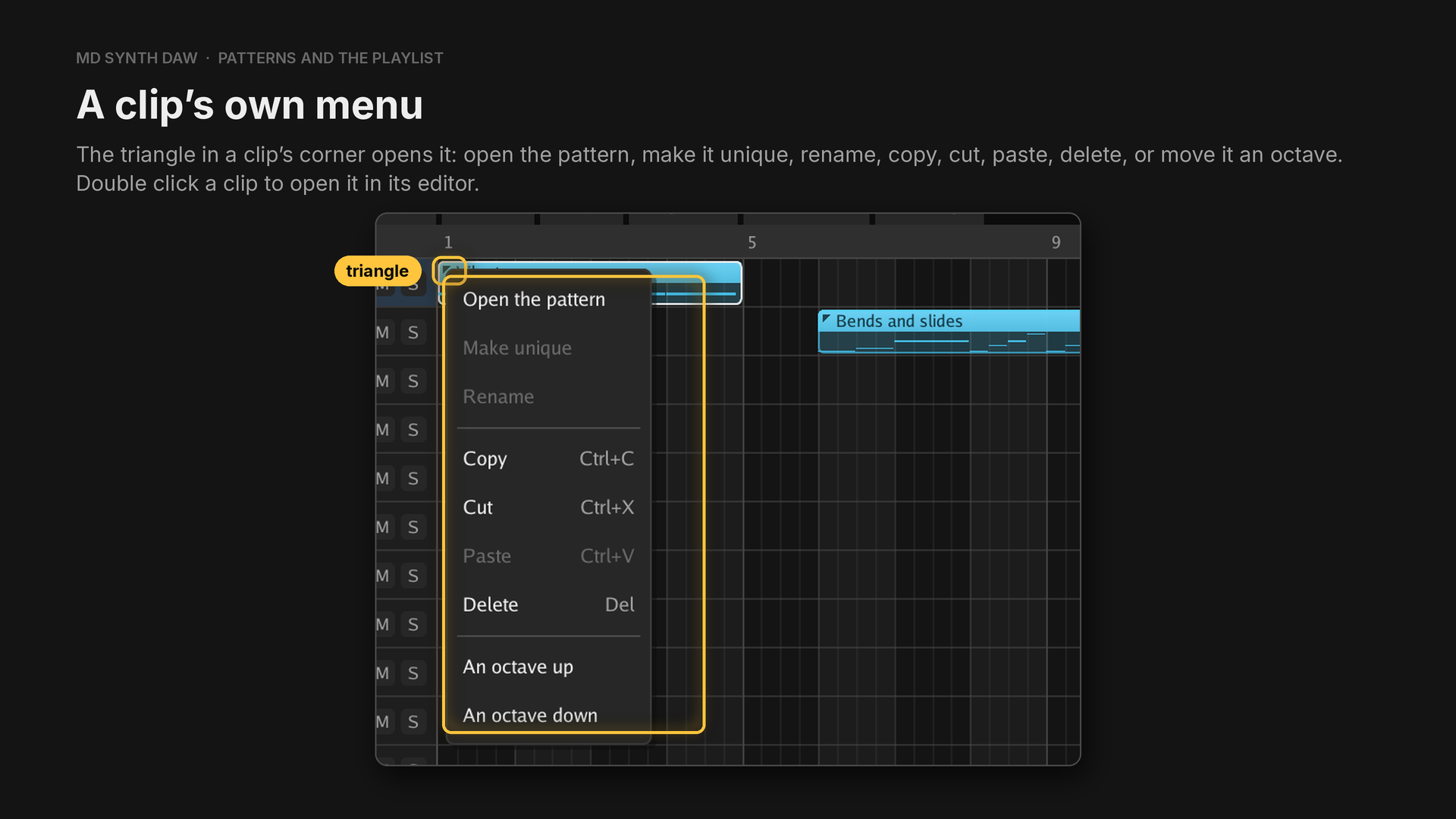
A pattern holds notes for any of the eleven channels, and the playlist's tracks are named. With Draw, four bars of clips is one stroke. Clips drag between tracks, resize, slice in two and move together as a group, and slicing one keeps the music where it was rather than restarting the pattern.
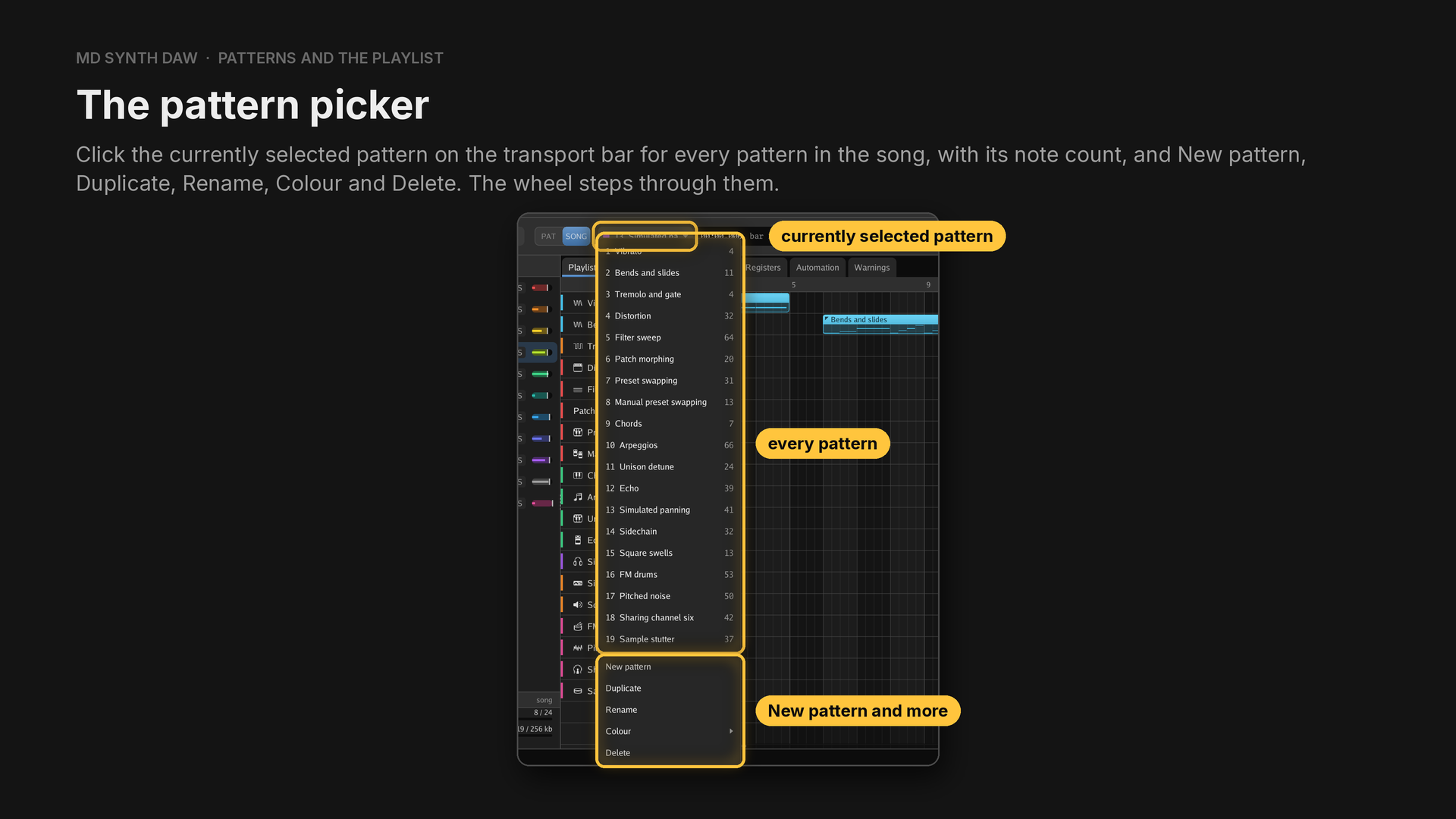
The currently selected pattern is the one the editors show. The Pattern menu has the picker's commands, and a few more:
| Entry | What it does |
|---|---|
| New pattern, Duplicate, Rename | make and name patterns |
| Add to the playlist | put a clip of it after the last clip on the first track |
| Delete | take it out, with every clip that plays it |
| Play it on | move a pattern that holds one channel's notes onto another channel |
| Time signature | give the pattern one of its own, a common one or any typed under Custom, or follow the song |
| Clear every channel | empty it |
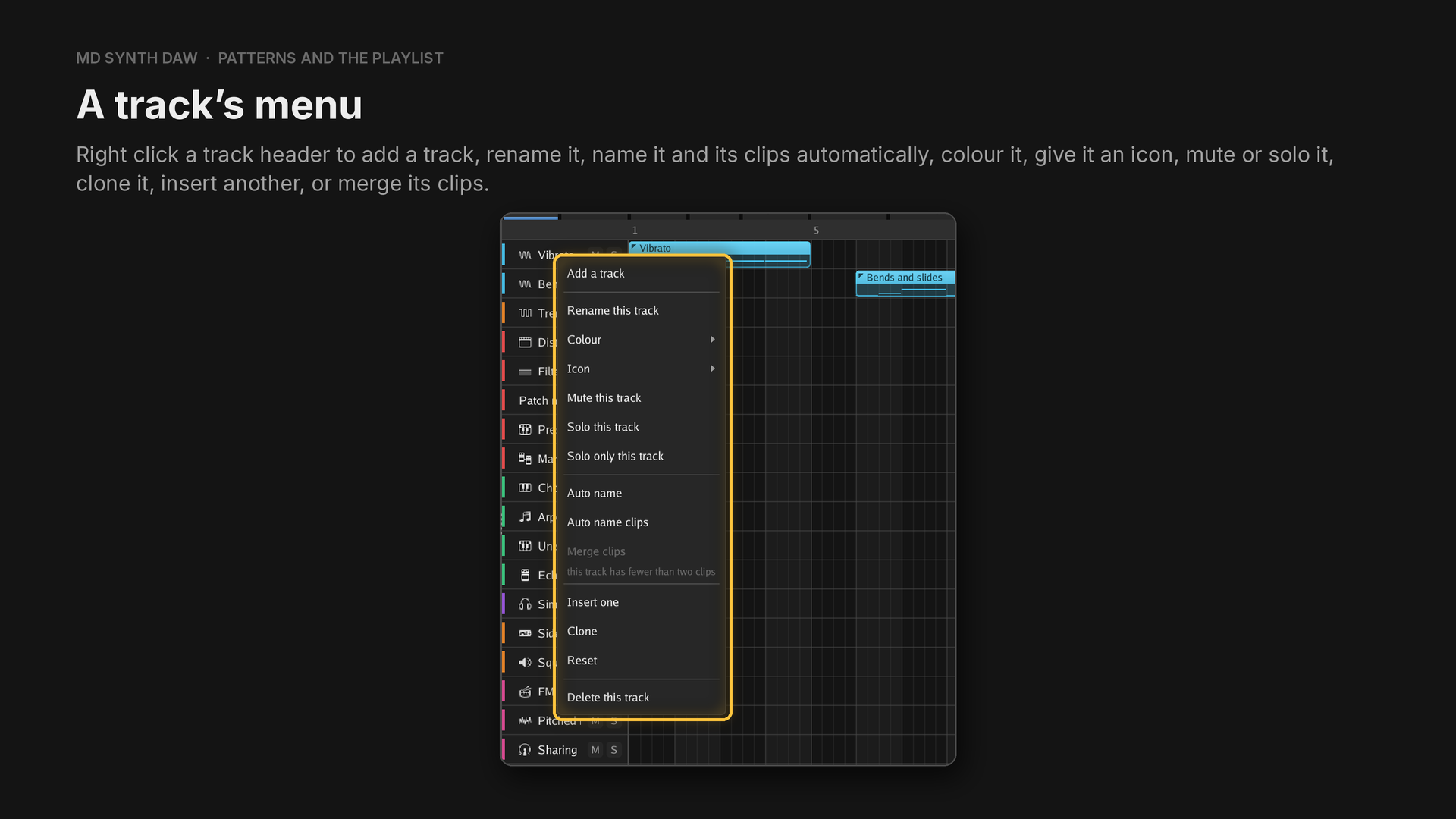
The same menu also solos a track alone, resets it or deletes it, and Alt with a click on a solo
button solos that track alone.
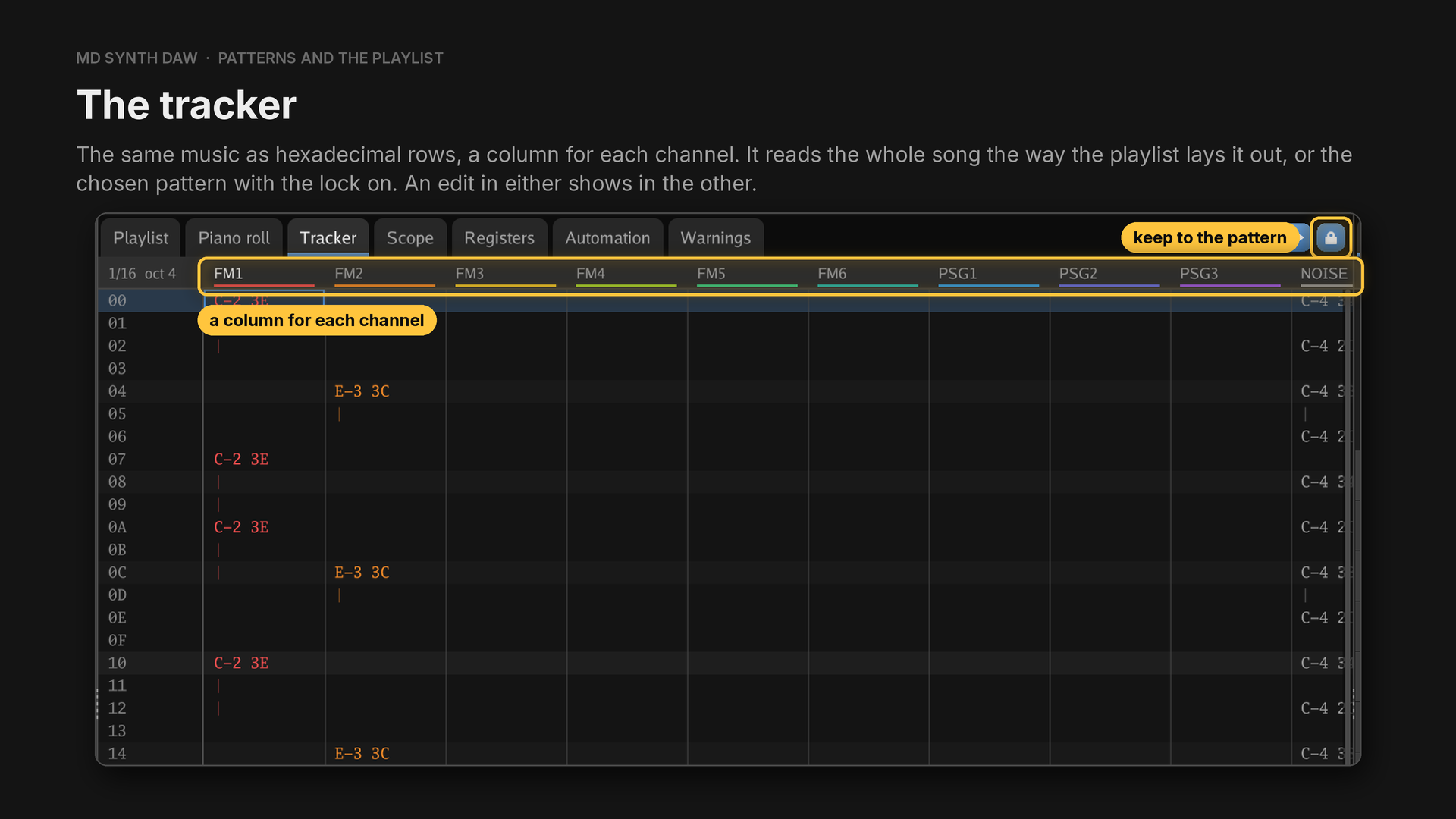
In the Tracker, Ctrl+Page Up and Ctrl+Page Down pick the octave typed notes land in,
Ctrl+Left and Ctrl+Right give fewer or more rows a beat, Ctrl+Up and Ctrl+Down change the
velocity at the cursor, and 1 writes a note cut.
13The FM synthesizer#
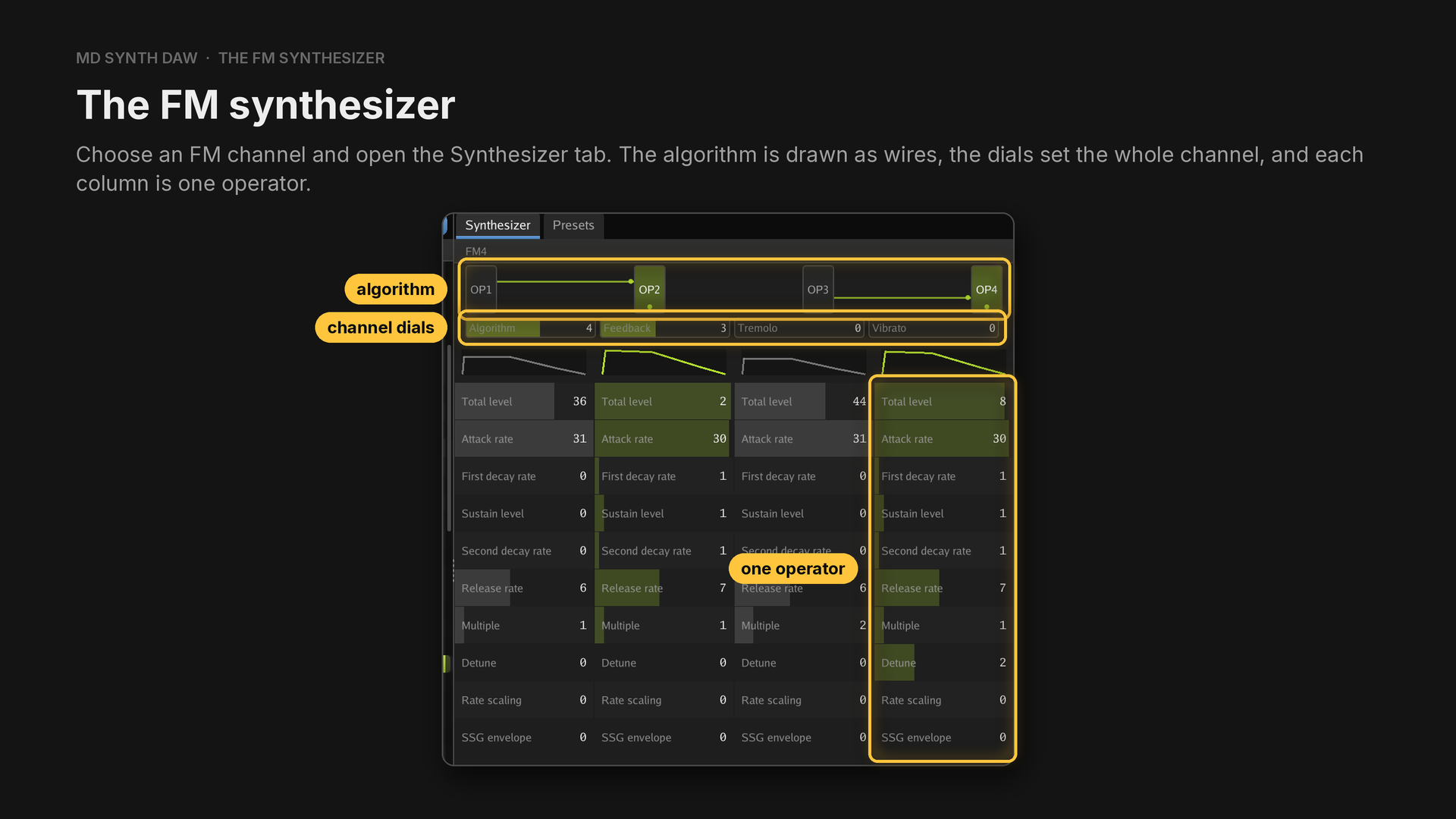
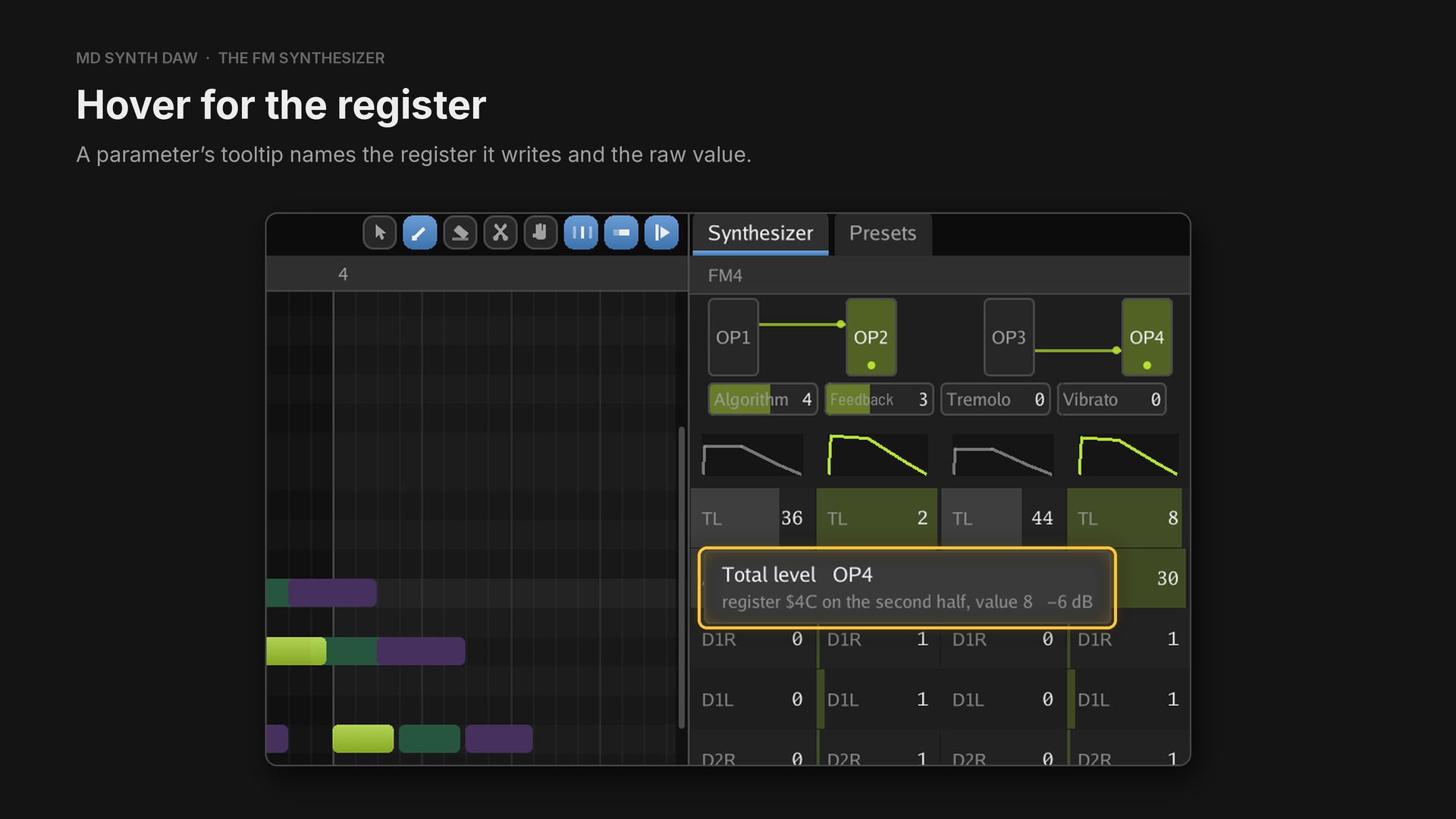
The channel dials are Algorithm, Feedback, Tremolo and Vibrato, the last two setting how deeply the channel follows the chip's one LFO. Each operator's envelope is drawn above its column. Widen the instrument panel and the parameters spell out their names; narrow, they use the register names.
How operators, envelopes and algorithms work is in FM channels, operators and algorithms.
| Parameter | Range | What it does |
|---|---|---|
| Total level (TL) | 0 to 127 | how loud the operator is, 0.75 dB a step, higher is quieter |
| Attack rate (AR) | 0 to 31 | how fast it rises after the key on |
| First decay rate (D1R) | 0 to 31 | how fast it falls to the sustain level |
| Sustain level (D1L) | 0 to 15 | where the first decay stops, higher is quieter |
| Second decay rate (D2R) | 0 to 31 | how fast it keeps falling while the key is held, 0 holds |
| Release rate (RR) | 0 to 15 | how fast it fades after the key off |
| Multiple | 0 to 15 | its pitch as a multiple of the note, 0 is a half |
| Detune | 0 to 7 | a small shift away from that multiple |
| Rate scaling (RS) | 0 to 3 | how much faster the envelope runs on high notes |
| SSG envelope | 0 to 15 | from 8 up, repeats, holds or mirrors the envelope |
A higher rate is faster. Every parameter is a bar you drag, and it follows the pointer. A click
selects it without changing it, a double click puts it back where a fresh preset has it, and the
wheel steps by four, or by one with Ctrl held. Ctrl while dragging makes any drag fine. Right
click a single dial to put just that parameter back to the preset.
Speed for the song, depth for the channel#
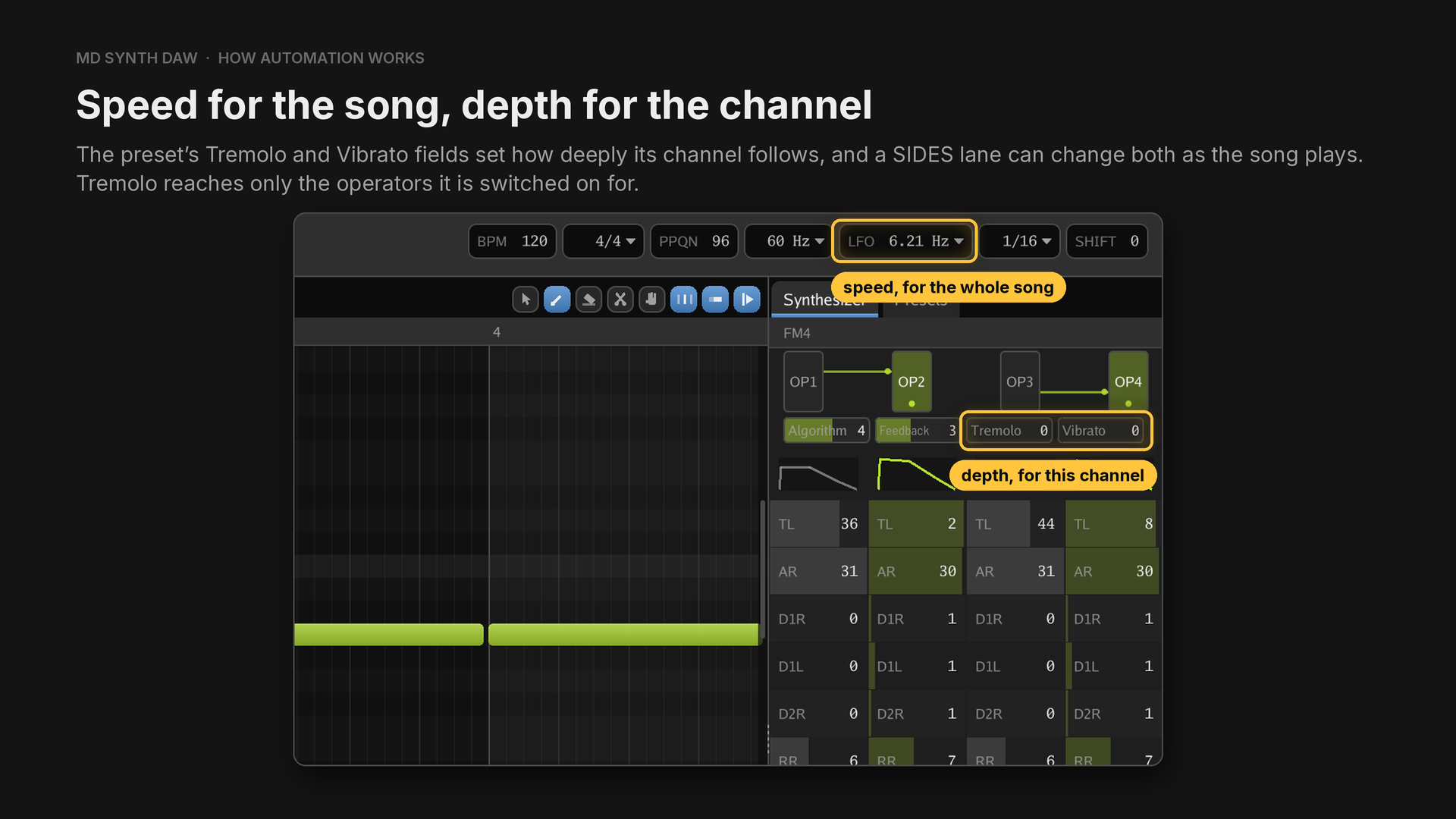
Vibrato runs from 0 to 7 and Tremolo from 0 to 3. An operator has tremolo switched on by the
128 in its AM D1R value. For a speed of its own on each channel, draw the vibrato or the tremolo on
a lane instead: see Vibrato and tremolo.
14Squares and noise#
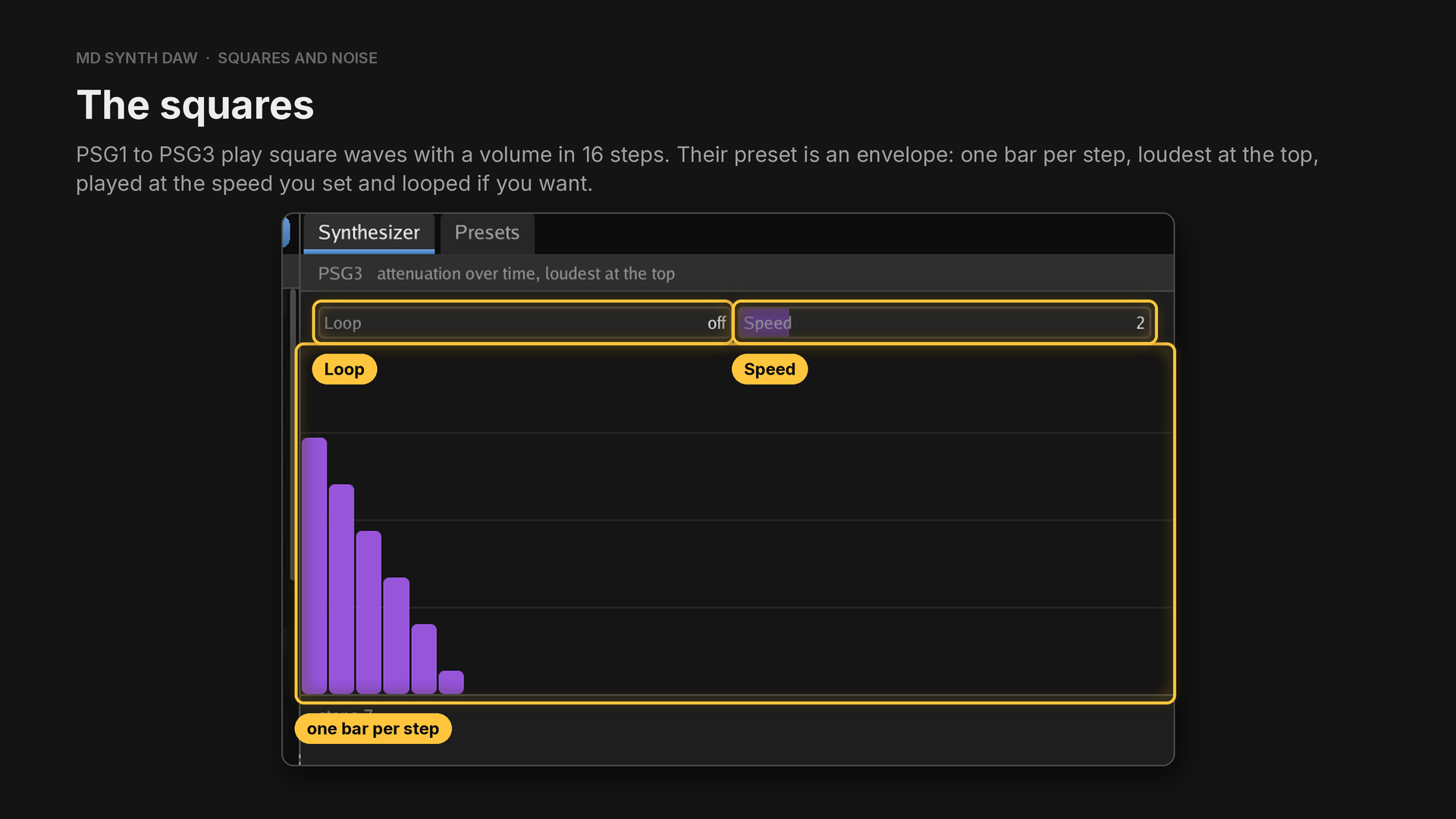
Choose PSG1, PSG2 or PSG3 and open the Synthesizer tab to edit its envelope, with Speed and Loop.
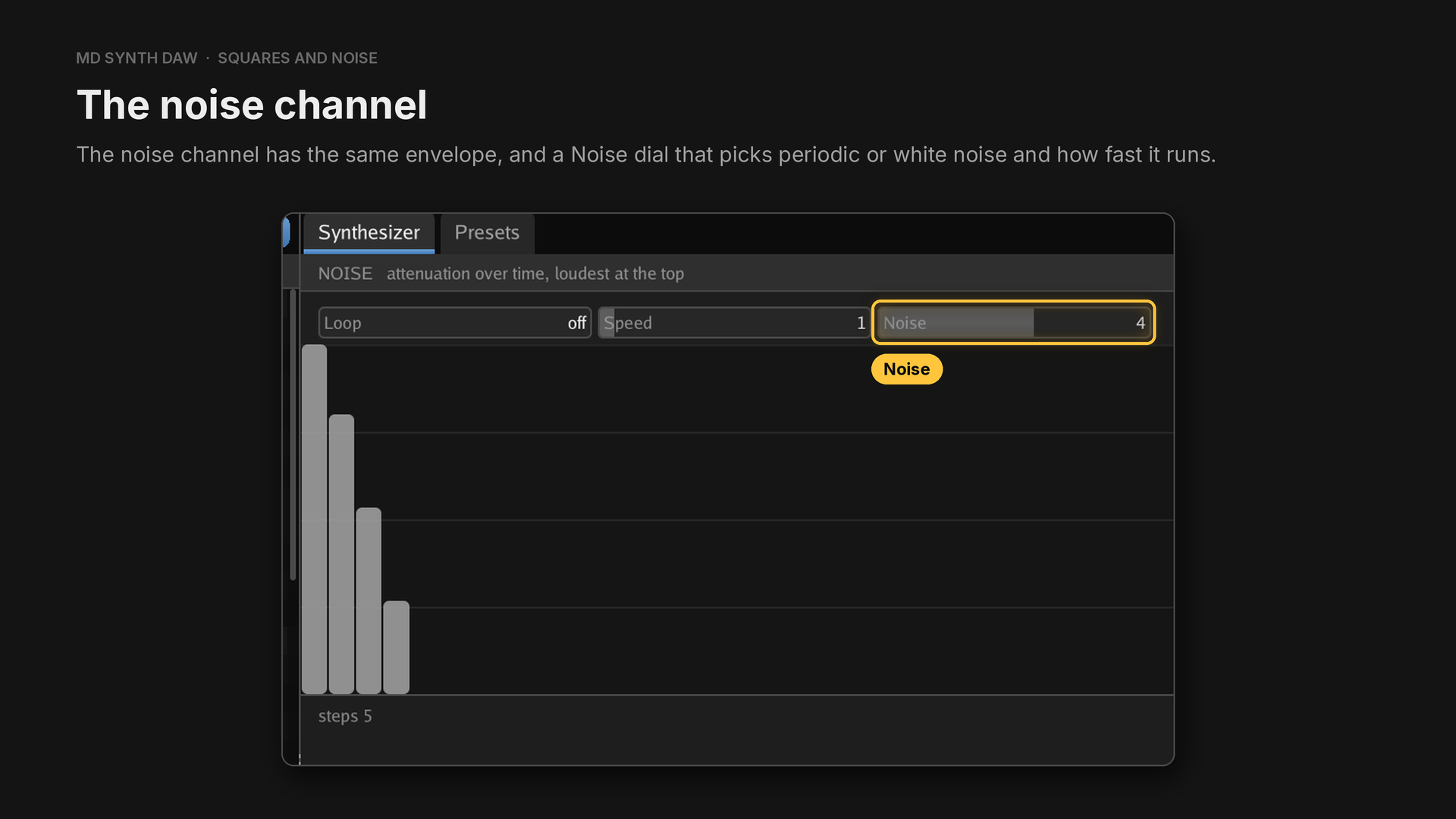
The squares and the noise channel lists the settings of the Noise dial. On 3 or 7, notes written on NOISE play at their own pitch: see Pitched noise.
15Samples and drum kits#
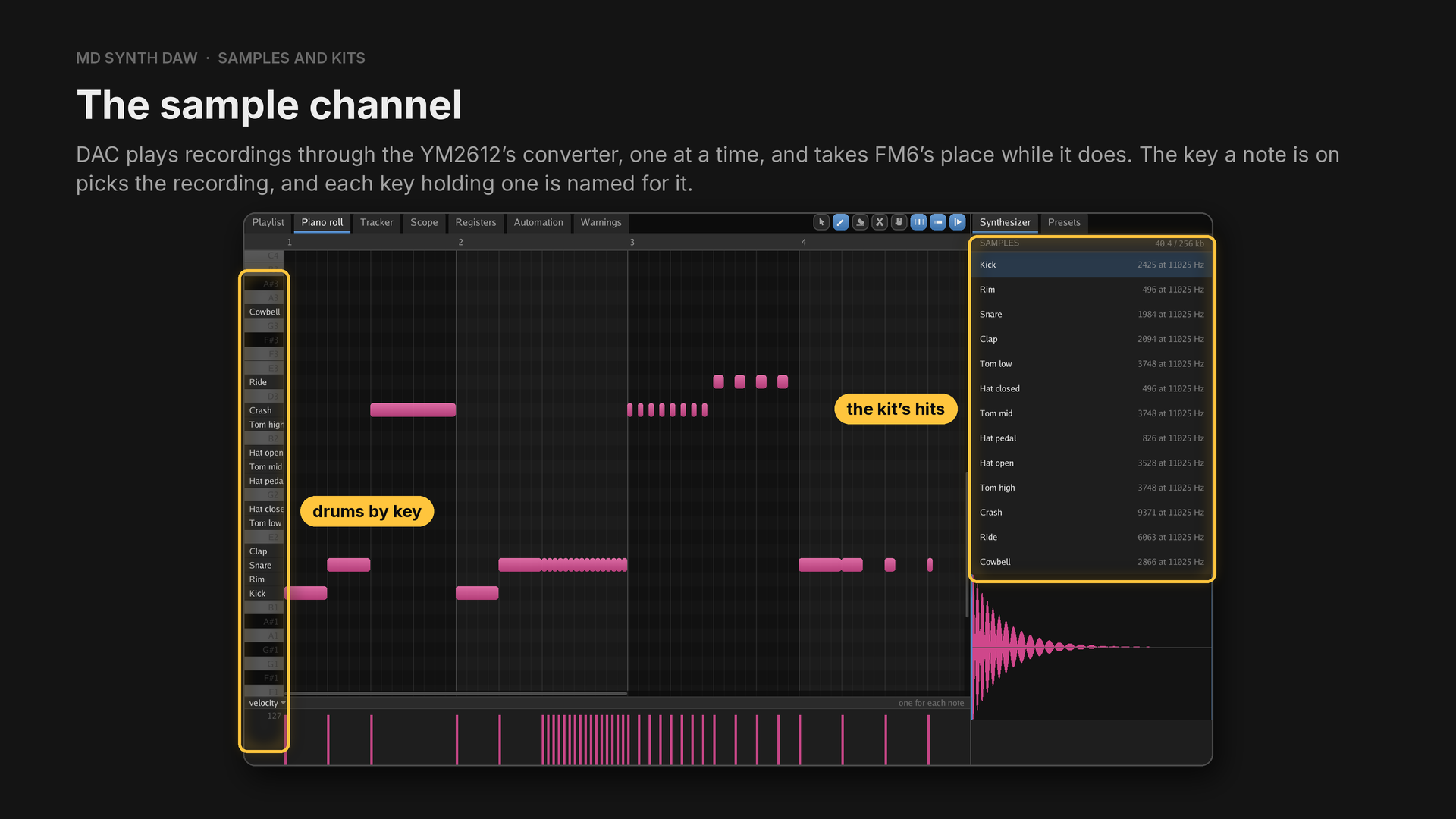
Seven kits ship, named for the music they suit: 808, Ambient, Pop, Trap, Dubstep, Gabber and Hardcore, plus a kit of thirteen synthesised hits.
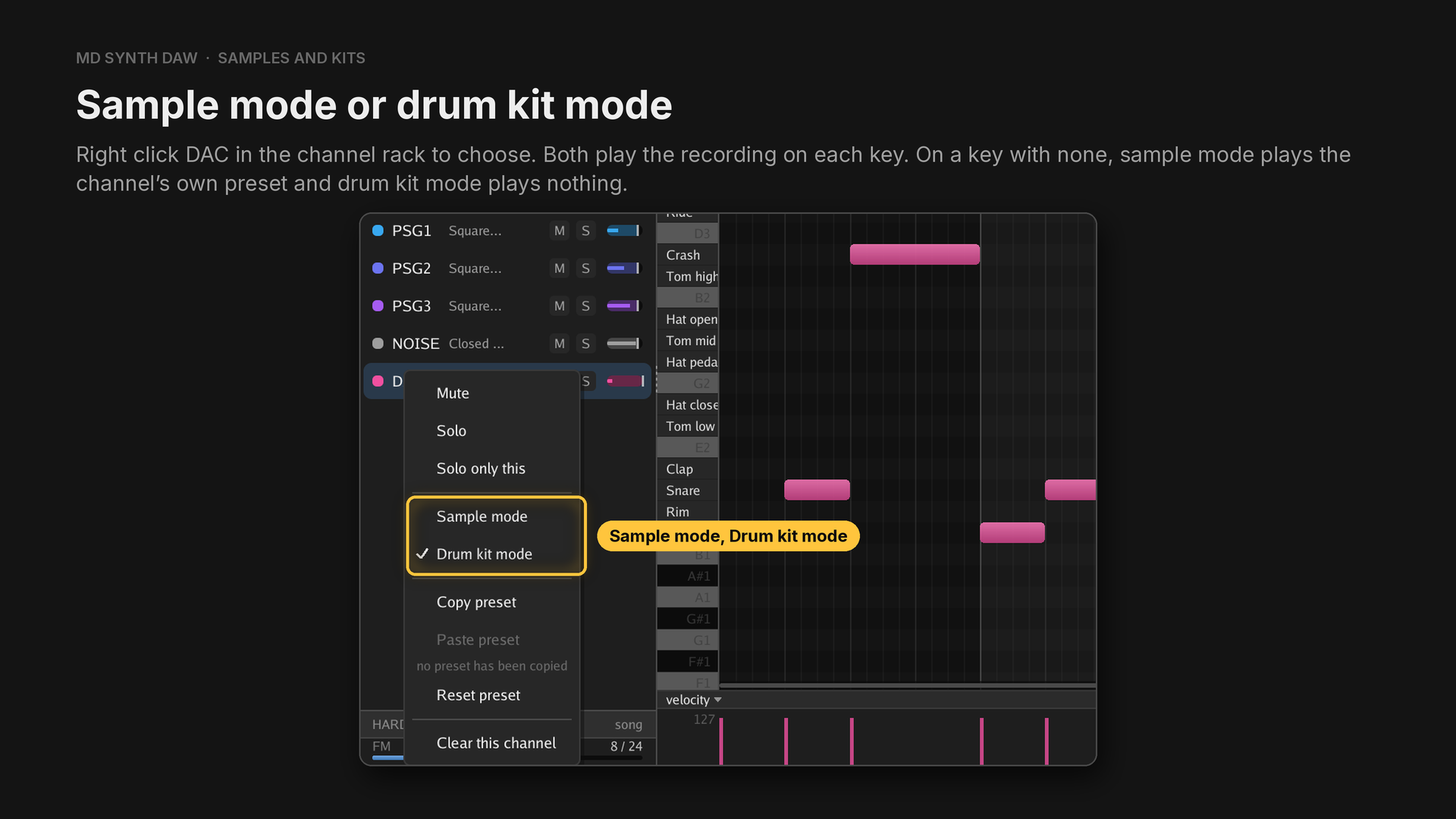
Sample mode keeps a song written for one recording sounding on every key, and drum kit mode leaves its empty keys silent the way a General MIDI drum kit does. A MIDI drum track arrives in drum kit mode.
- Import, Import a WAV as a sample brings a recording in. Drag across its waveform to mark the part to keep, then choose Trim from the right-click menu.
- Import, Make a kit gathers WAVs from anywhere, a file or a folder at a time, and Detect keys puts every hit on a key: from a note in its file name where there is one, and otherwise from what the recording sounds like.
- A General MIDI drum track lands on the right hits, because the shipped samples sit on their General MIDI notes.
16Presets#
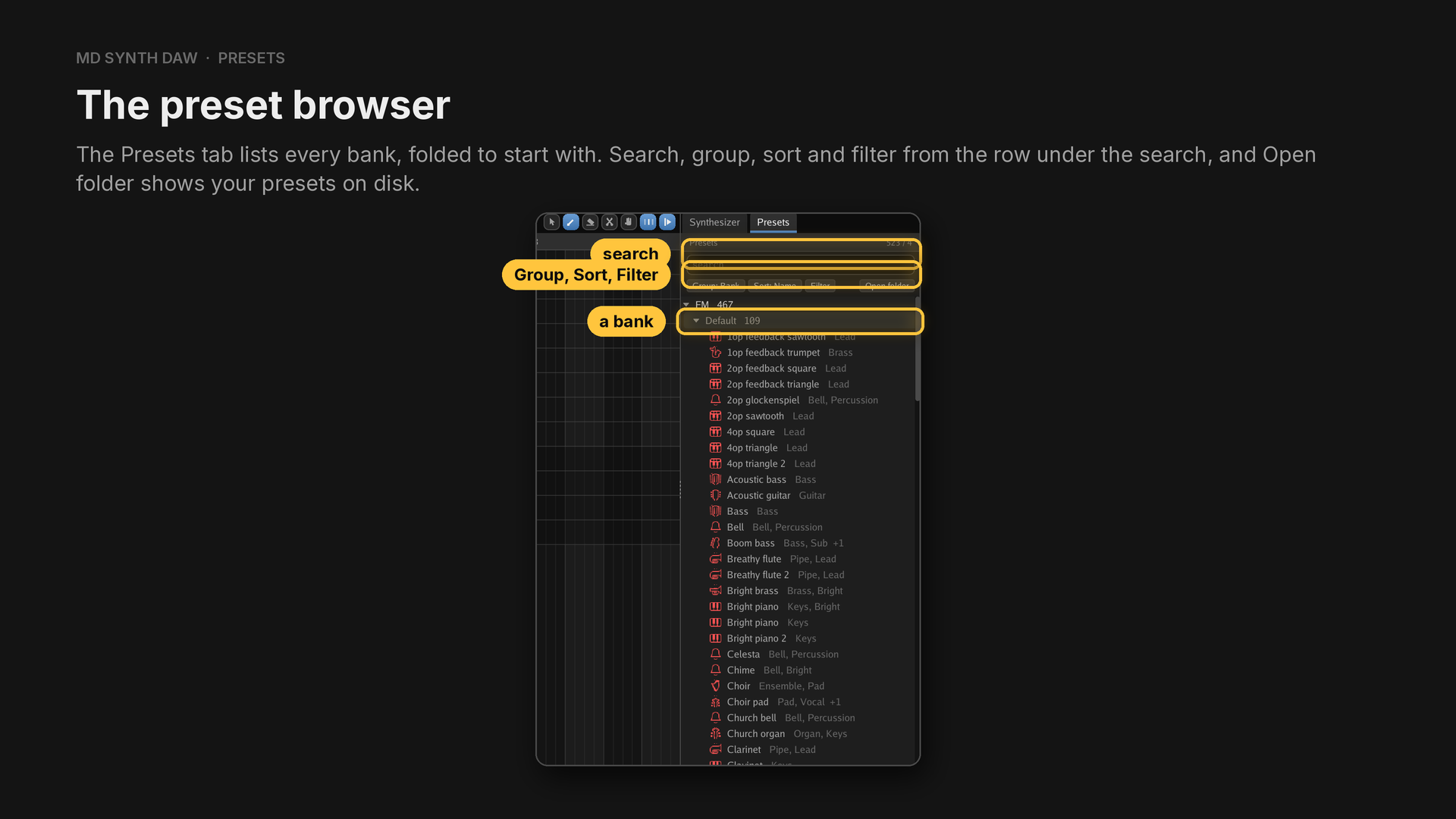
Sort, Similar puts the presets closest to what the chosen channel plays first, with how alike each one is as a percentage.
Search by name or tag, or with words that narrow it:
| Type | To keep |
|---|---|
tag:bass | presets with a tag holding bass |
bank:sonic | banks whose name holds sonic |
-word | everything the word does not match |
"a phrase" | the phrase taken whole |
fav | your favourites |
used | what the open piece plays |
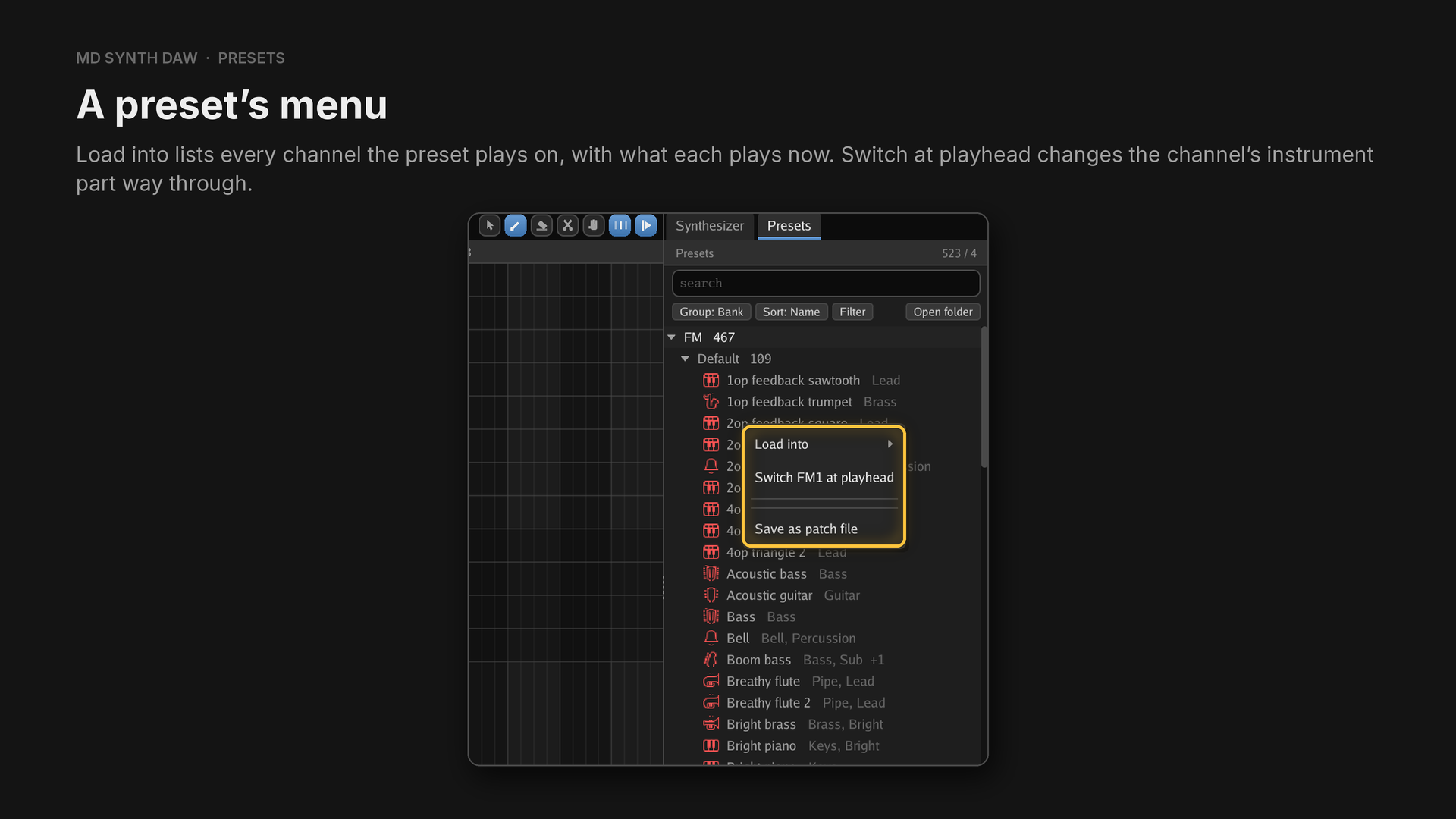
Right click a preset for its menu. Your own presets also rename, retag, move, copy and delete from there.
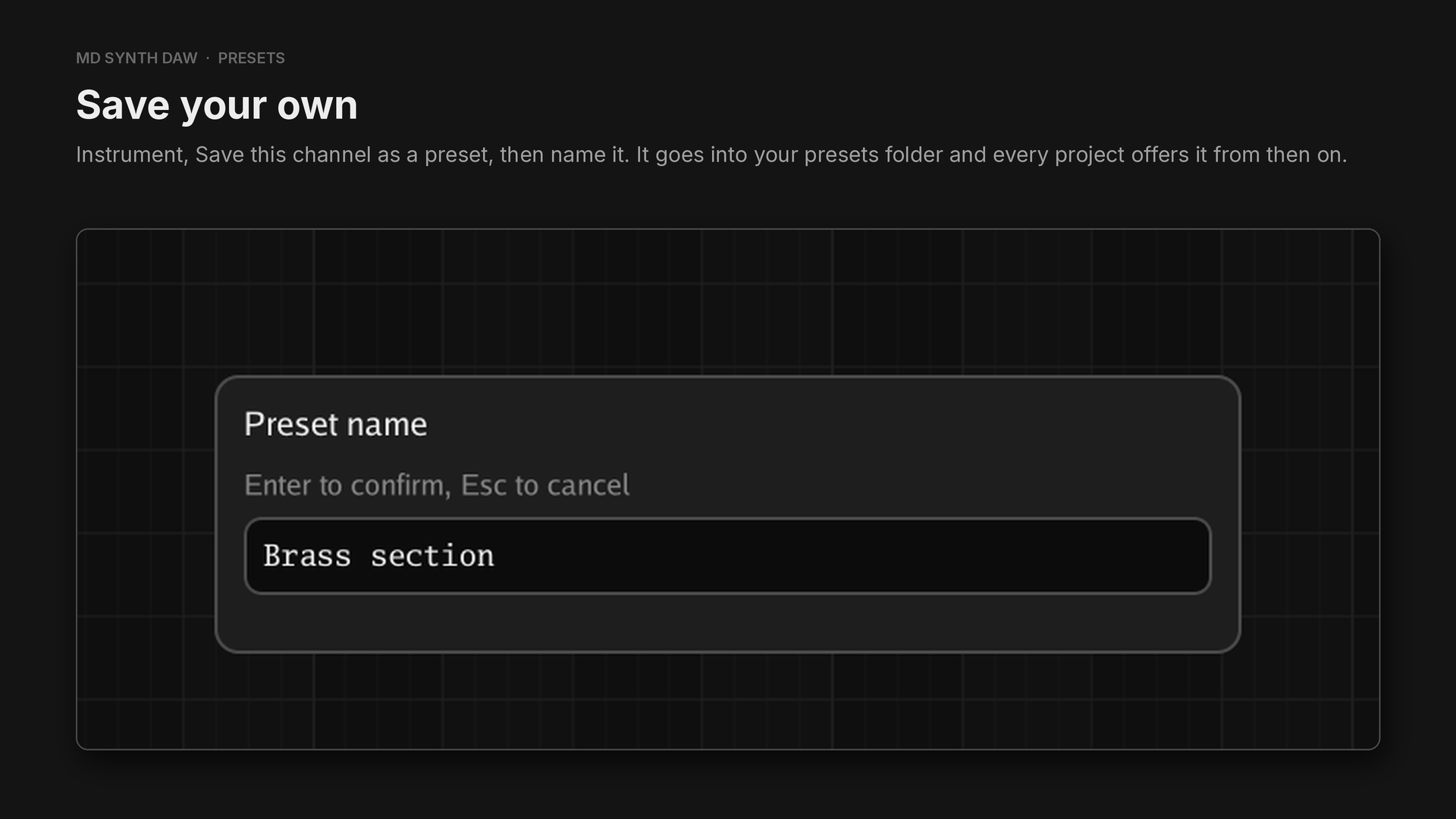
- Default is built in: 140 presets, 67 of the FM presets by ulalume under CC0.
- Four game banks ship, read out of Sonic the Hedgehog 1, 2 and 3 and Mickey Mania: 374 presets, each tagged with the tracks it came from.
- Loading a preset gives the channel its own copy. Tweak freely: choosing the same preset again puts every field back in one undo step.
- A saved project holds only the presets it plays, so it opens the same on any machine.
- A preset writes out as
.mdpresetand a bank as.mdbank, to hand to anybody.
17Automation#
Almost any change of sound can be drawn as automation. Each lane writes one register of the chosen channel, and the app plays it back the way a sound driver would: it works a lane's value out once a frame and writes it only where it changed. See How a song reaches the chips.
A lane is a register#
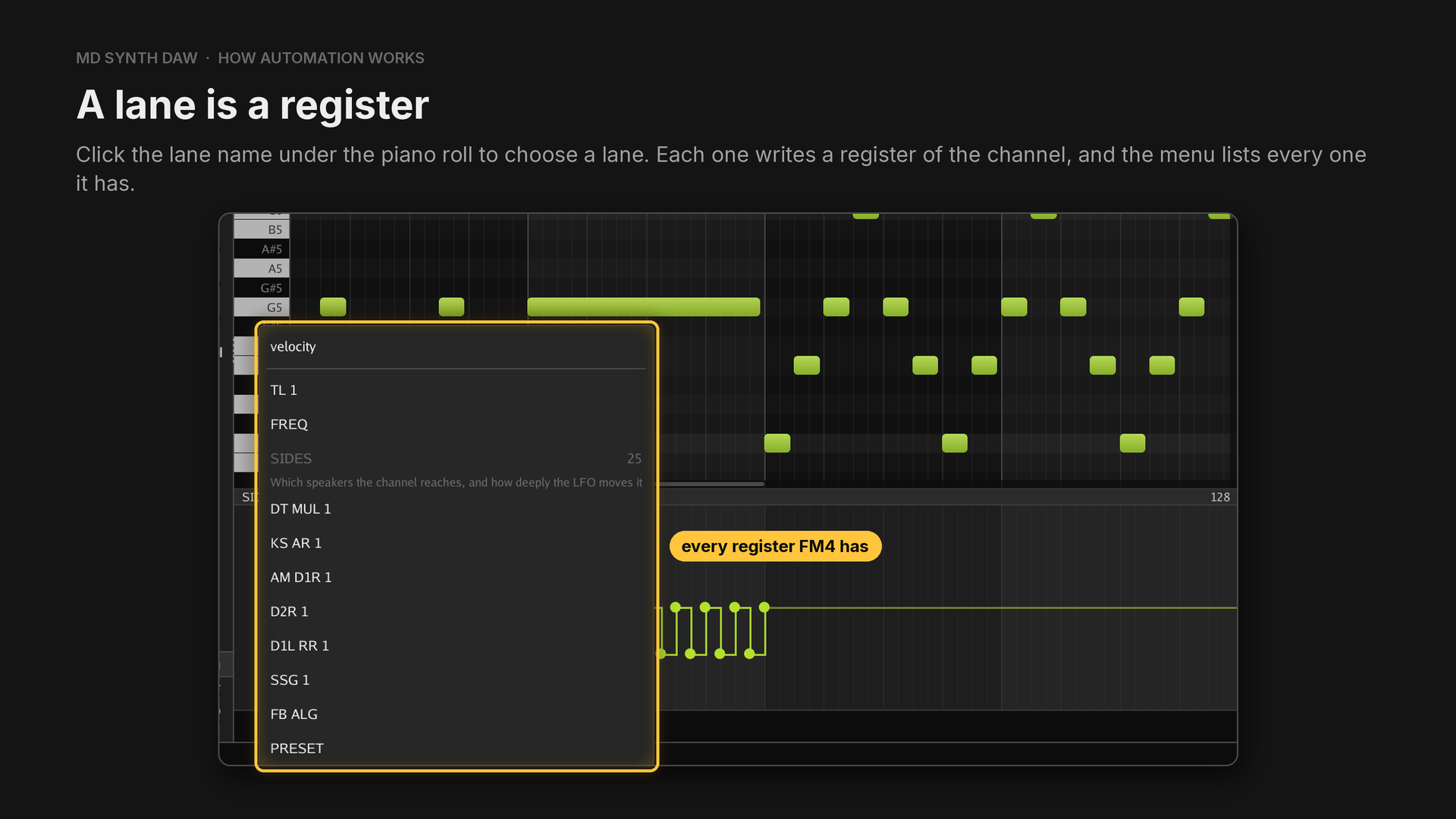
The Automation tab shows every lane of the chosen channel at once.
| Channel | Lanes |
|---|---|
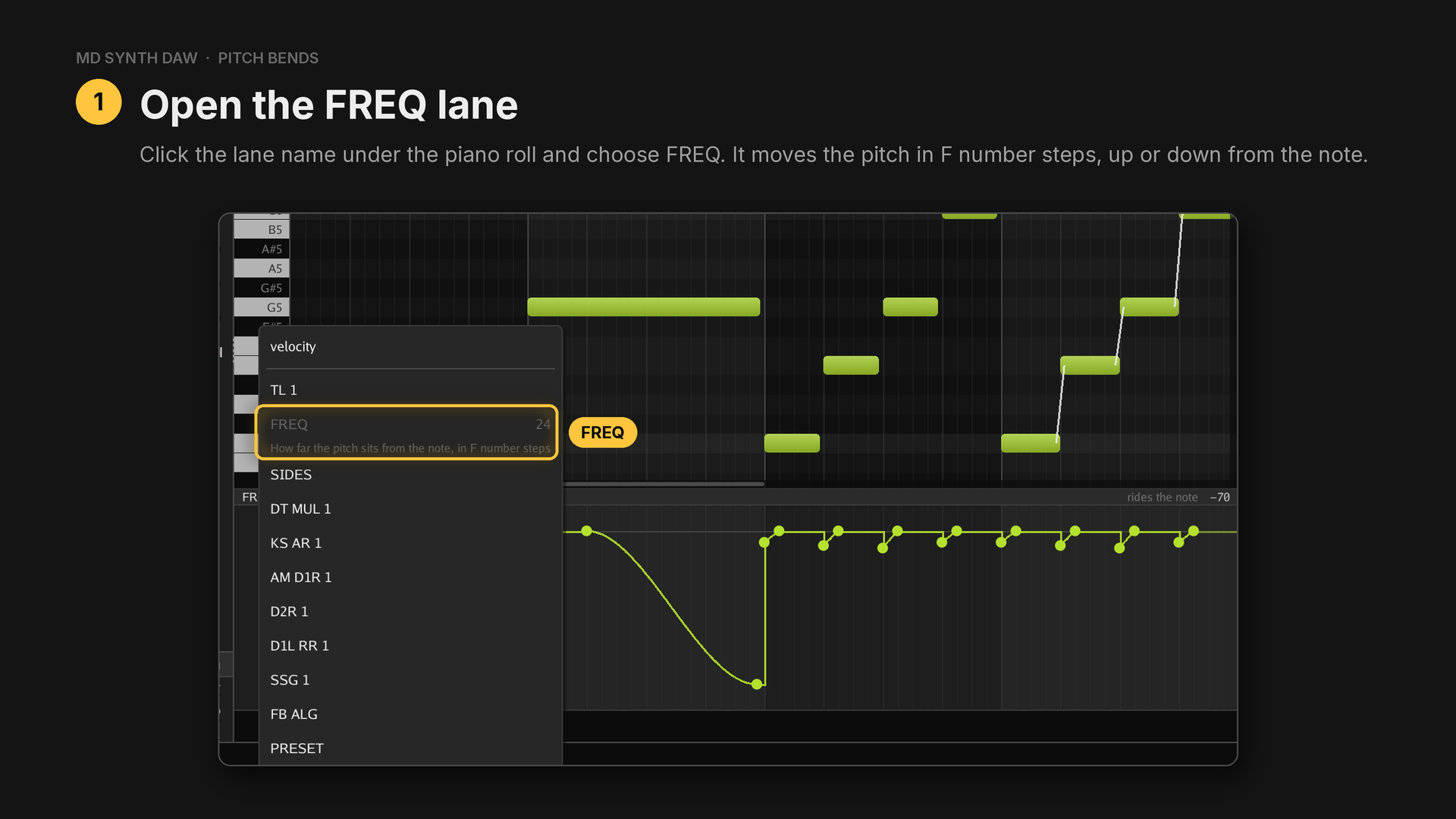
| FM | TL 1 to TL 4, FREQ, SIDES, DT MUL 1 to 4, KS AR, AM D1R, D2R, D1L RR, SSG, FB ALG, PRESET |
| Squares | LEVEL, PERIOD, PRESET |
| Noise | LEVEL, NOISE, PRESET |
Every point has a shape#
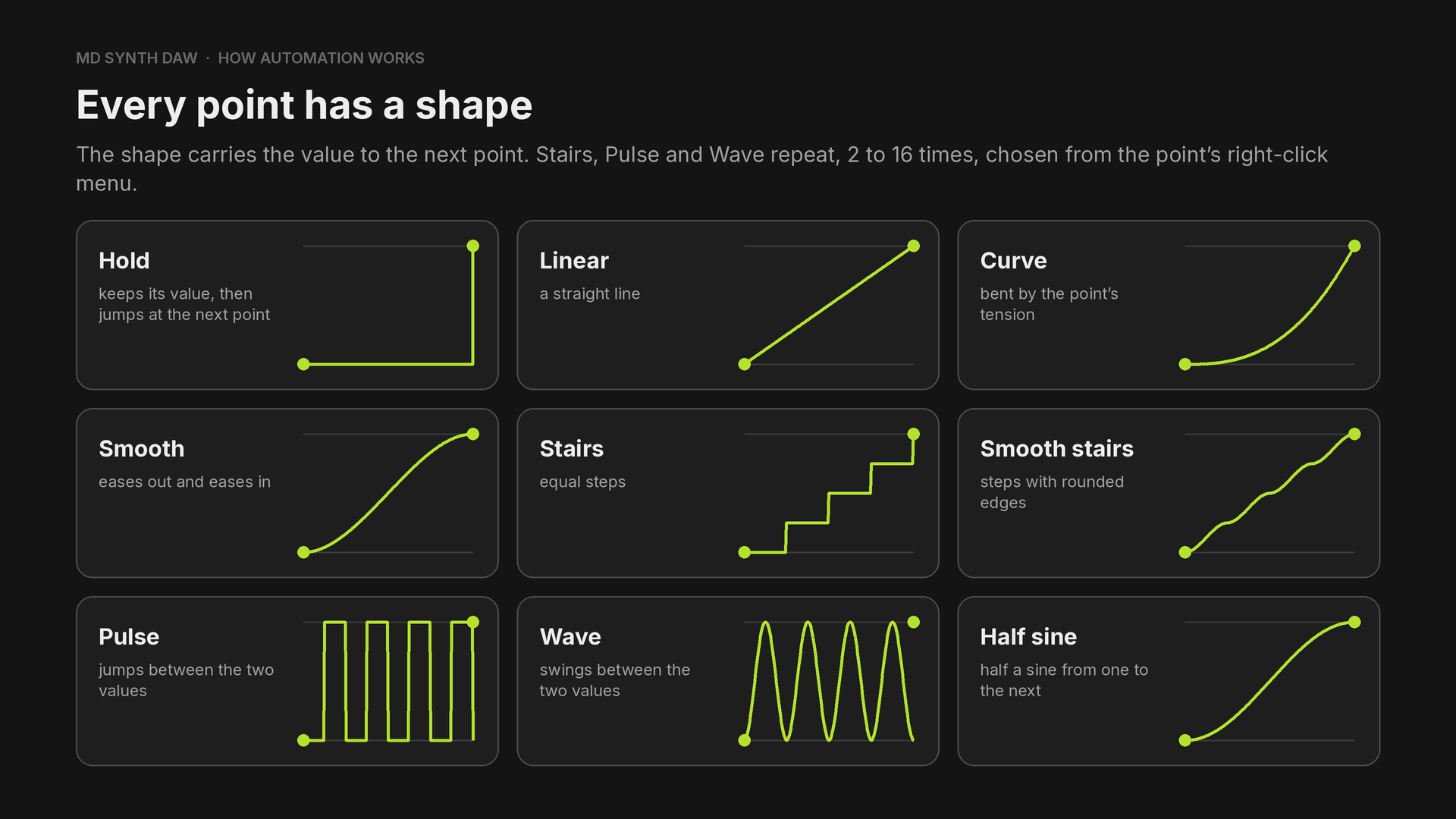
The shapes are Hold, Linear, Curve, Smooth, Stairs, Smooth stairs, Pulse, Wave and Half sine, and the repeats come in 2, 3, 4, 6, 8, 12 or 16.
A Wave or Pulse point swings between its own value and the next point's value. So a vibrato is one Wave point at the bottom of the swing and one point after it at the top.
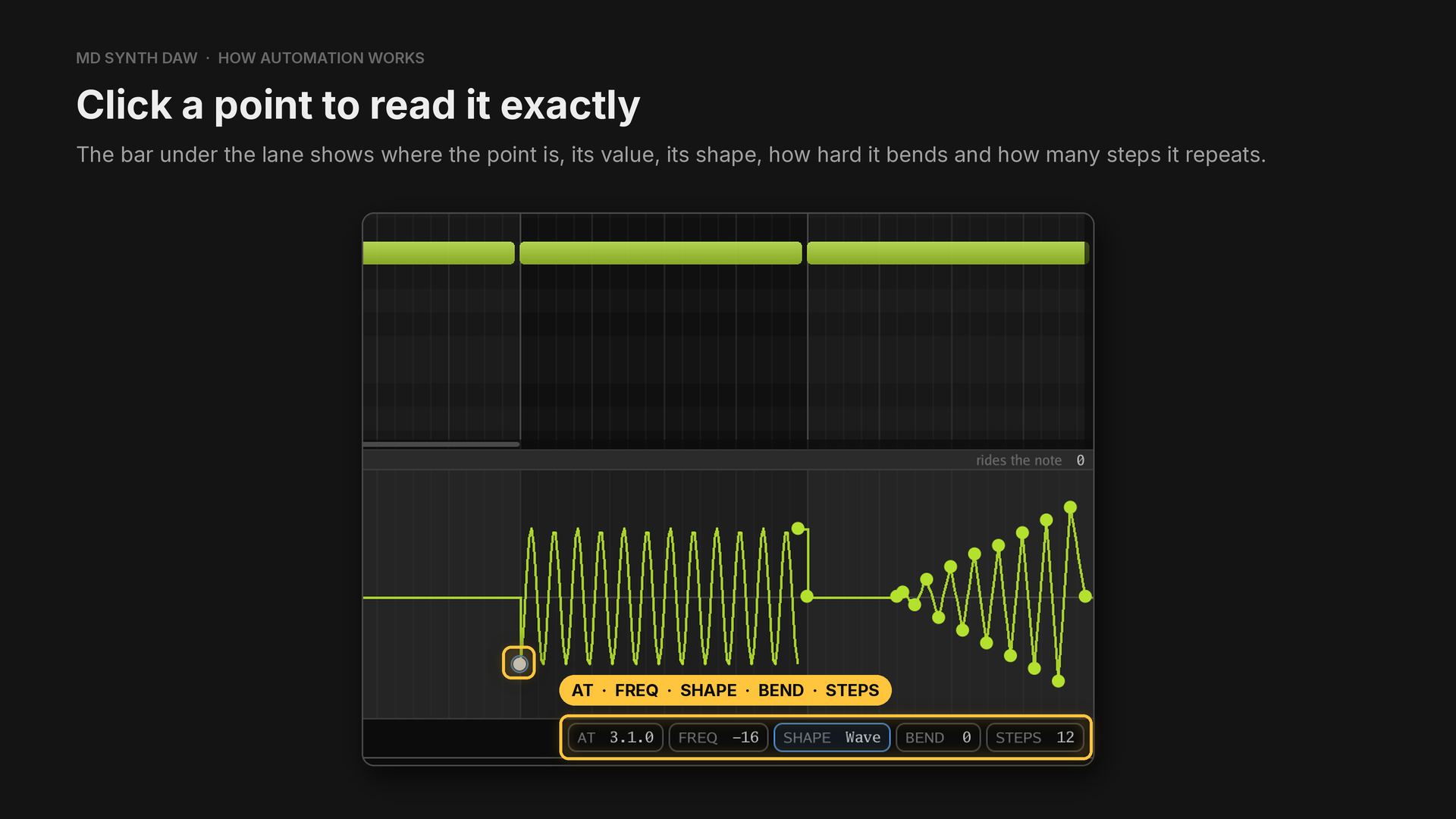
AT is in bars, beats and ticks. At the 96 PPQN a new project starts with, a beat is 96 ticks and a bar of 4/4 is 384.
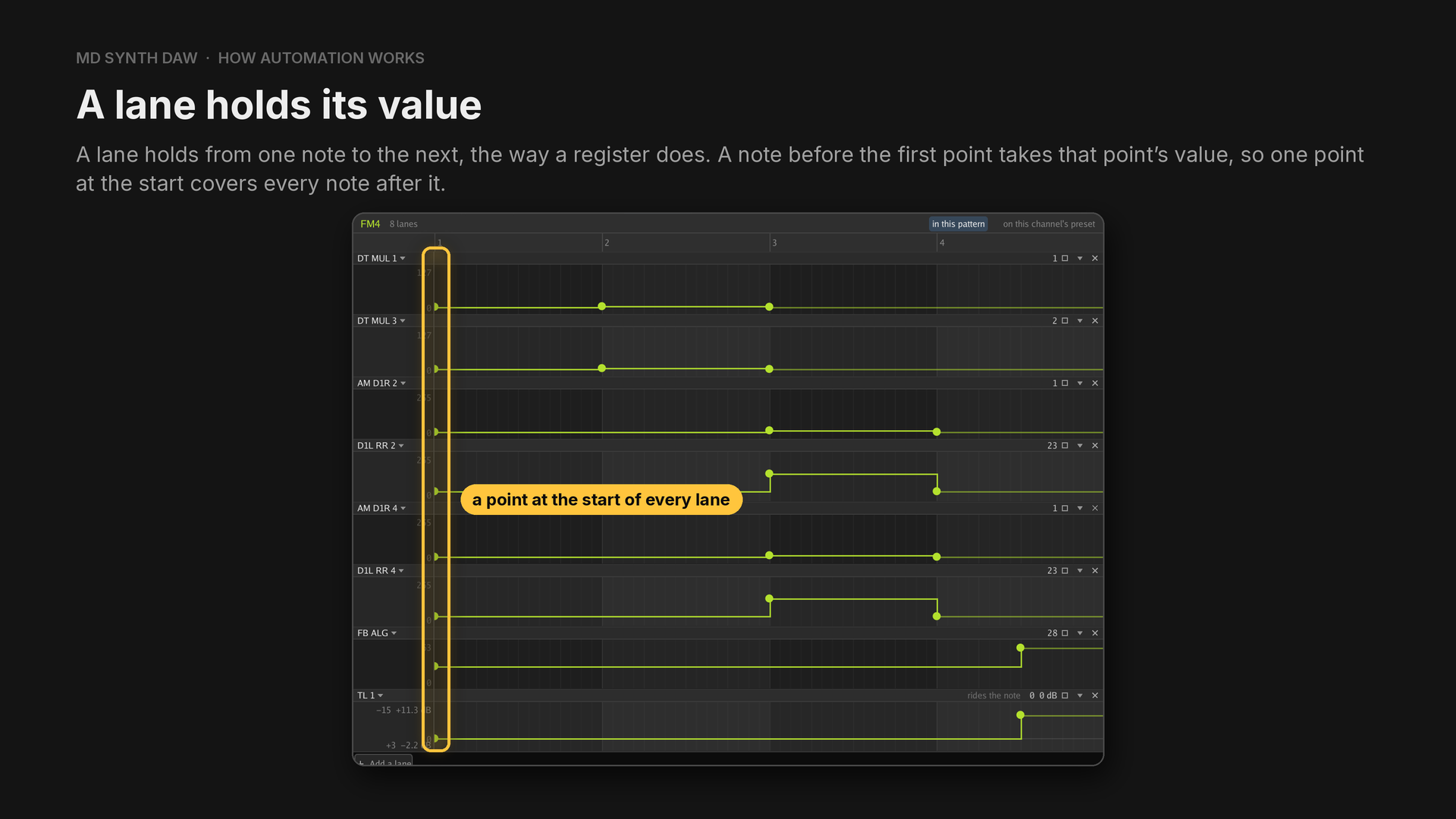
A lane holds its value#
18Watching the console hardware#
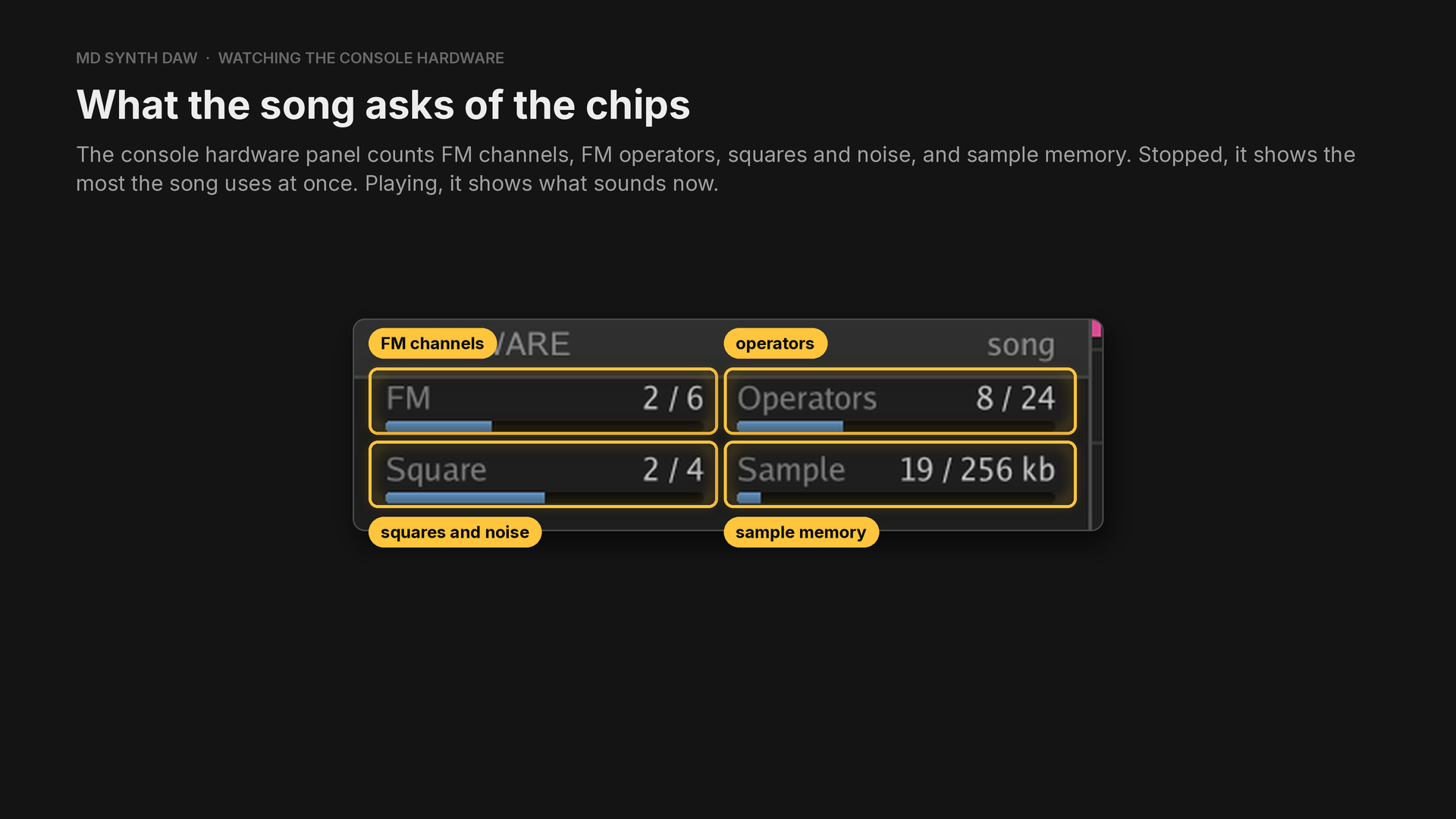
Stopped, the panel reads song, and playing, it reads now. Sample memory is a total, because that is what a cartridge holds. The budget starts at a quarter of a one megabyte cartridge, which is a convention, and you can set your own.
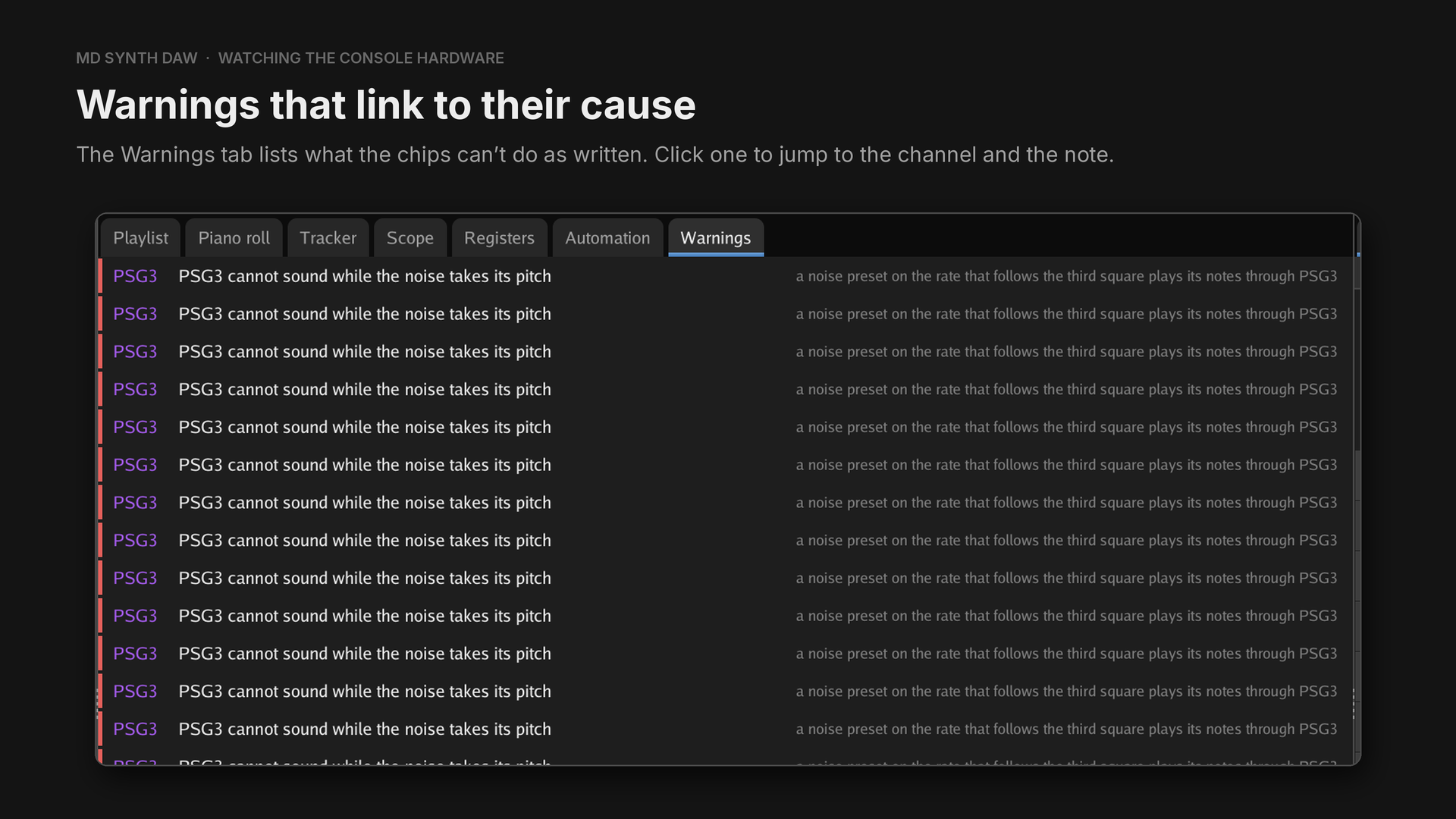
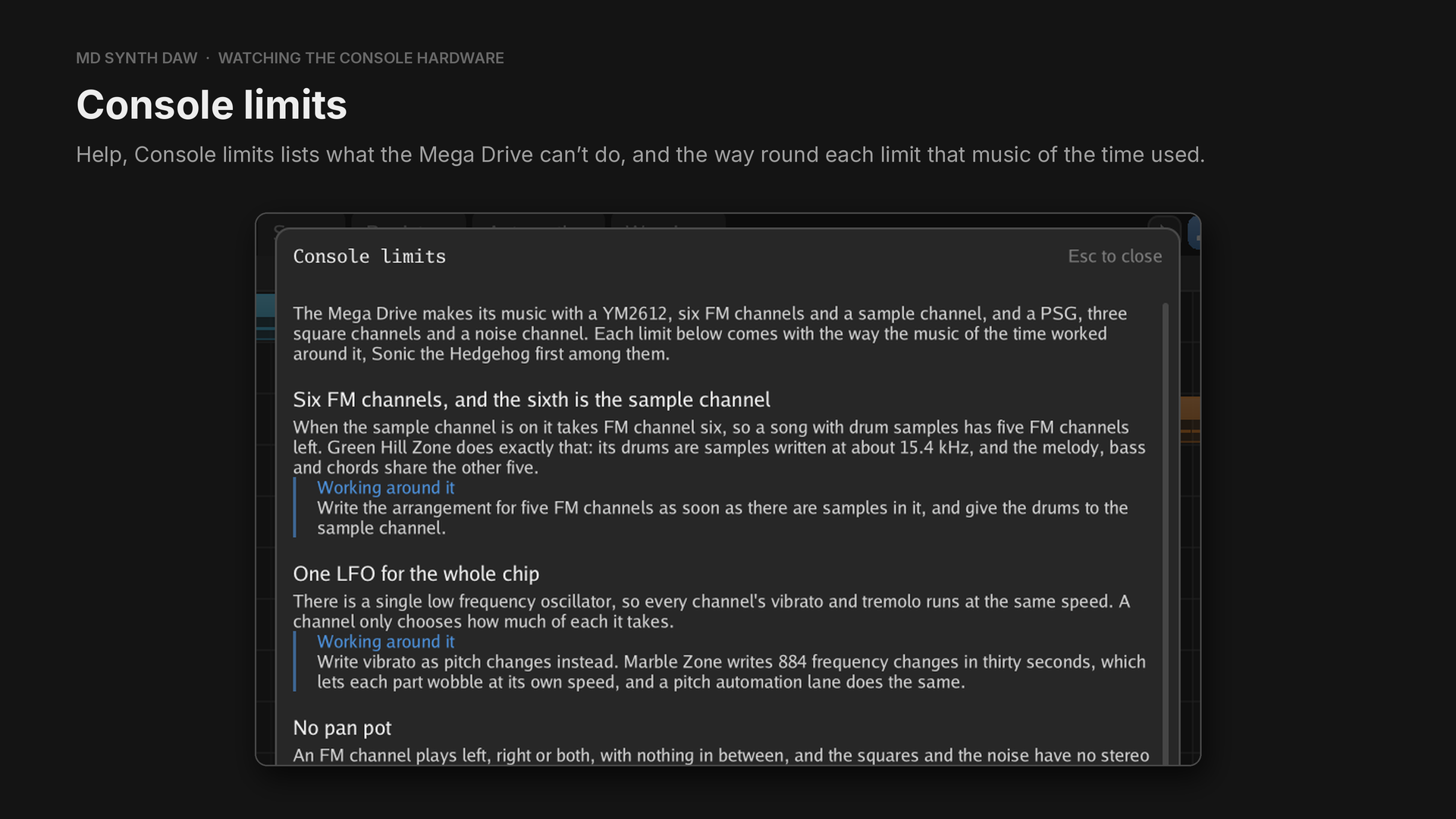
Part 3 goes through them.
The Scope tab draws every channel's wave, and a right click sets Waveform or Spectrum, the speed and the accuracy. The Registers tab logs which chip took each write, and when. View, Play through a driver holds every frame to the register writes a driver on the console could make, about 178 at 60 Hz, so a part asking for too much is heard arriving late.
19Importing and exporting#
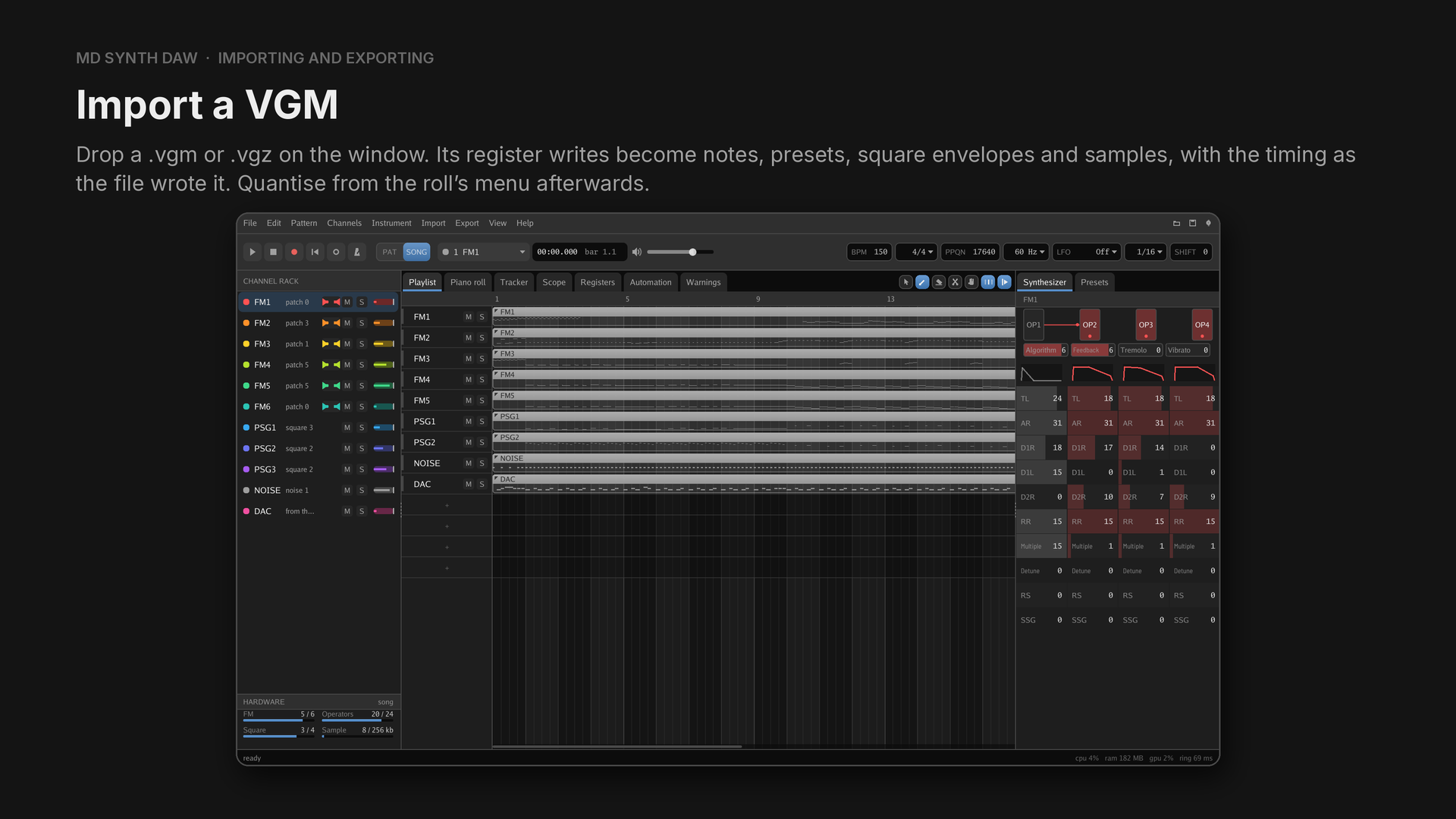
The Import menu opens them too. The exact frequency is kept at every key on, so vibrato and slides come across.
| File | What comes across |
|---|---|
| VGM and VGZ | notes, presets, square envelopes and samples |
| XGM | patterns and samples |
| MIDI | notes and tempo, choosing which tracks to take and which part each plays |
| WAV | a recording for the sample channel |
| TFI | one FM preset |
.mdpreset, .mdbank | a preset or a bank, with its recordings |
A MIDI file can become a piece of its own, or one more track in the piece you have open.
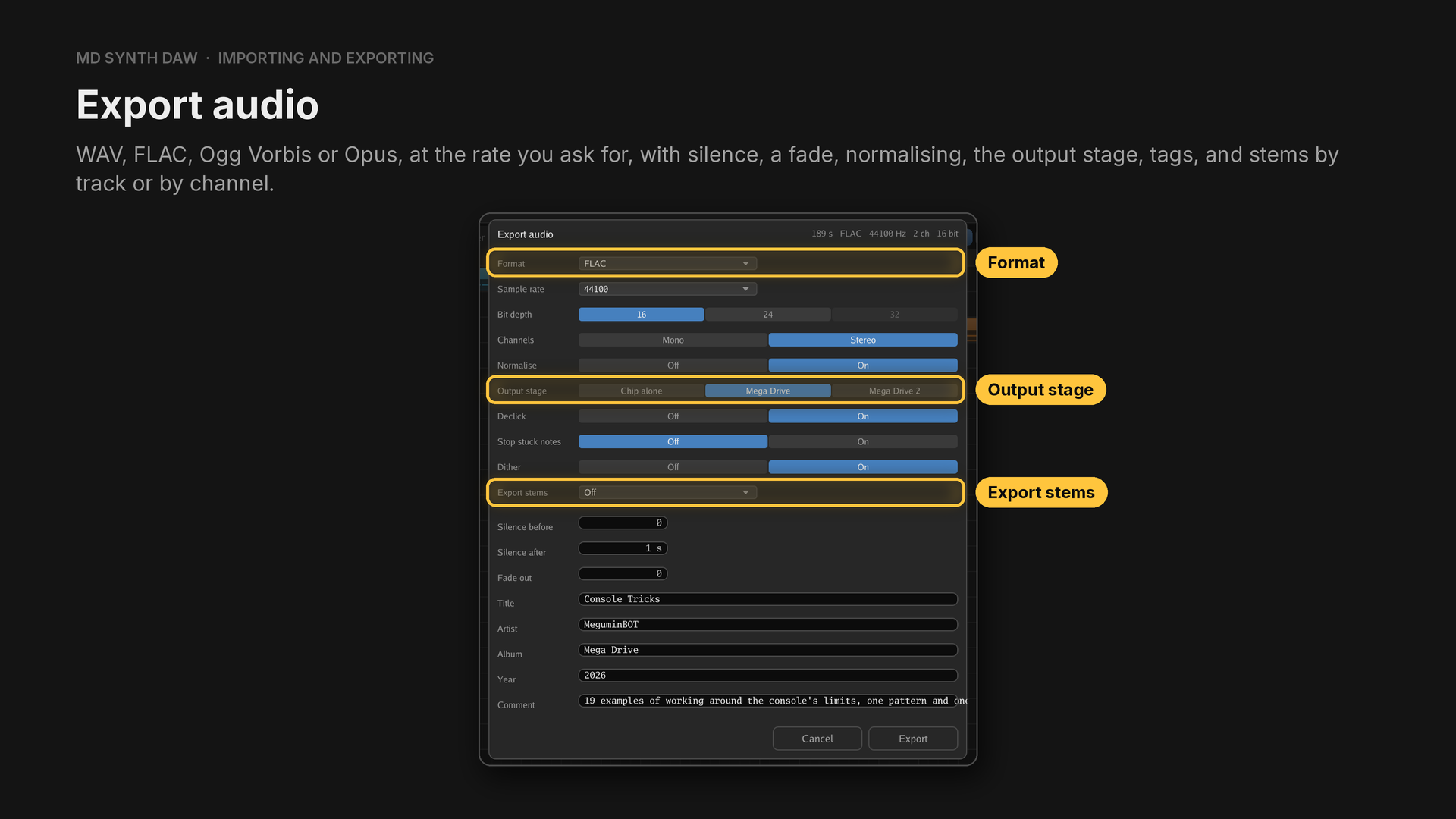
Export audio is on the Export menu, and it can dither as well. Stems take the gain the mix worked out, so the set sums back to the mix. Normalising is by peak, to a ceiling, and nothing here measures LUFS. There is no MP3 export, because every good MP3 encoder is LGPL, while Ogg Vorbis and Opus carry no such condition.
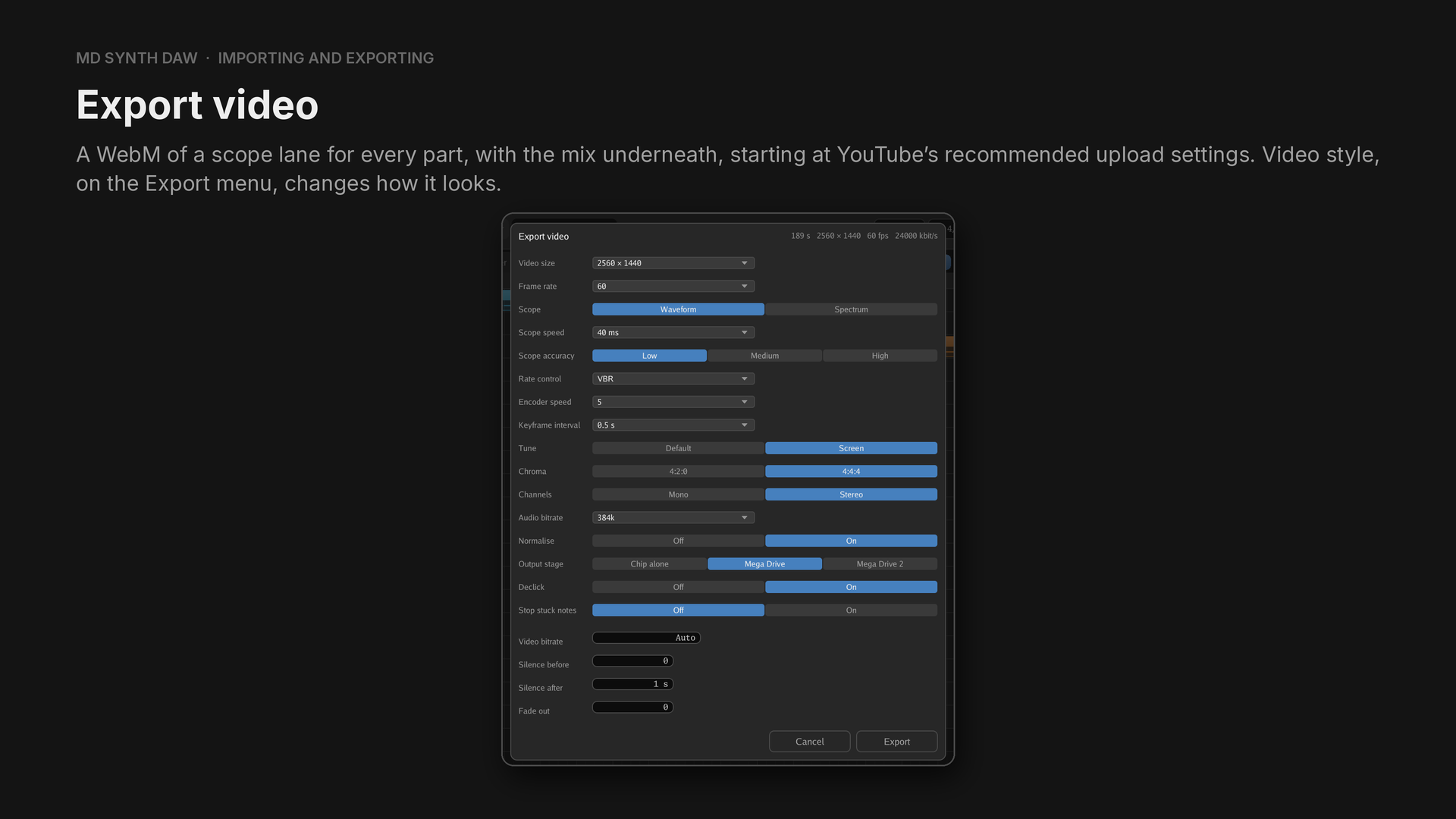
Only the parts the song uses get a lane, and the mix goes in as Opus audio. Video style opens a window of its own for colours, backgrounds, pictures, text and effects.
| Export | What it is for |
|---|---|
| Audio | WAV, FLAC, Ogg Vorbis or Opus, with stems if you want them |
| Video | a WebM of scope lanes with the mix, ready for YouTube |
| VGM | the register writes, for any VGM player |
| XGM | the format SGDK's driver plays |
| MIDI | the notes, for any other program |
| TFI | one FM preset |
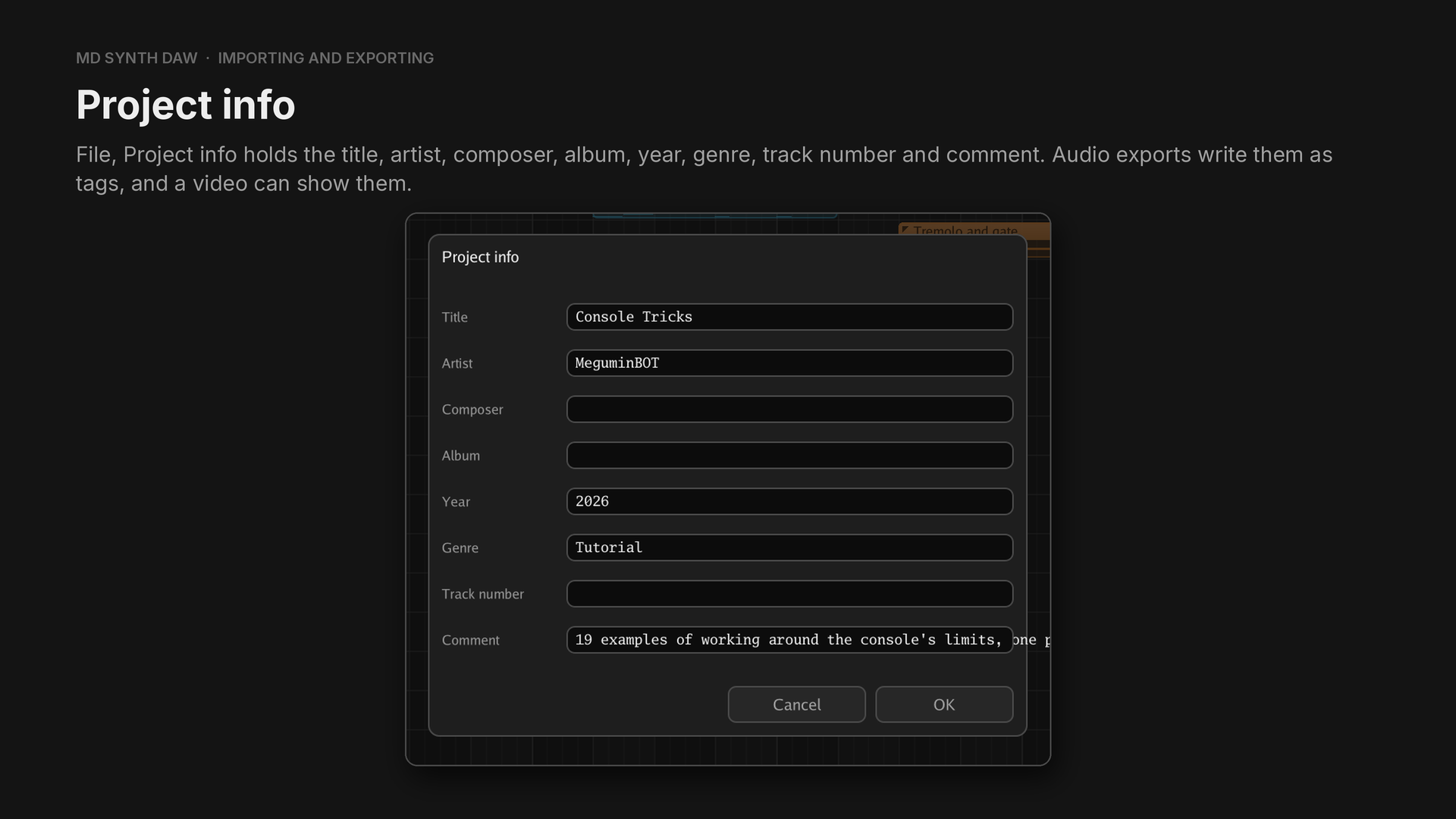
20Preferences#
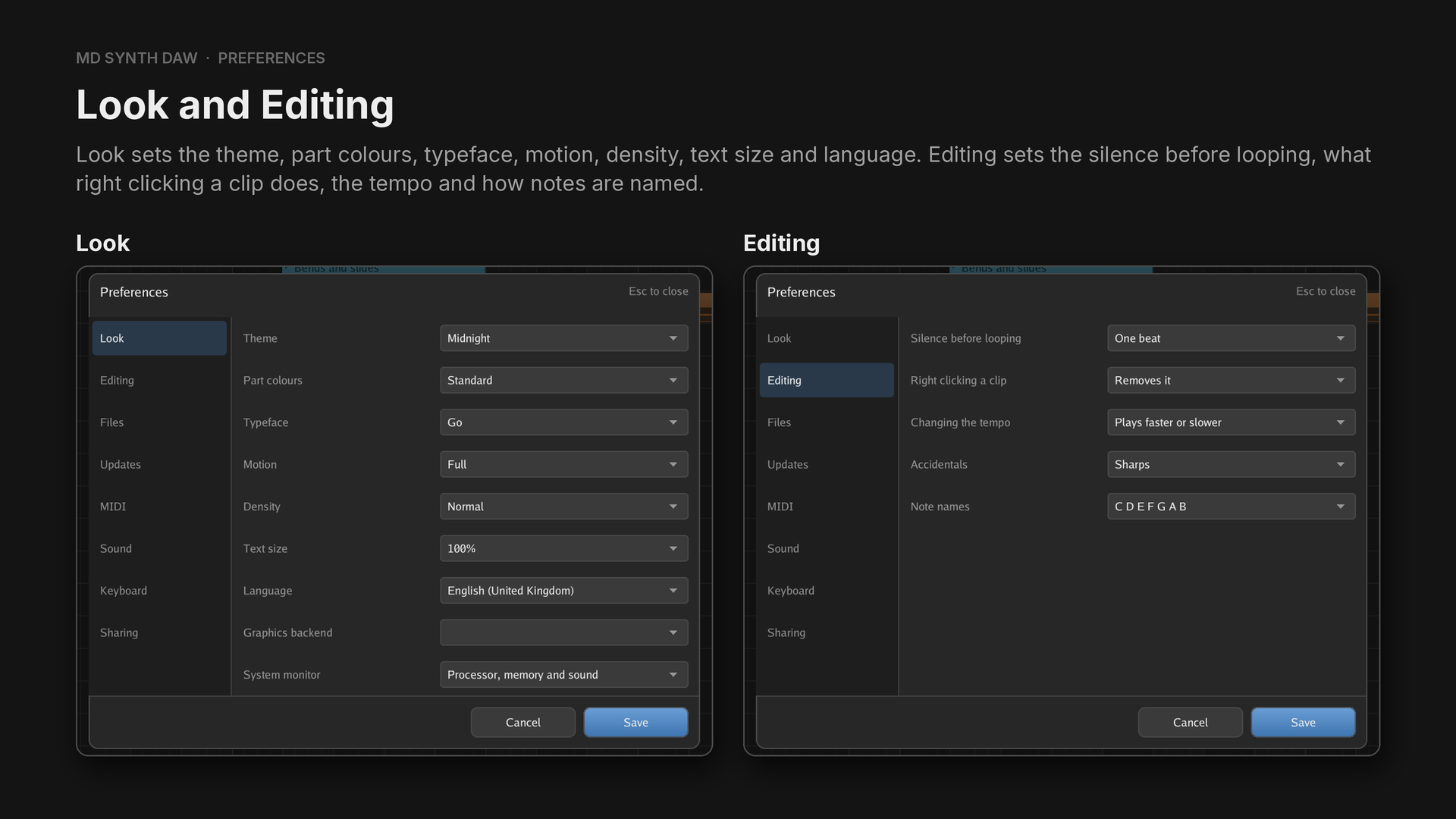
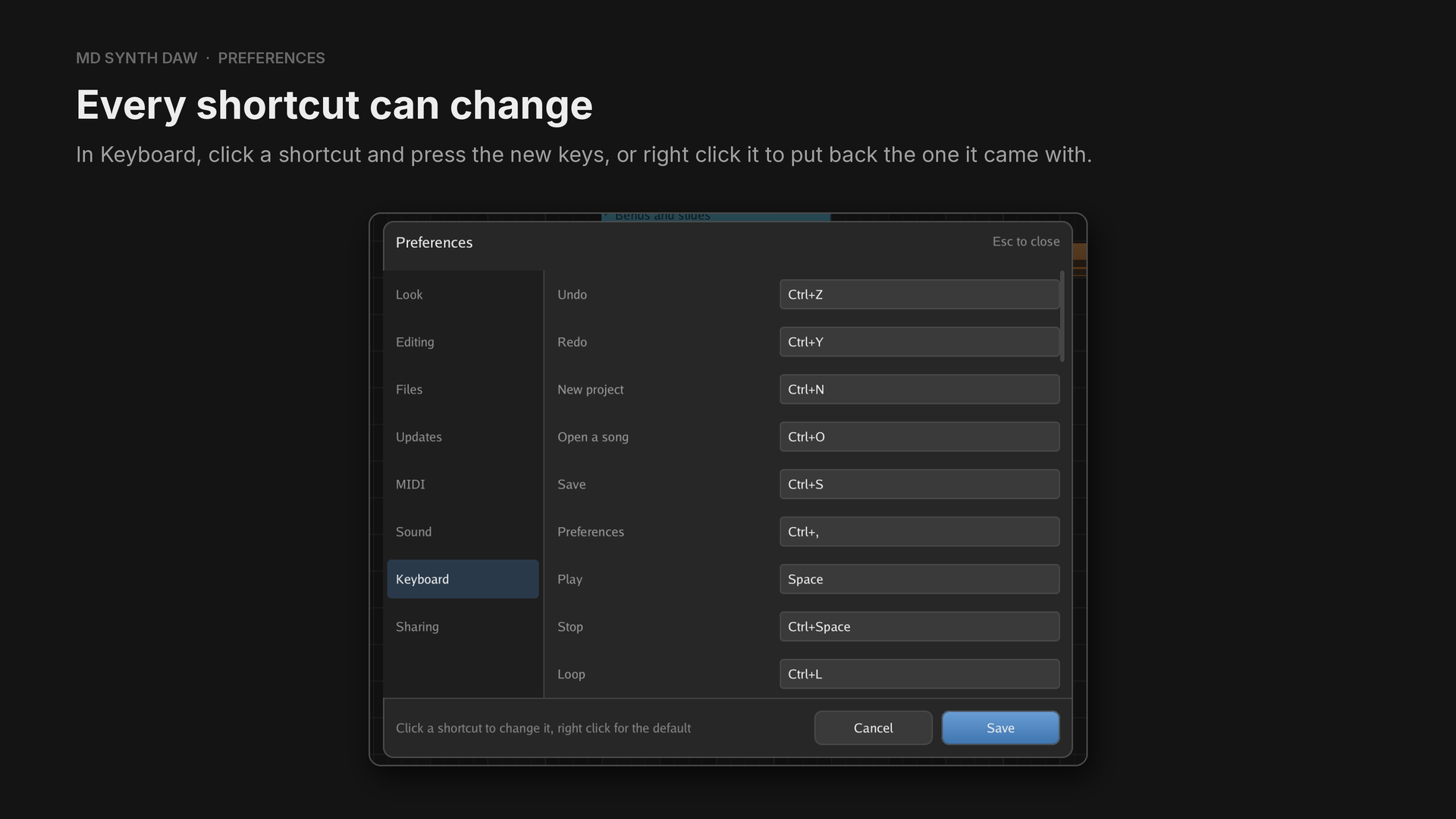
Ctrl+, opens the preferences. Every setting says what it does when you hover it, and nothing
changes until you save.
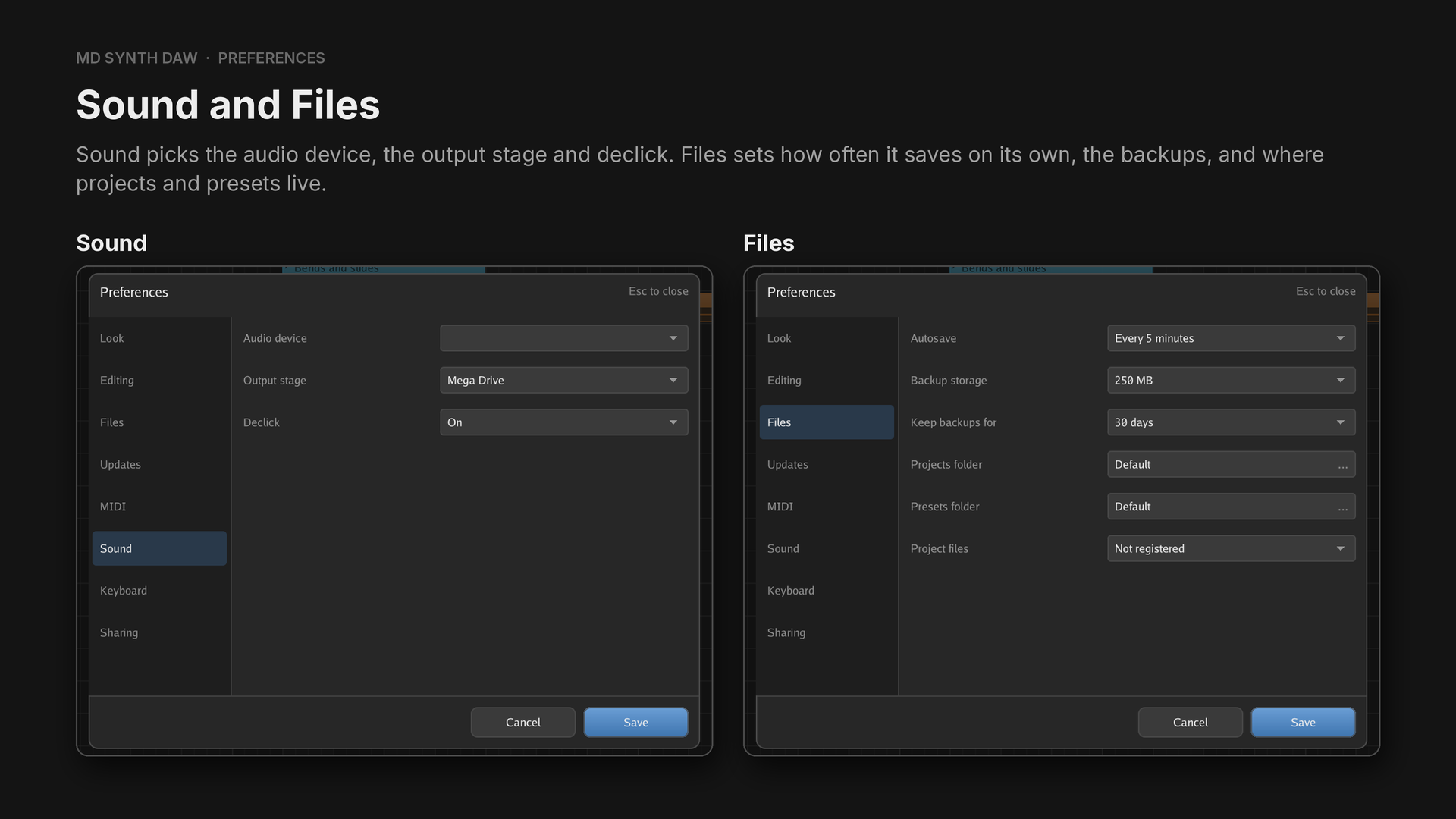
| Group | What it holds |
|---|---|
| Look | theme, part colours, typeface, motion, density, text size, language, graphics backend, system monitor |
| Editing | silence before looping, right clicking a clip, changing the tempo, sharps or flats, note names |
| Files | autosave, backups, projects folder, presets folder, project files |
| Updates | whether to look for a newer version at launch |
| MIDI | keyboard, channel, velocity, pitch bend range, eight controller slots |
| Sound | audio device, output stage, declick |
| Keyboard | every shortcut |
| Sharing | what Discord shows |
Part 3Advanced usage
Advanced automation, and the techniques that get a song past what the hardware can't do on its own.
Every technique has an example in Console Tricks, a project of 19 short examples in the MD Synth
DAW repository at assets/example-projects/console-tricks.mdsyn. Each example is one track holding
one four bar pattern, and most of them play the plain way first and the technique after it. The
Hear it links play each example on its own.
21Advanced automation#
Some lanes hold two settings#
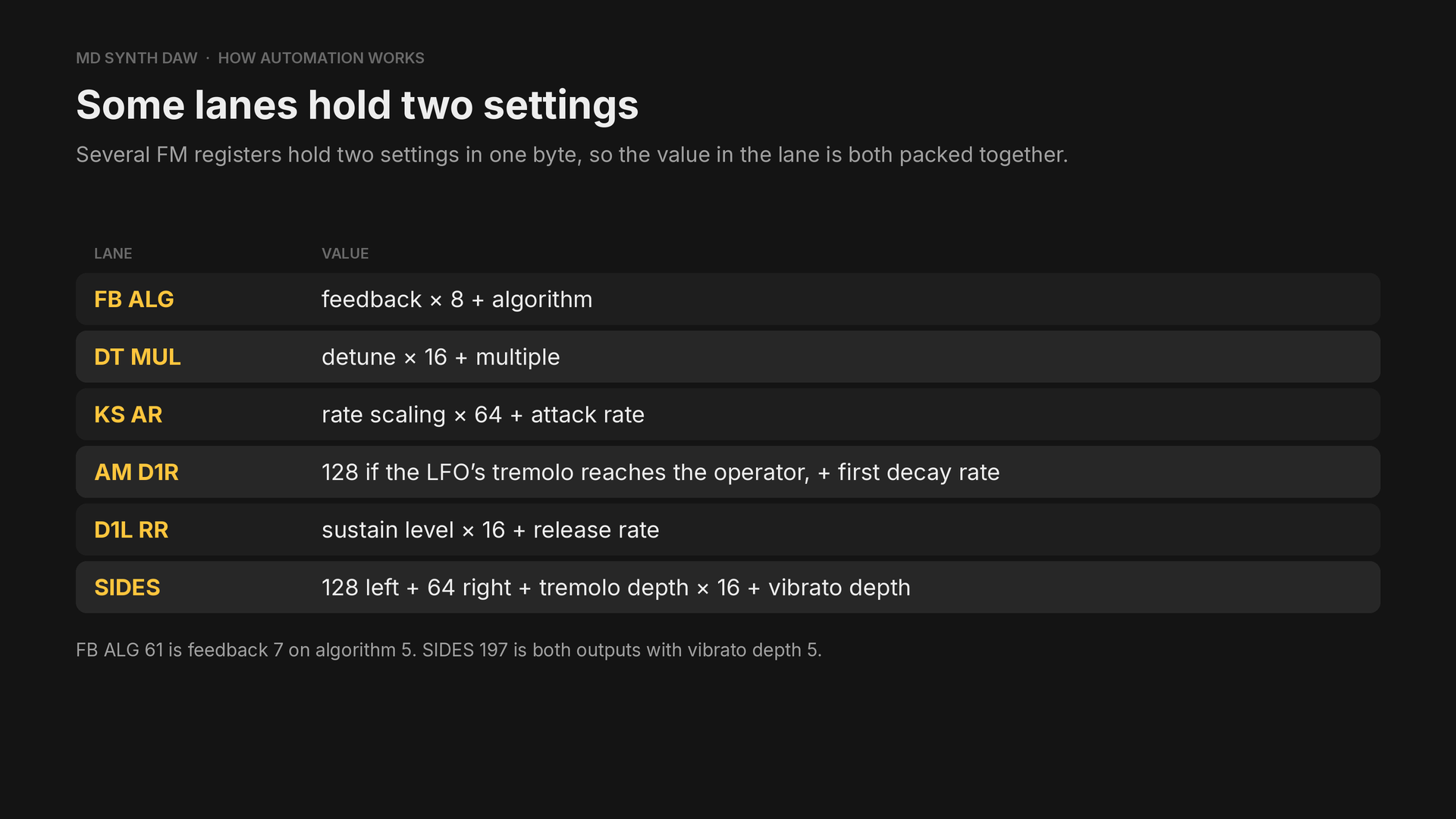
| Lane | Value |
|---|---|
FB ALG | feedback × 8 + algorithm |
DT MUL | detune × 16 + multiple |
KS AR | rate scaling × 64 + attack rate |
AM D1R | 128 if the LFO's tremolo reaches the operator, + first decay rate |
D1L RR | sustain level × 16 + release rate |
SIDES | 128 for left + 64 for right + tremolo depth × 16 + vibrato depth |
Two kinds of lane#
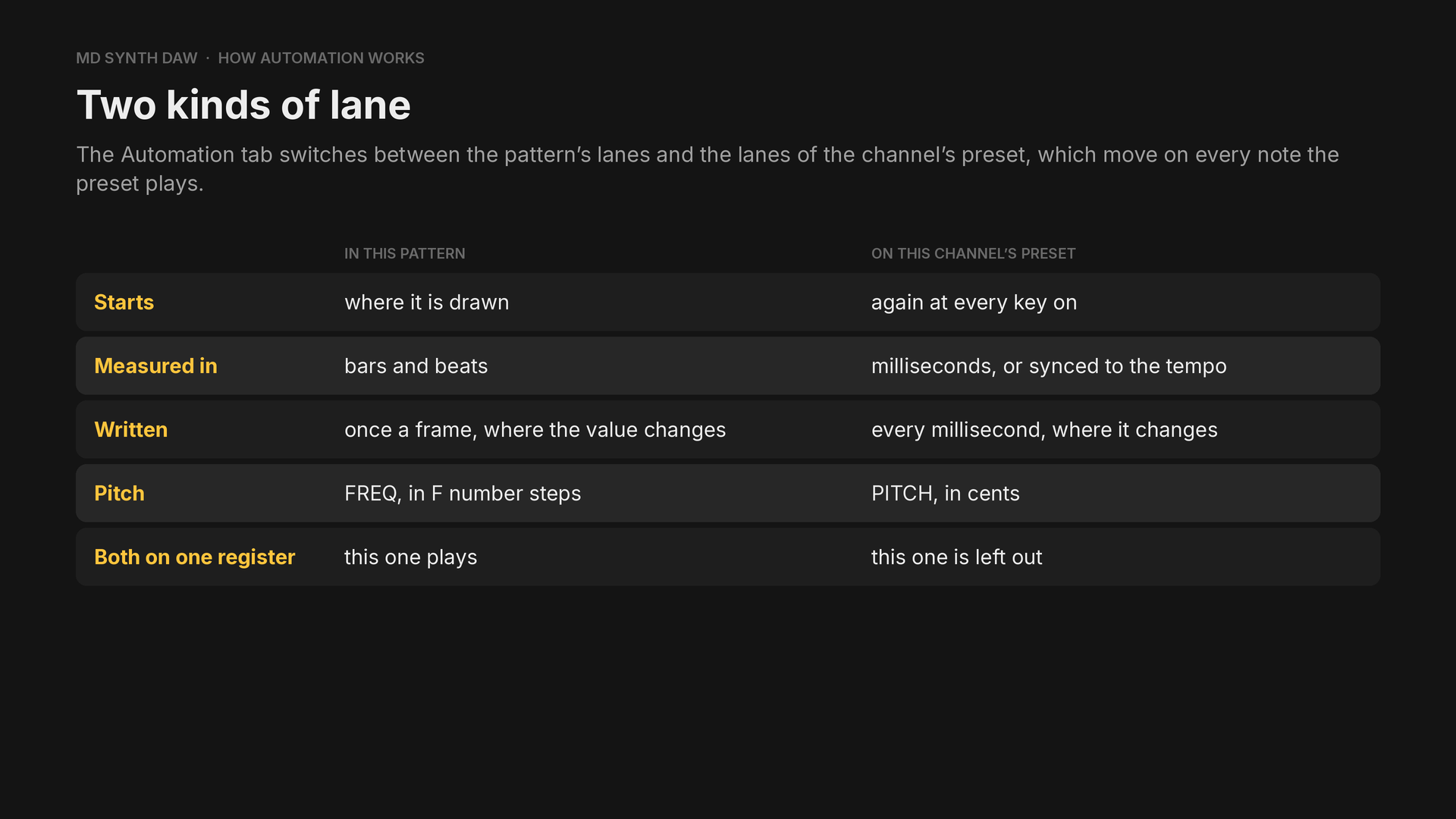
The switch is at the right of the tab's header. A preset's lanes behave the way a synthesizer's envelopes and LFOs do.
| In this pattern | On this channel's preset | |
|---|---|---|
| Starts | where it's drawn | again at every key on |
| Measured in | bars and beats | milliseconds, or synced to the tempo |
| Written | once a frame, where the value changes | every millisecond, where the value changes |
| Pitch | FREQ, in F number steps | PITCH, in cents |
| Both on one register | this one plays | this one is left out |
22Pitch bends#
Hear it: Bends and slides
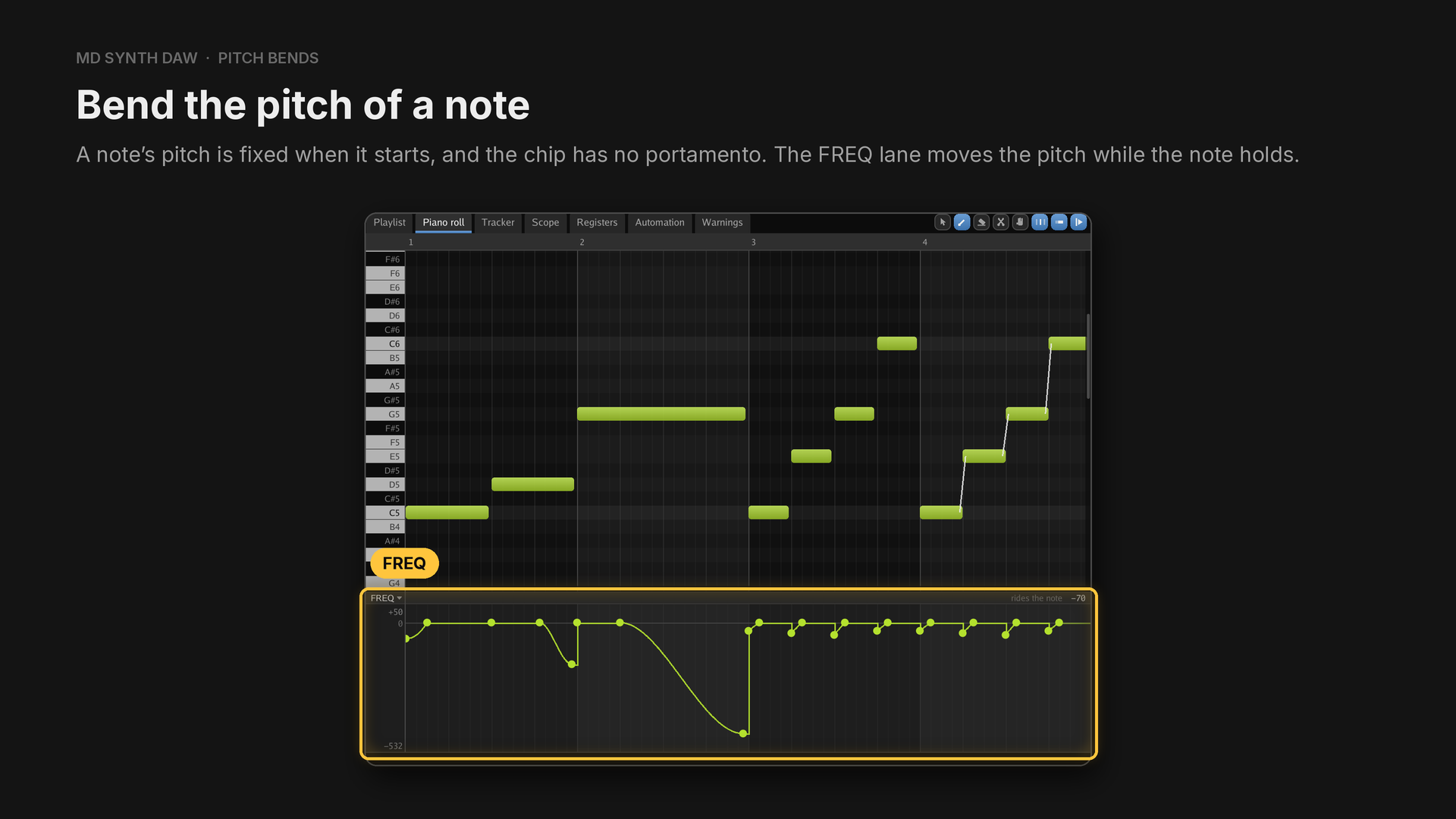
A ramp between two values bends the note.
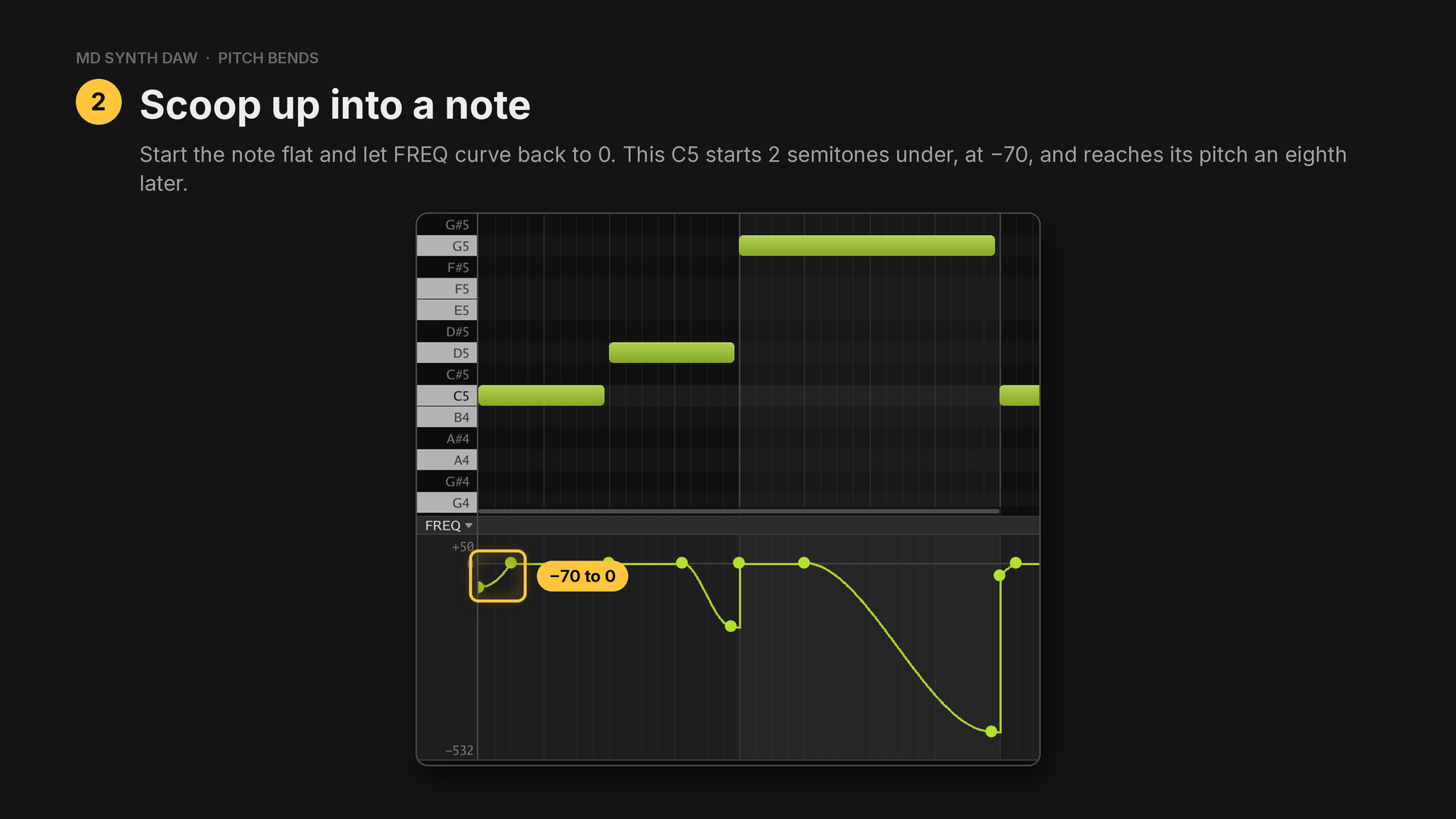
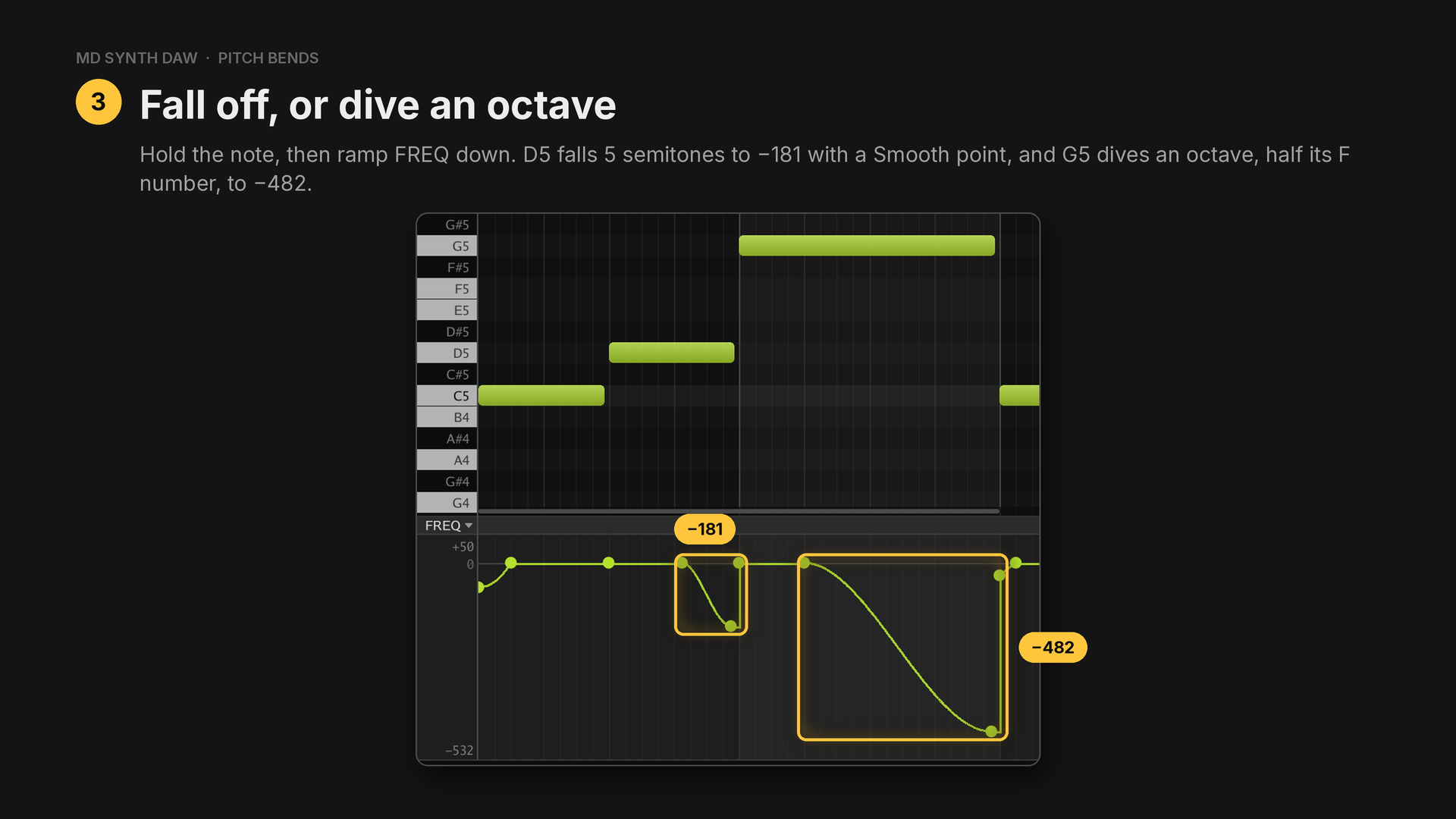
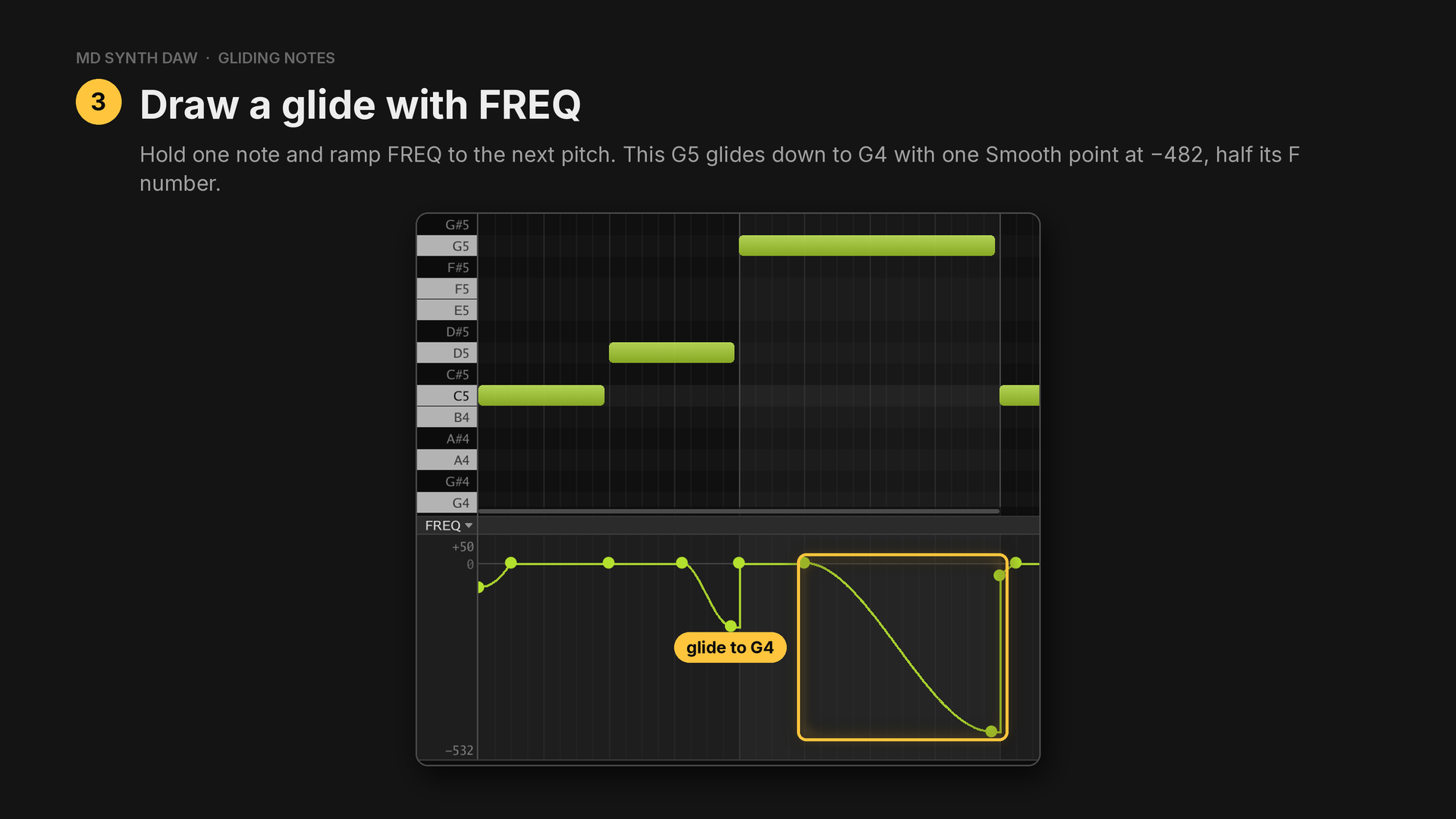
D5 holds until tick 300 before it falls, and G5 holds for a beat before it dives.
How far is a semitone#
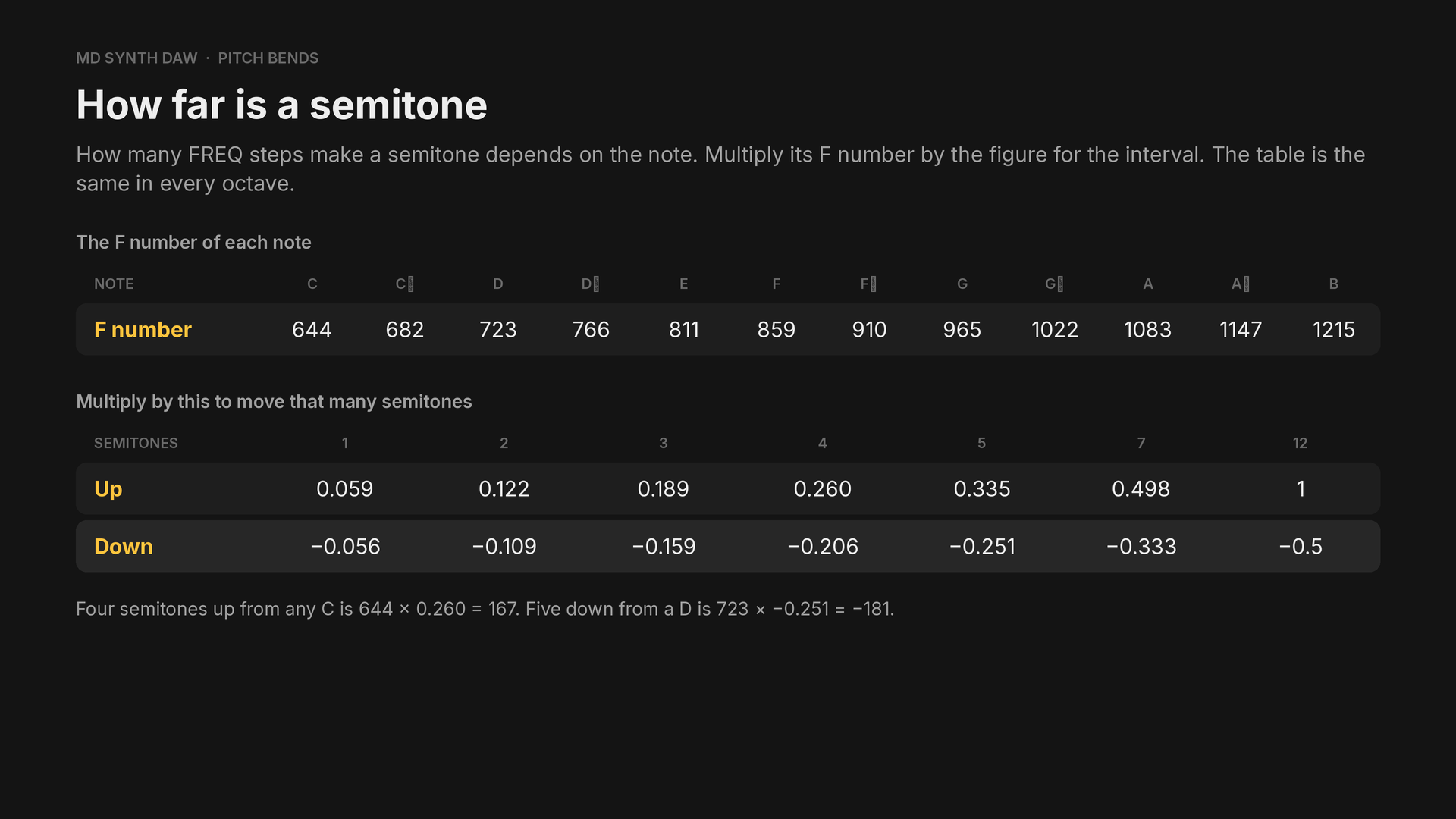
The figure is 2^(semitones ÷ 12) − 1, so an octave down is minus half the F number and an octave
up is plus the whole of it. Quick reference has both tables.
In the example (FM4, preset Brass):
- Bar 1: C5 scoops up from −70, then D5 falls off to −181.
- Bar 2: G5 holds for a beat, then dives an octave to −482.
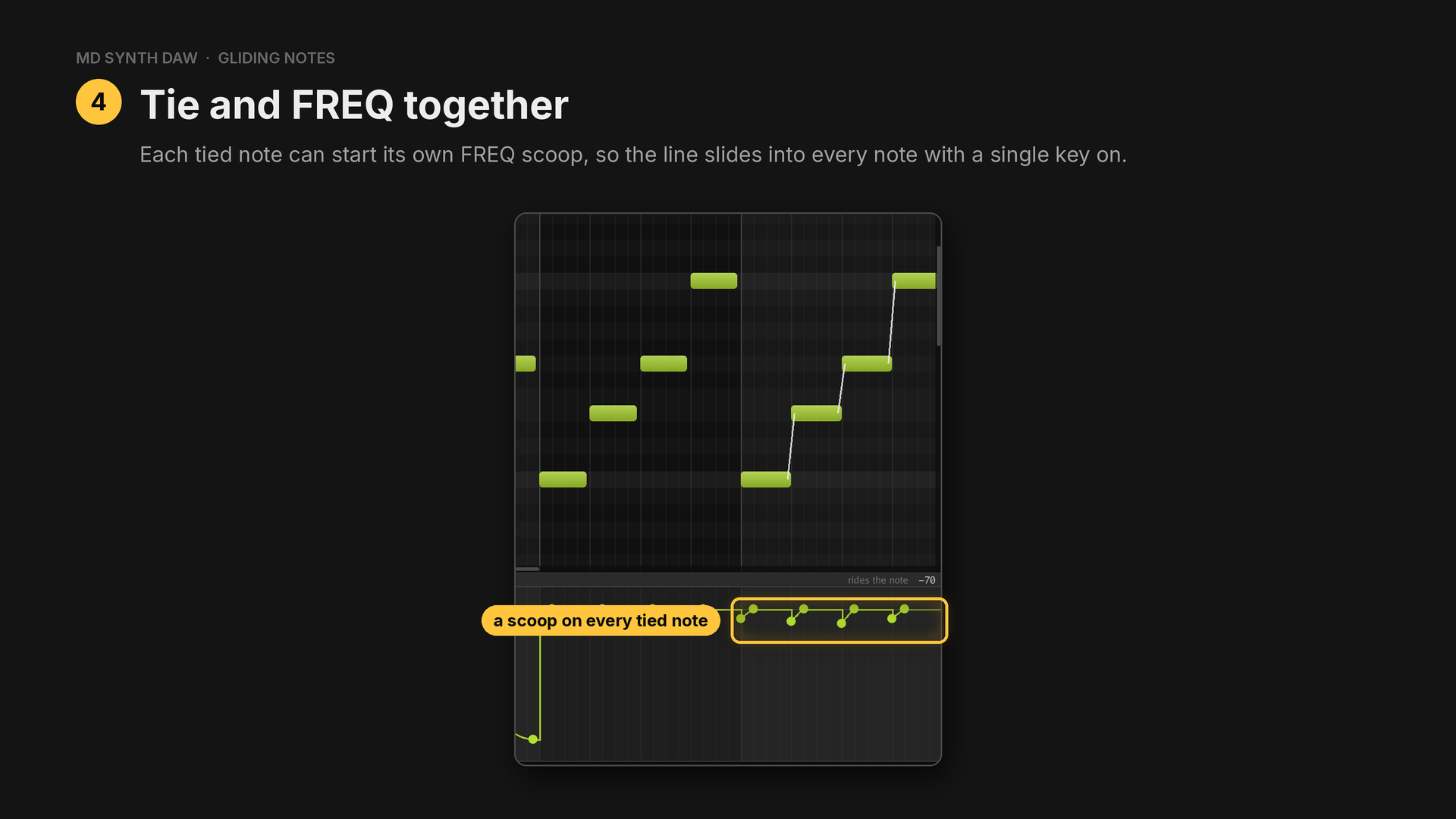
- Bar 3: C5, E5, G5 and C6 as four notes, each scooped up from a semitone under over a sixteenth. Every note is a new key on.
- Bar 4: the same four notes, tied. See Gliding notes.
23Gliding notes#
Hear it: bars 3 and 4 of Bends and slides
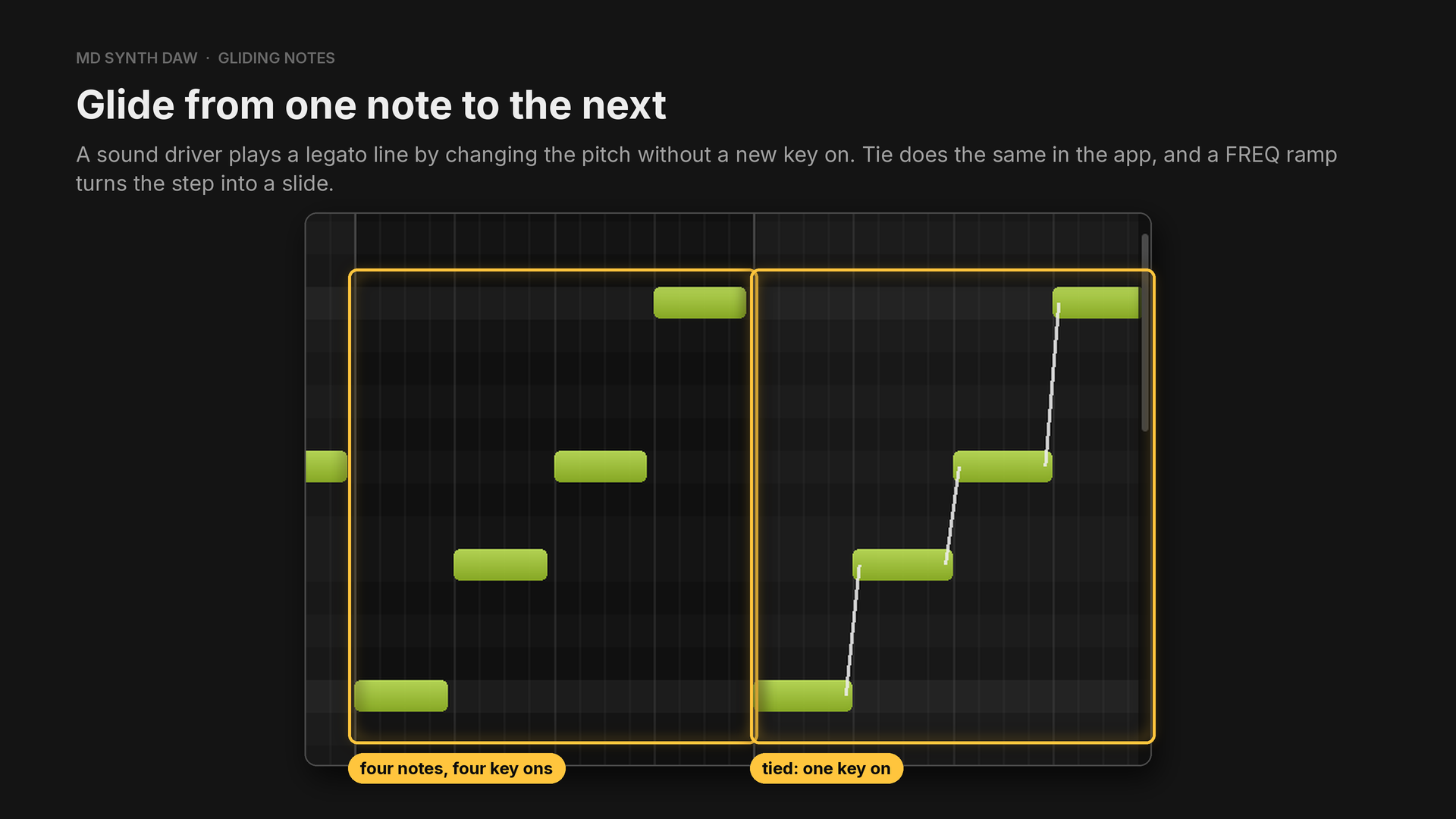
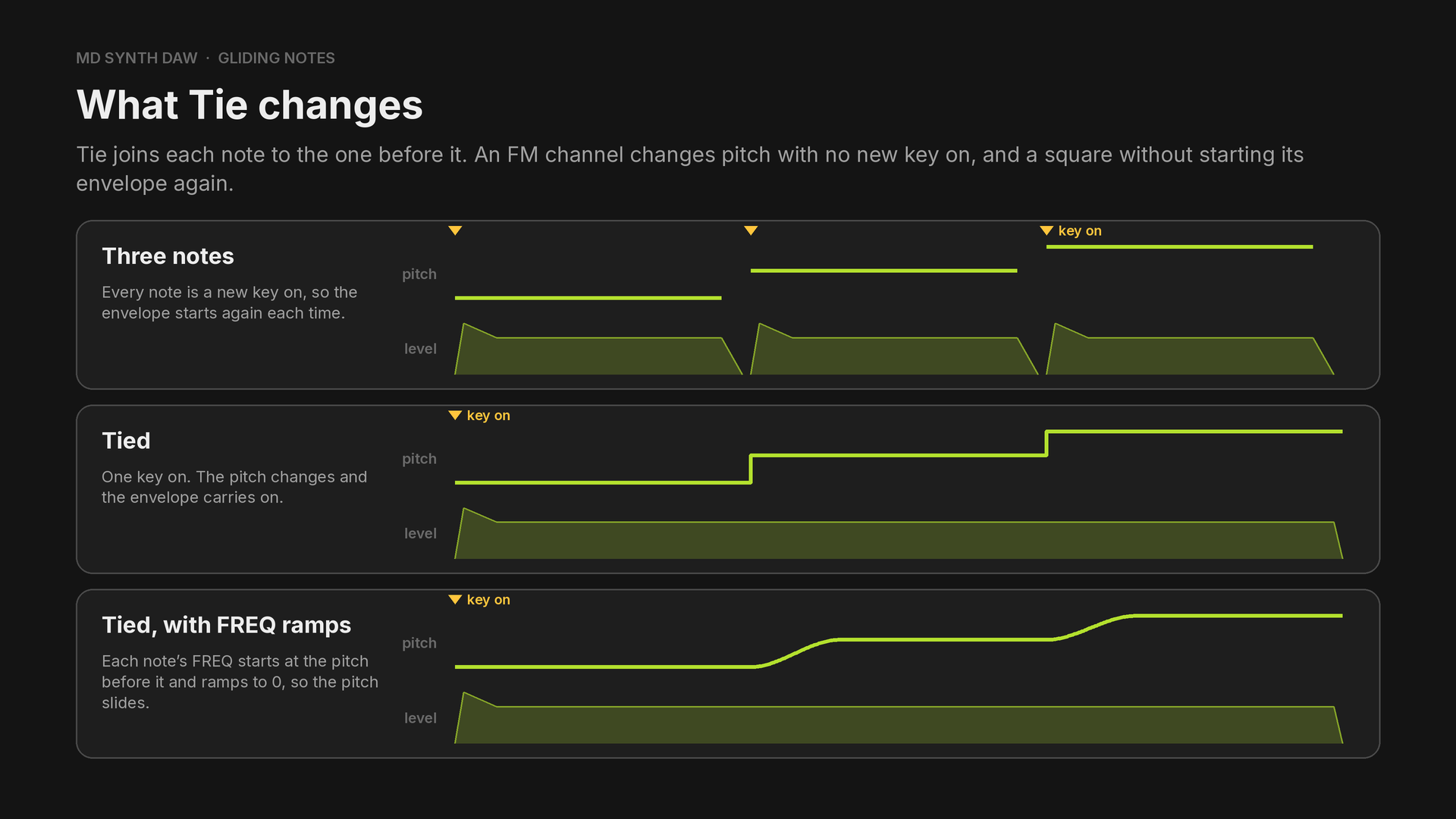
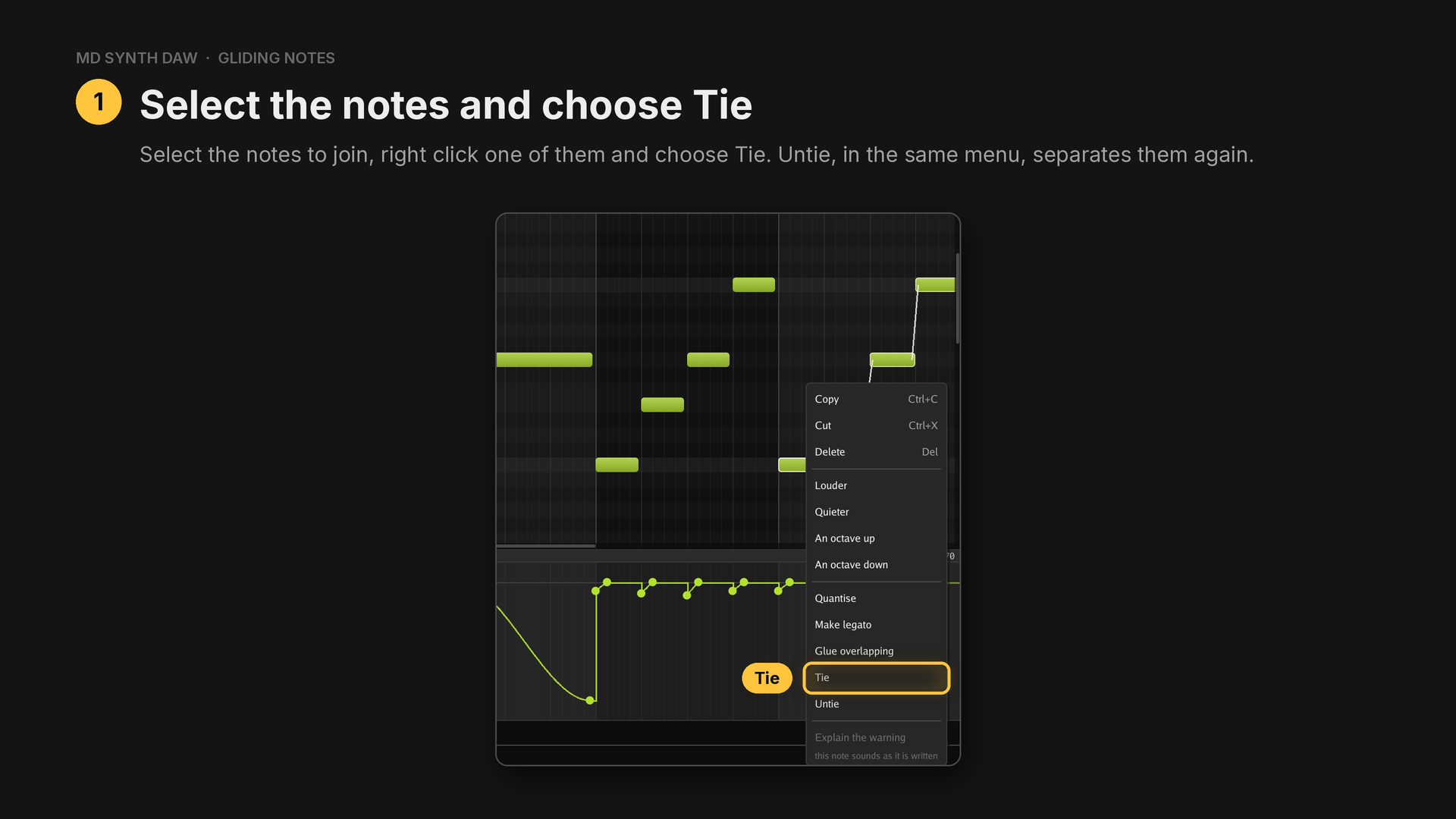
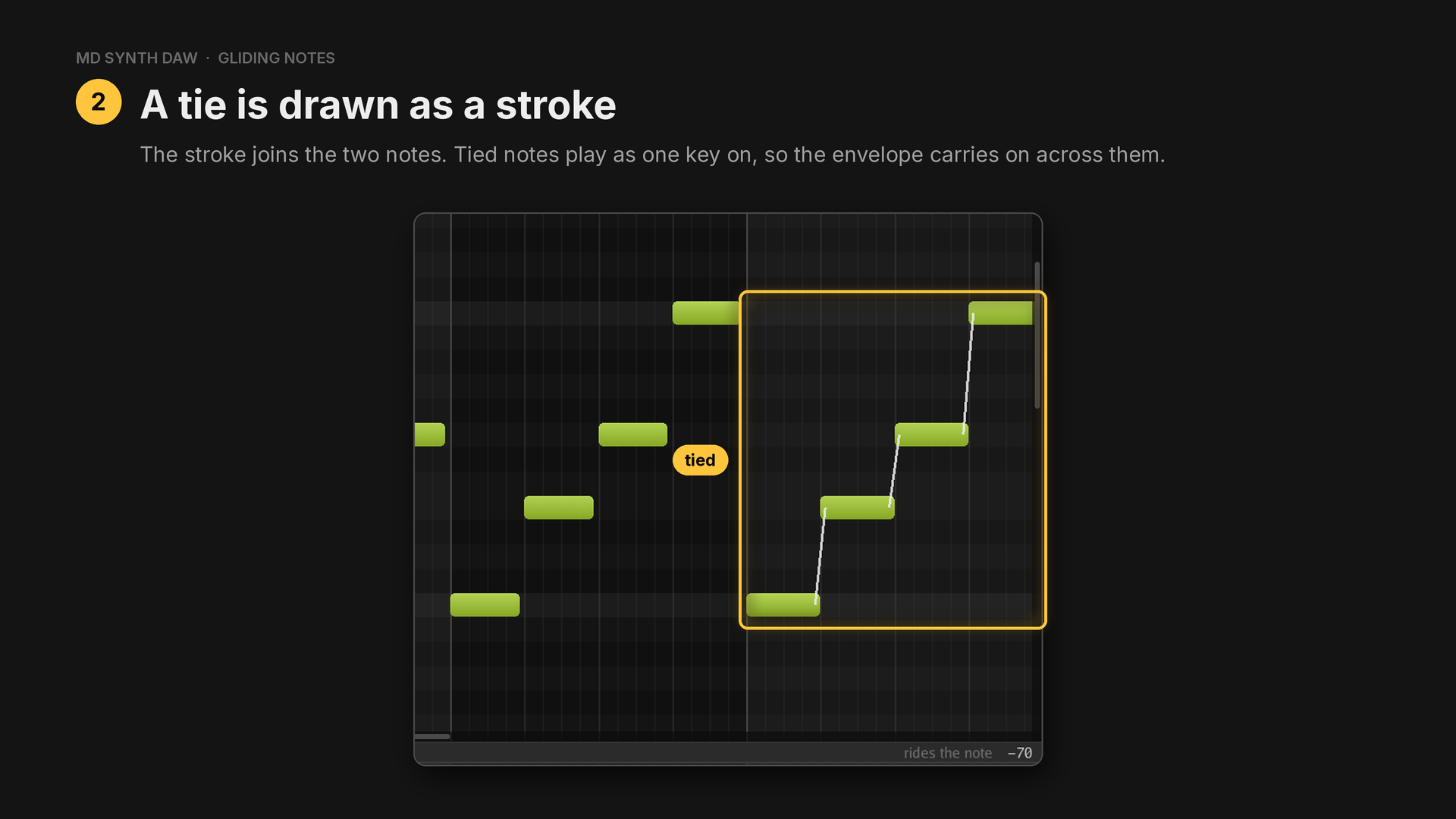
Ties read out of an imported file show the same way.
24Vibrato and tremolo#
Hear it: Vibrato · Tremolo and gate
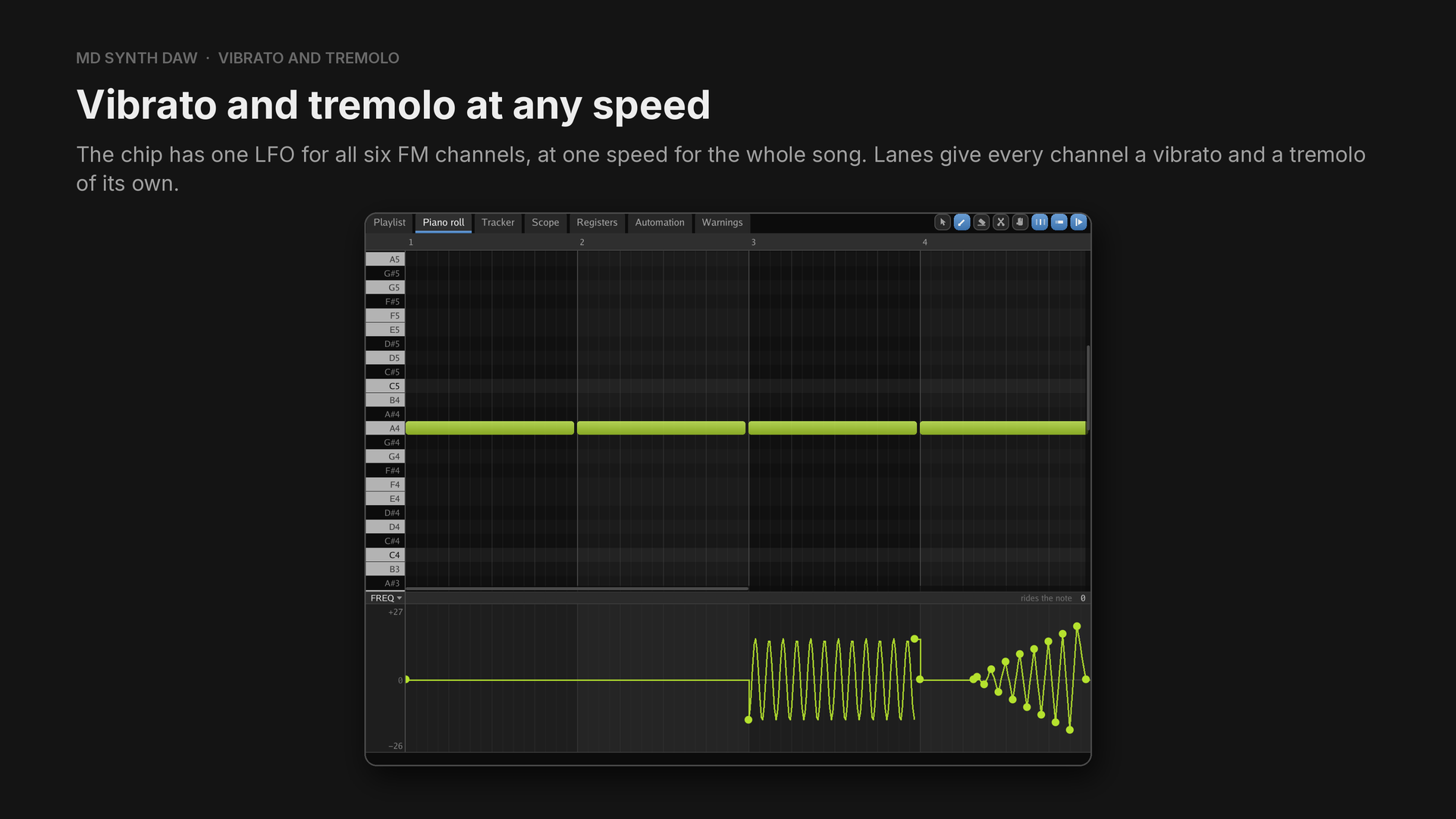
One LFO for the whole chip covers the chip's own. A lane's vibrato or tremolo can have any speed and depth, and it can start late.
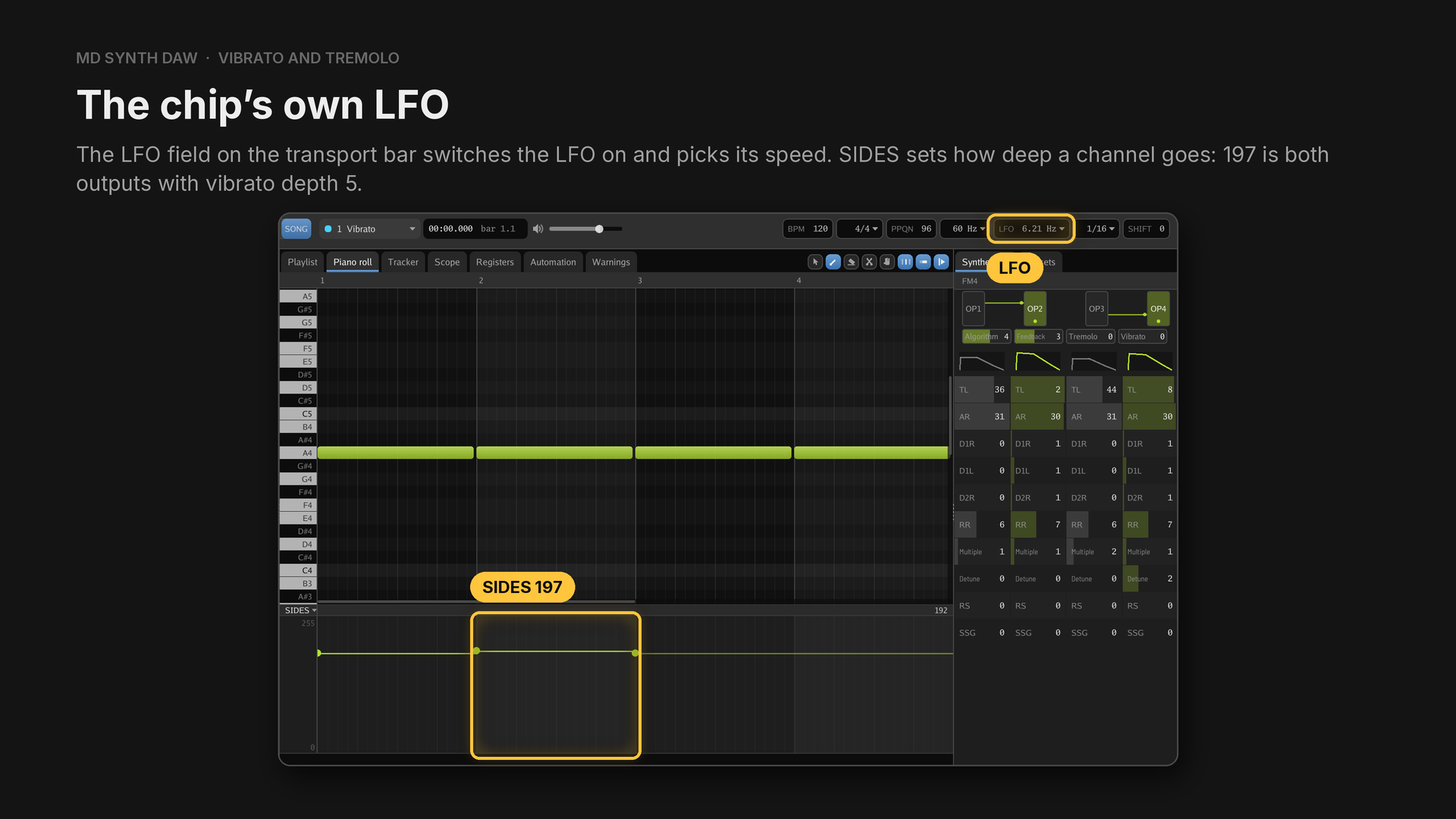
Console Tricks runs the chip's LFO at 6.21 Hz, where vibrato depth 5 is about ±20 cents.
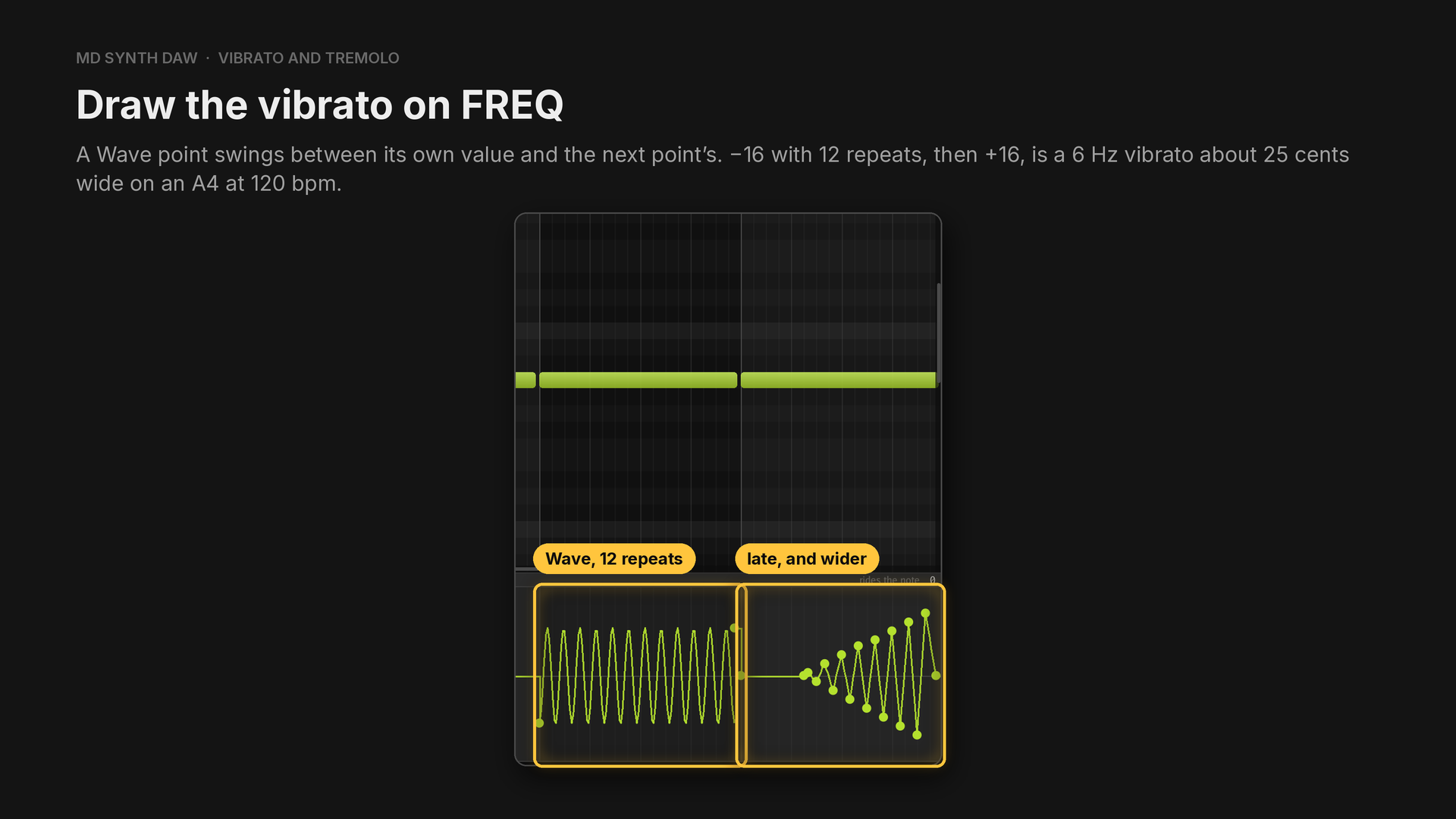
The +16 point sits at the end of the note. Linear points that swing a little further out each time make a vibrato that starts late and widens.
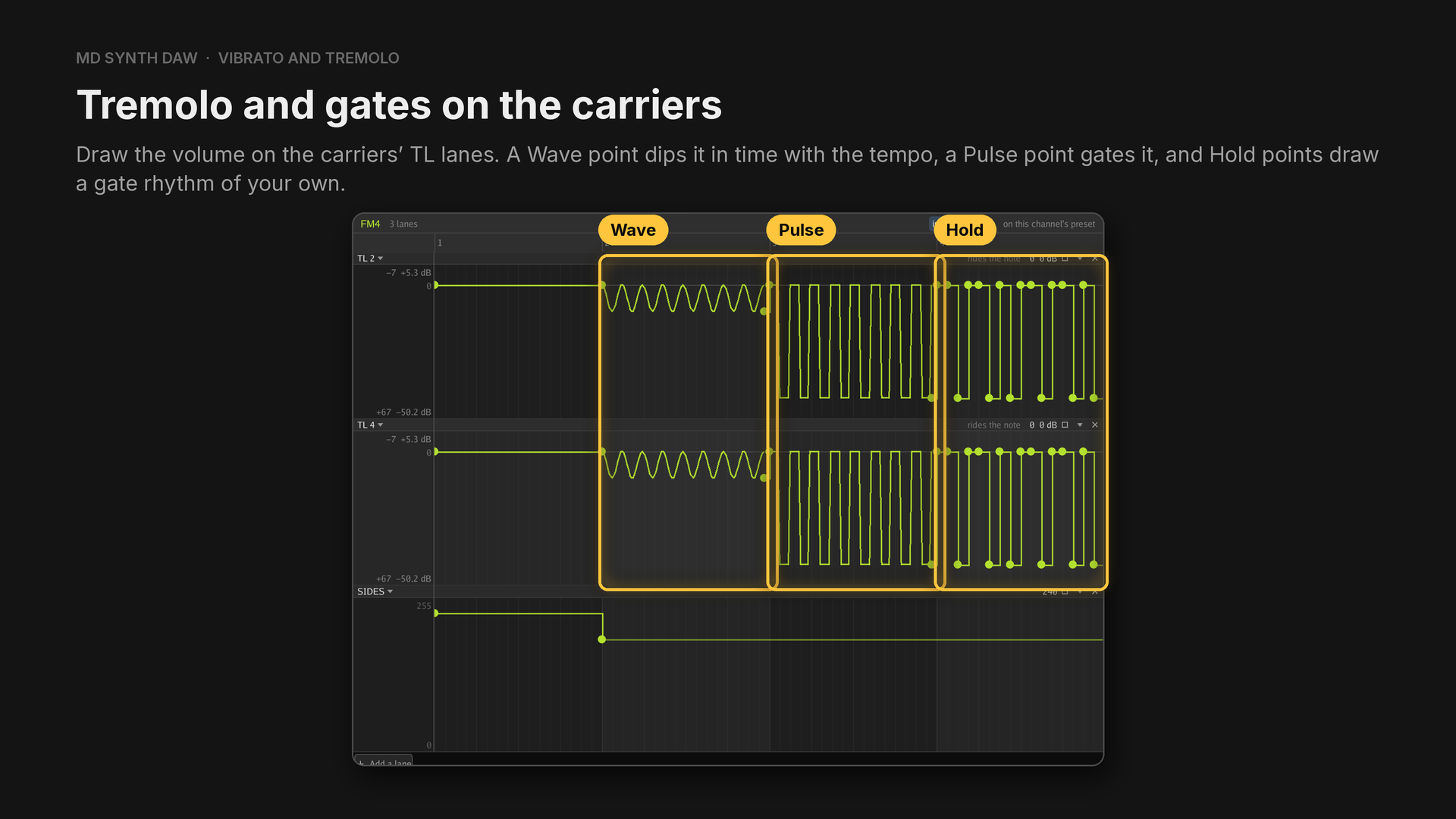
On a modulator, the same lane changes the tone instead.
In the Vibrato example (FM4, preset Plain lead, one A4 per bar):
- Bar 1: no vibrato.
- Bar 2: the chip's LFO,
SIDES197. - Bar 3:
FREQwith a Wave point at −16, 12 repeats, and +16 at the end of the note. - Bar 4:
FREQstays at 0 for the first 120 ticks, then swings six times a beat, a little further out each time.
Measured on the render, the pitch doesn't move in bar 1, swings about 31 cents in bar 2 and 43 in bar 3, and in bar 4 swings 6 cents in the first half and 37 in the second.
In the Tremolo and gate example (FM4, preset Tremolo organ, algorithm 4, so operators 2 and 4 are the carriers):
- Bar 1: the chip's own tremolo,
SIDES240, tremolo depth 3, about 12 dB. - Bar 2:
TL 2andTL 4each have a Wave point at 0 with 8 repeats and a point at 14 after it: a dip of about 10 dB eight times a bar, locked to the tempo. - Bar 3: a Pulse point between 0 and 60, a gate that opens and closes every sixteenth.
- Bar 4: Hold points on every sixteenth, open (0) or shut (60), for a gate rhythm you draw yourself.
25Panning#
Hear it: Simulated panning · Unison detune
Headphones help here.
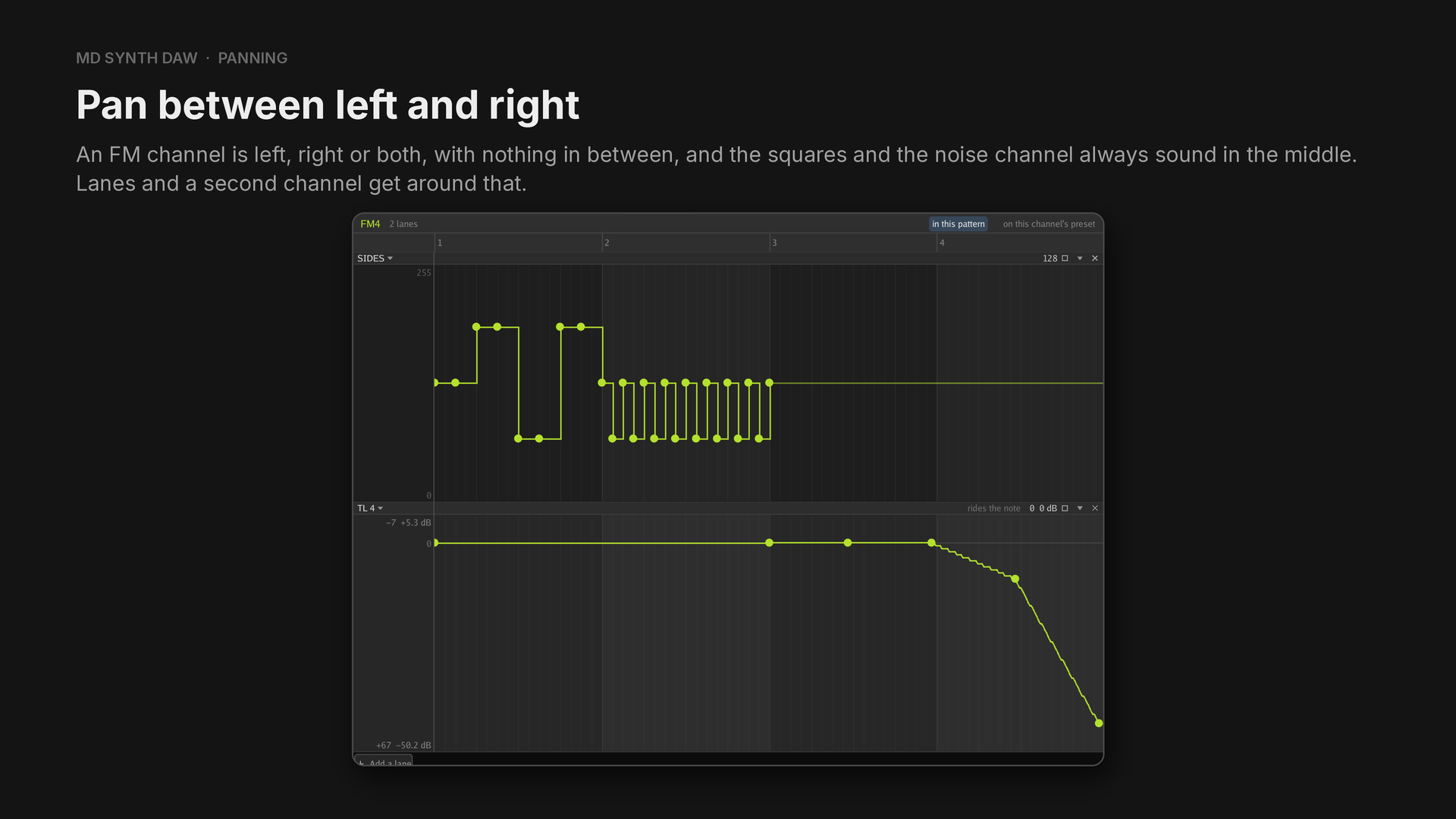
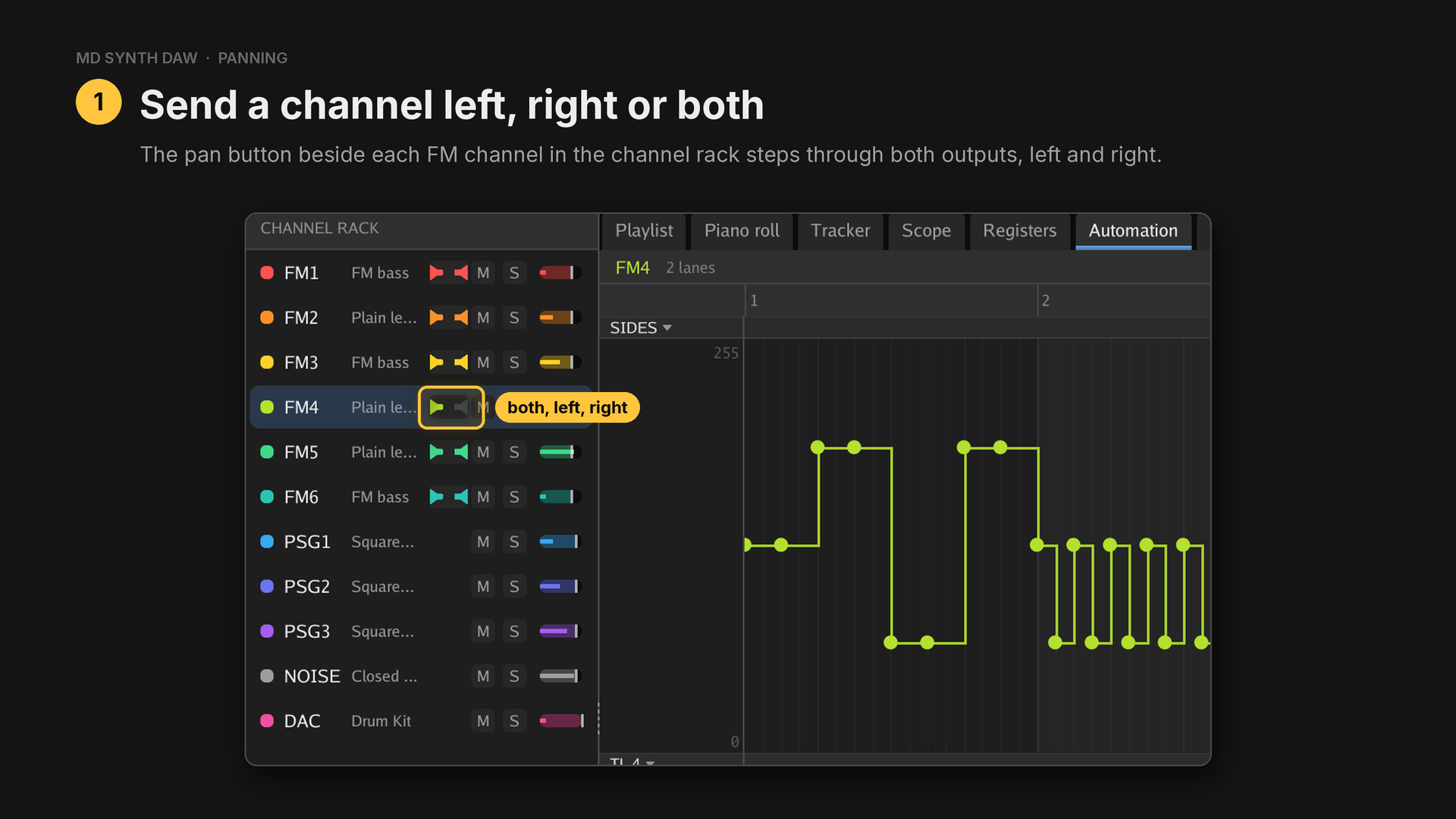
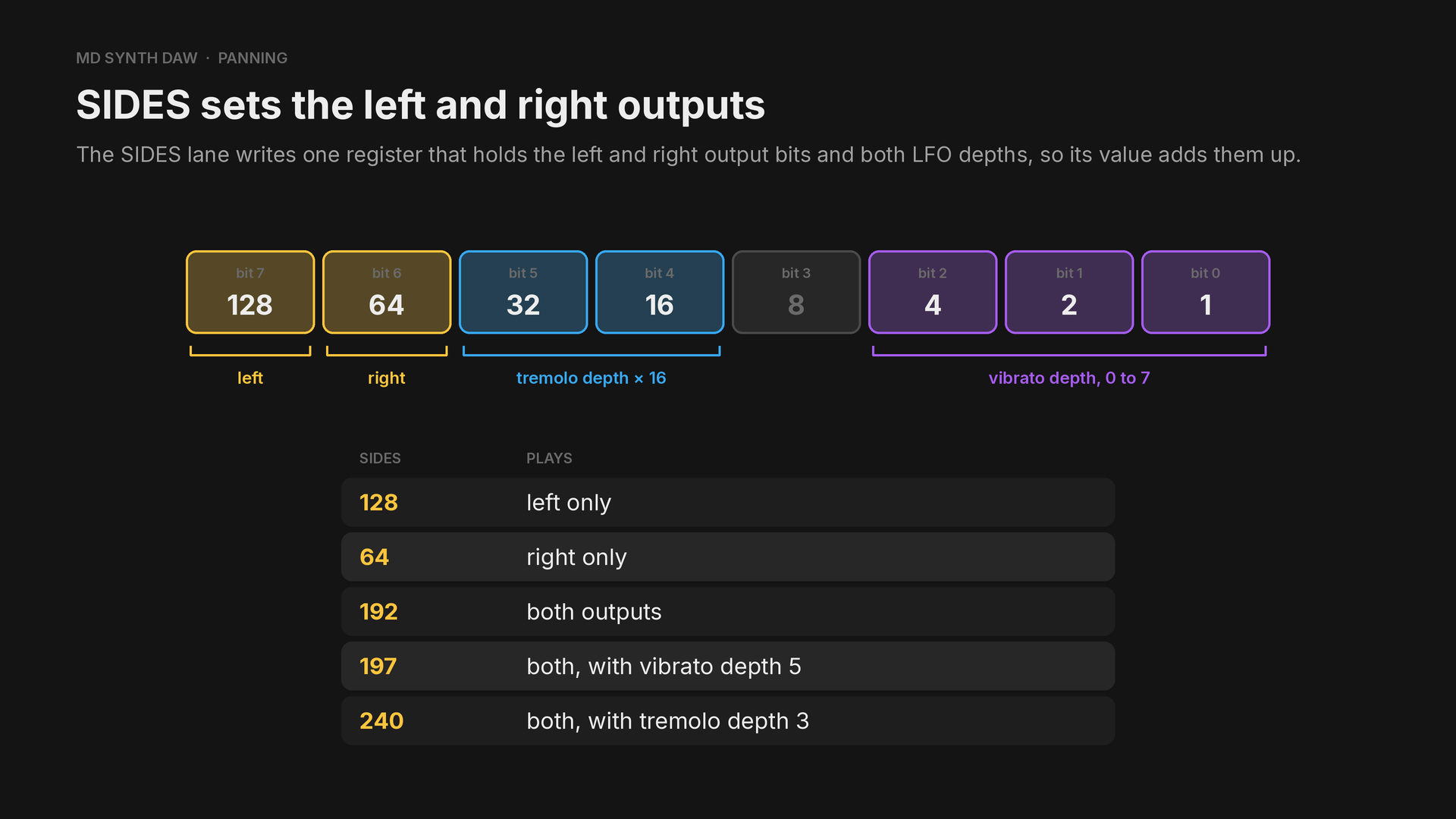
A lane on SIDES owns the whole byte, so it sets both LFO depths as well as the outputs.
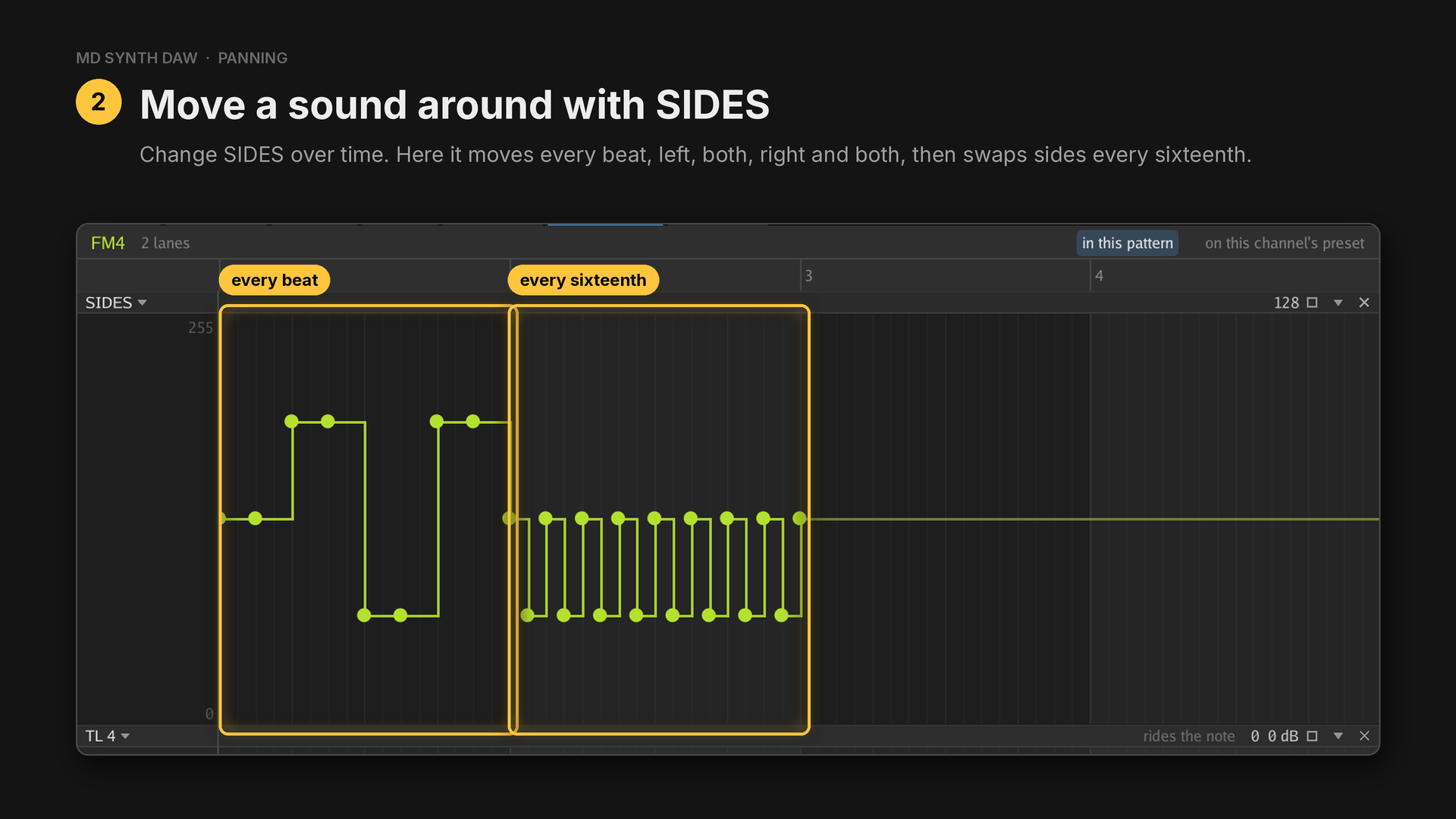
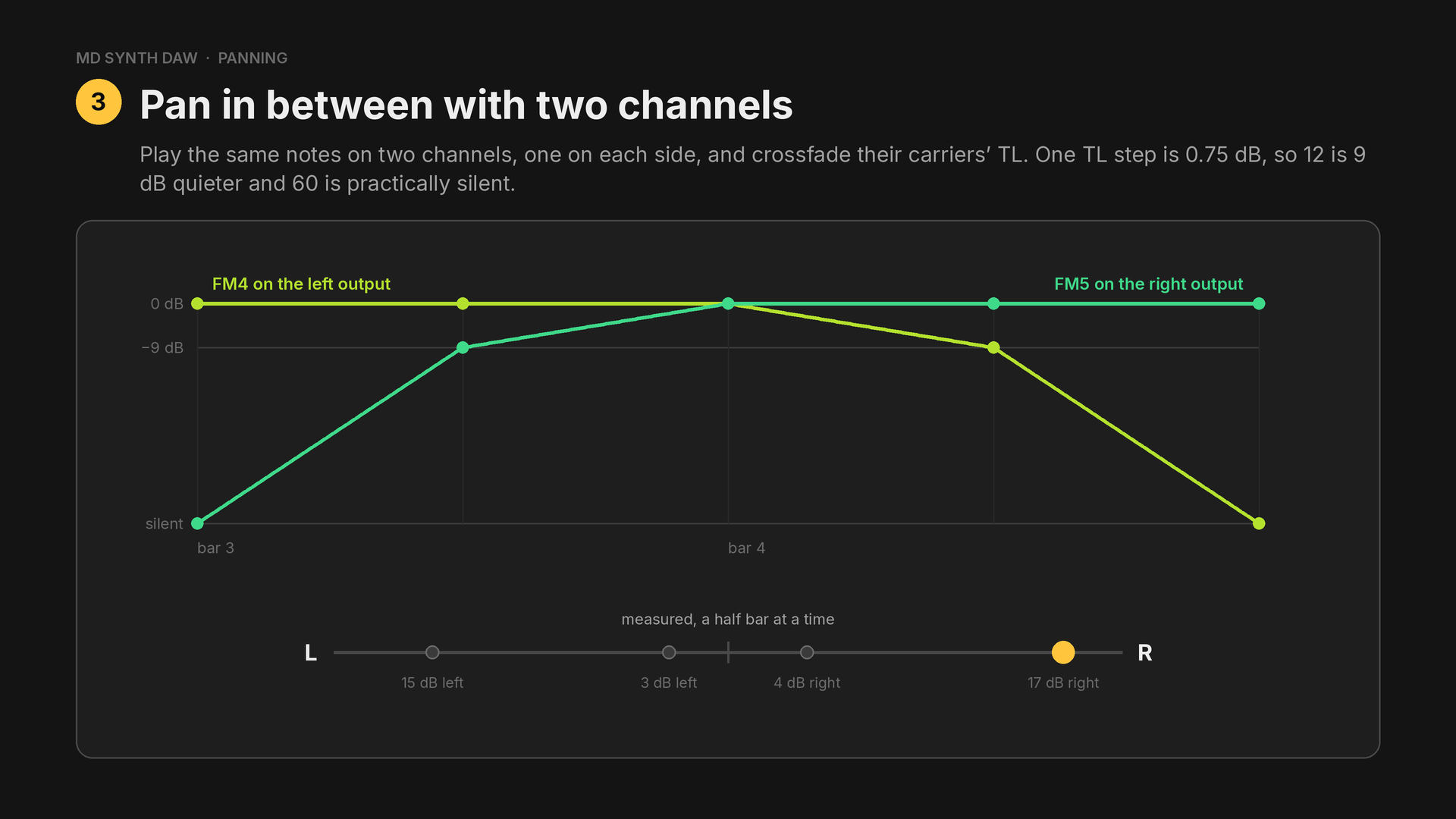
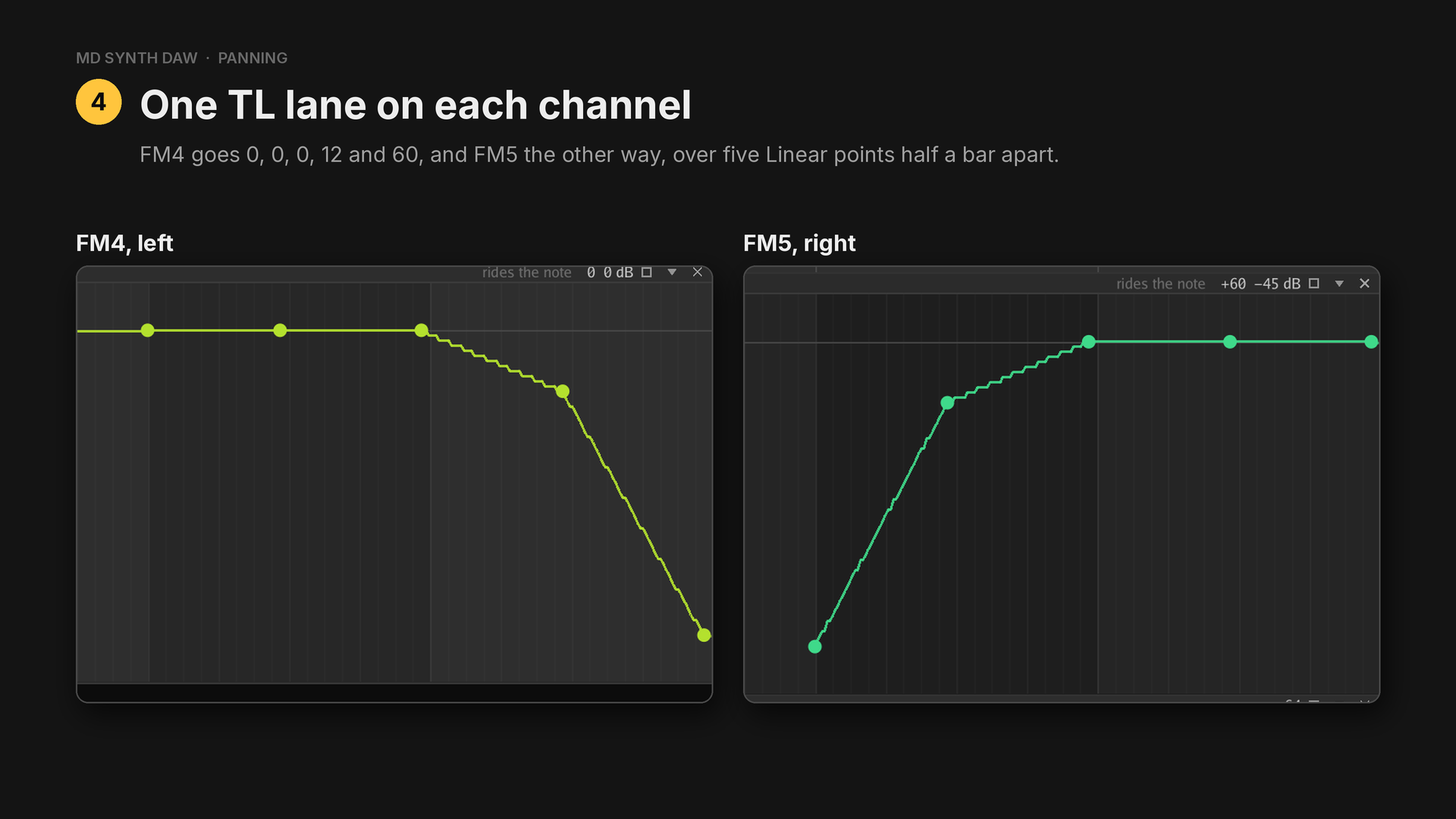
The sound travels from the left through the middle to the right.
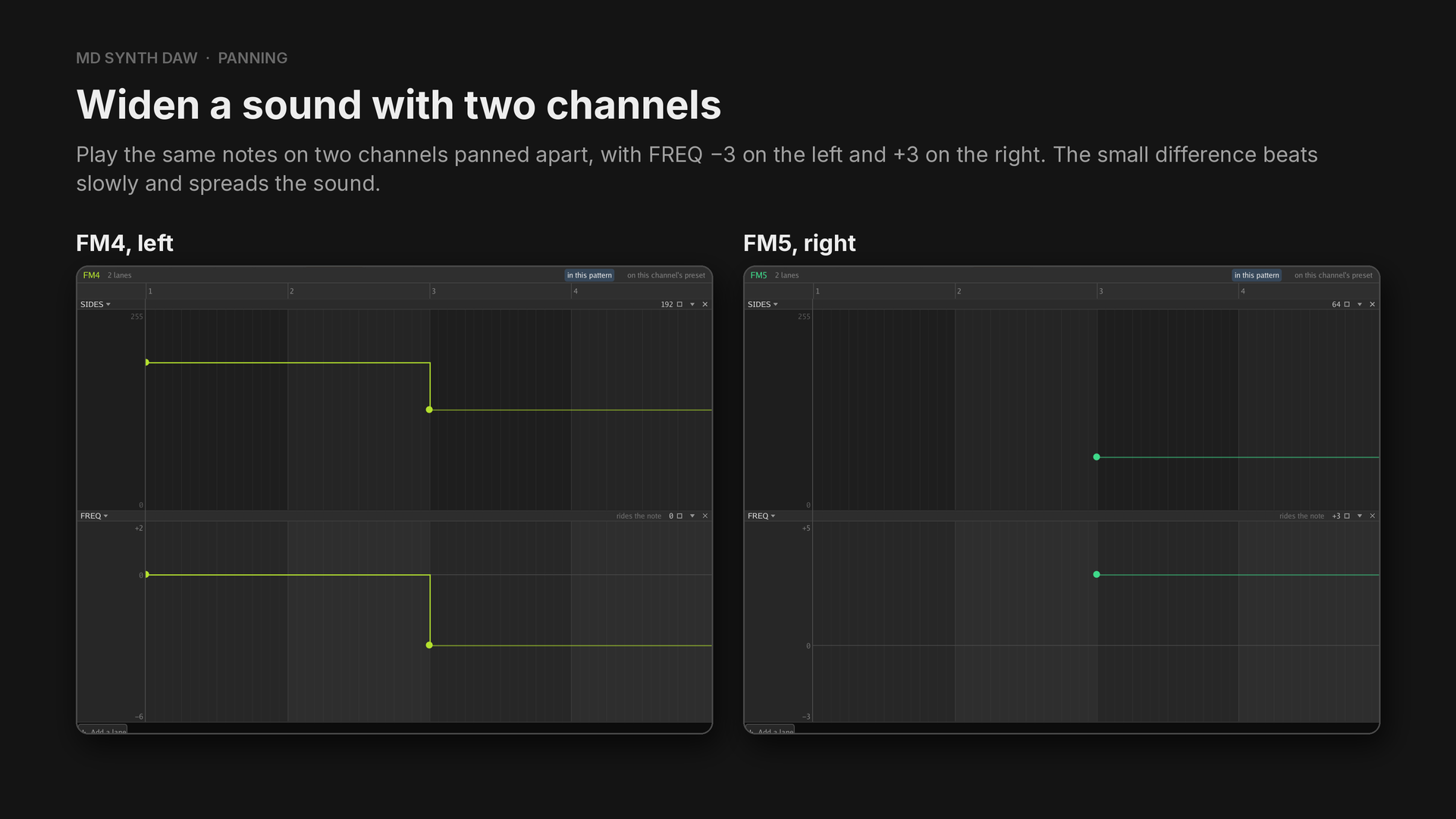
In the Simulated panning example (preset Soft lead, algorithm 3, so operator 4 is the only carrier):
- Bar 1:
SIDESchanges every beat: 128 (left), 192 (both), 64 (right), 192 (both). - Bar 2: one held note with
SIDESswapping between left and right every sixteenth. - Bars 3 and 4: the same notes on FM4 (left) and FM5 (right), crossfading on
TL 4.
Measured, bar 1 is 29 dB left, even, 22 dB right, even. Bars 3 and 4 move 15 dB left, 3 dB left, 4 dB right and 17 dB right. In Unison detune, the left and right outputs have a correlation of 1.0 in bars 1 and 2, where FM4 plays alone, and 0.08 in bars 3 and 4.
26Filters and distortion#
Hear it: Filter sweep · Distortion
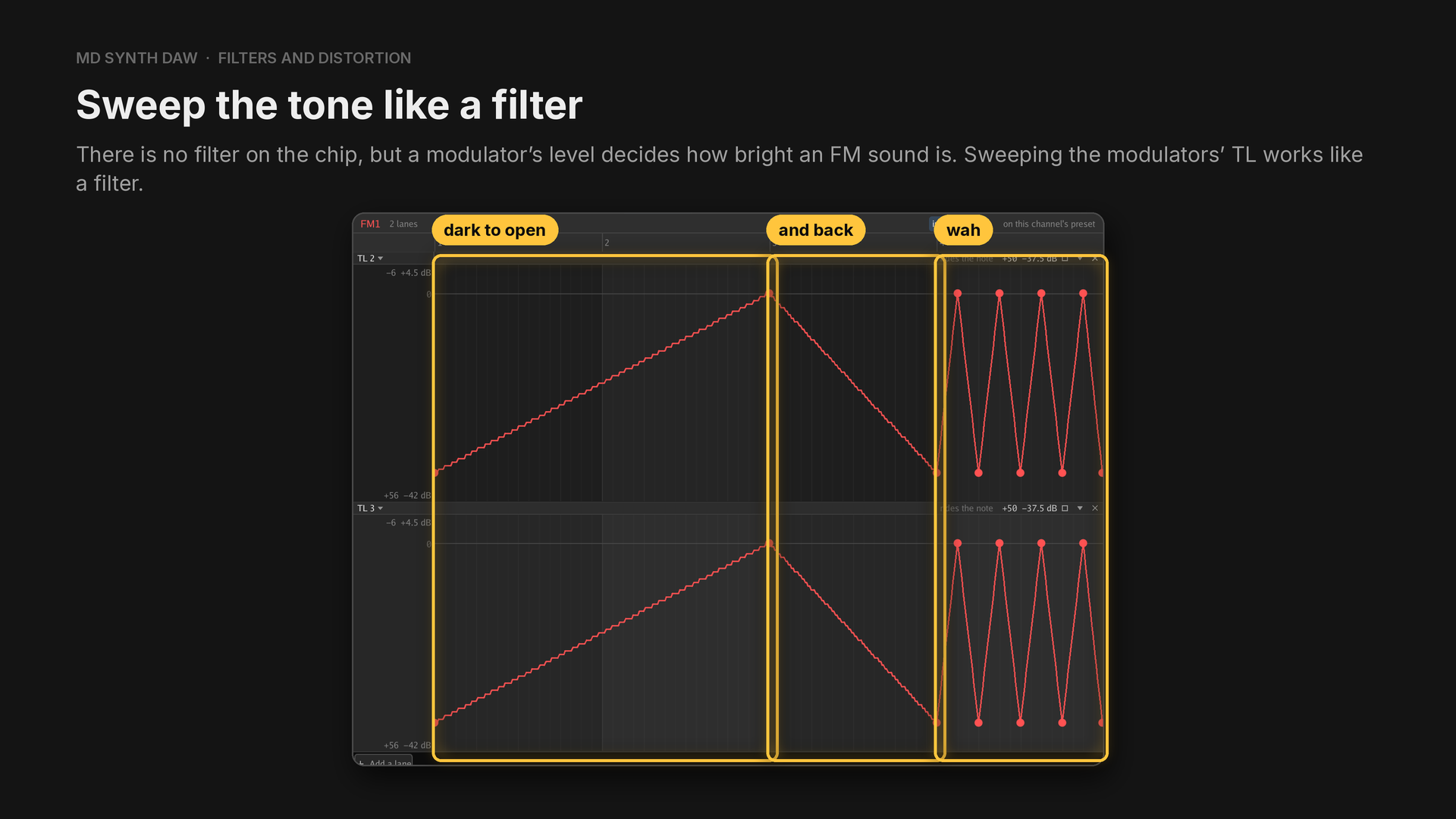
In the example (FM1, preset Sweep bass, algorithm 3, where operators 2 and 3 both feed the
carrier), TL 2 and TL 3 run Linear from +50 (dark) to 0 (open) across bars 1 and 2, back in bar
3, and make a wah on every beat in bar 4. The line is sixteenth notes, and each new note starts at
the level the lanes hold at that moment, so the sweep runs smoothly across all of them.
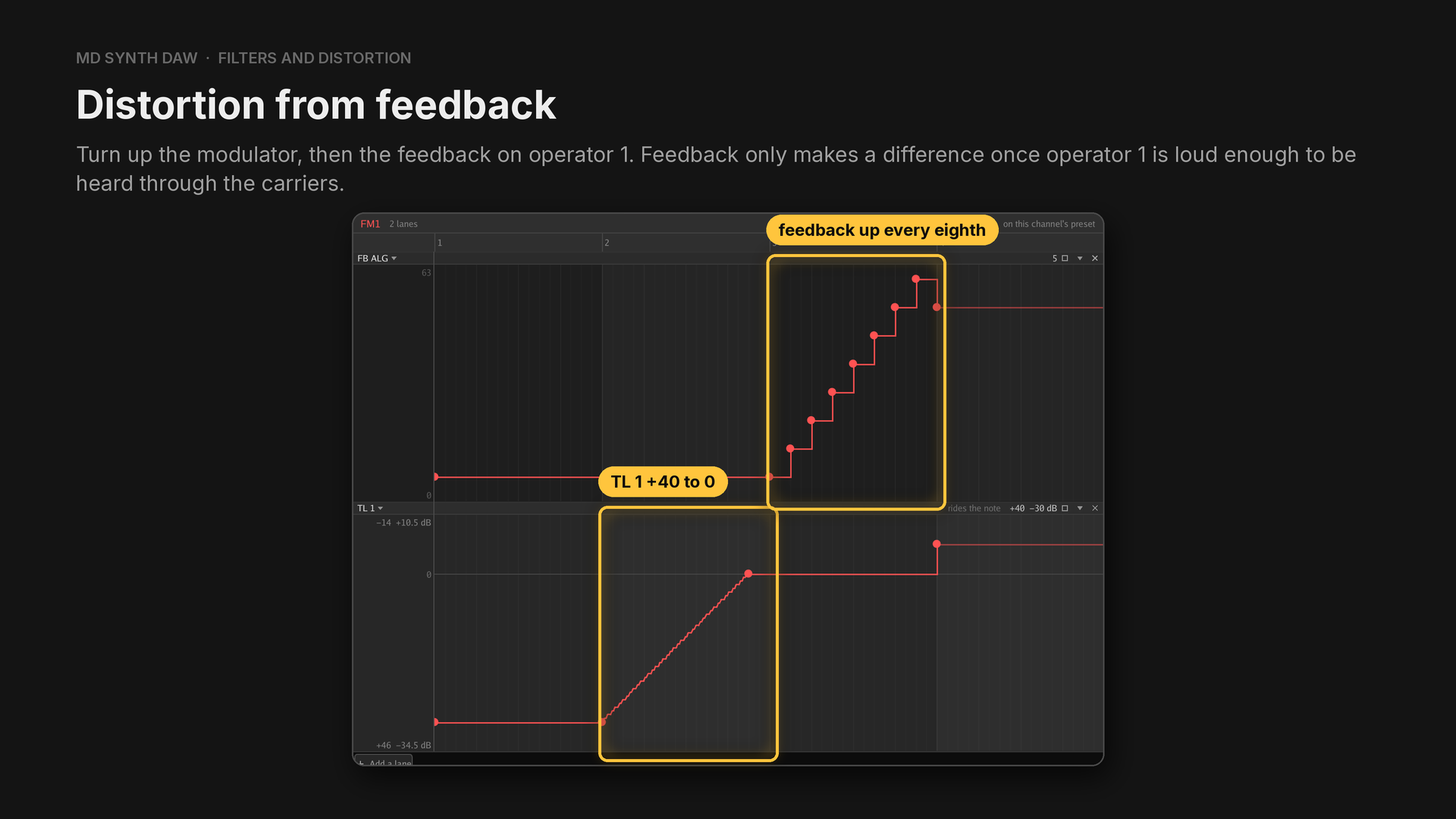
There is no distortion effect, but operators that bend each other come close. The preset Drive guitar uses algorithm 5, where operator 1 feeds carriers on multiples 1, 2 and 3, so one note is already a power chord.
- Bar 1: clean.
TL 1is +40, keeping the modulator 40 steps quieter, andFB ALGis 5, feedback 0. - Bar 2:
TL 1runs from +40 down to 0 across the bar. More modulation is more grit. - Bar 3:
FB ALGclimbs one feedback step every eighth: 5, 13, 21, 29, 37, 45, 53 and 61, now that bar 2 has turned operator 1 up. - Bar 4: both at once,
FB ALG53 (feedback 6) andTL 1at −8.
Measured, the energy above 2 kHz goes from 48 dB under the whole sound in bar 1 to about 18 dB under it in bar 4.
27Changing a preset while it plays#
Hear it: Patch morphing · Manual preset swapping
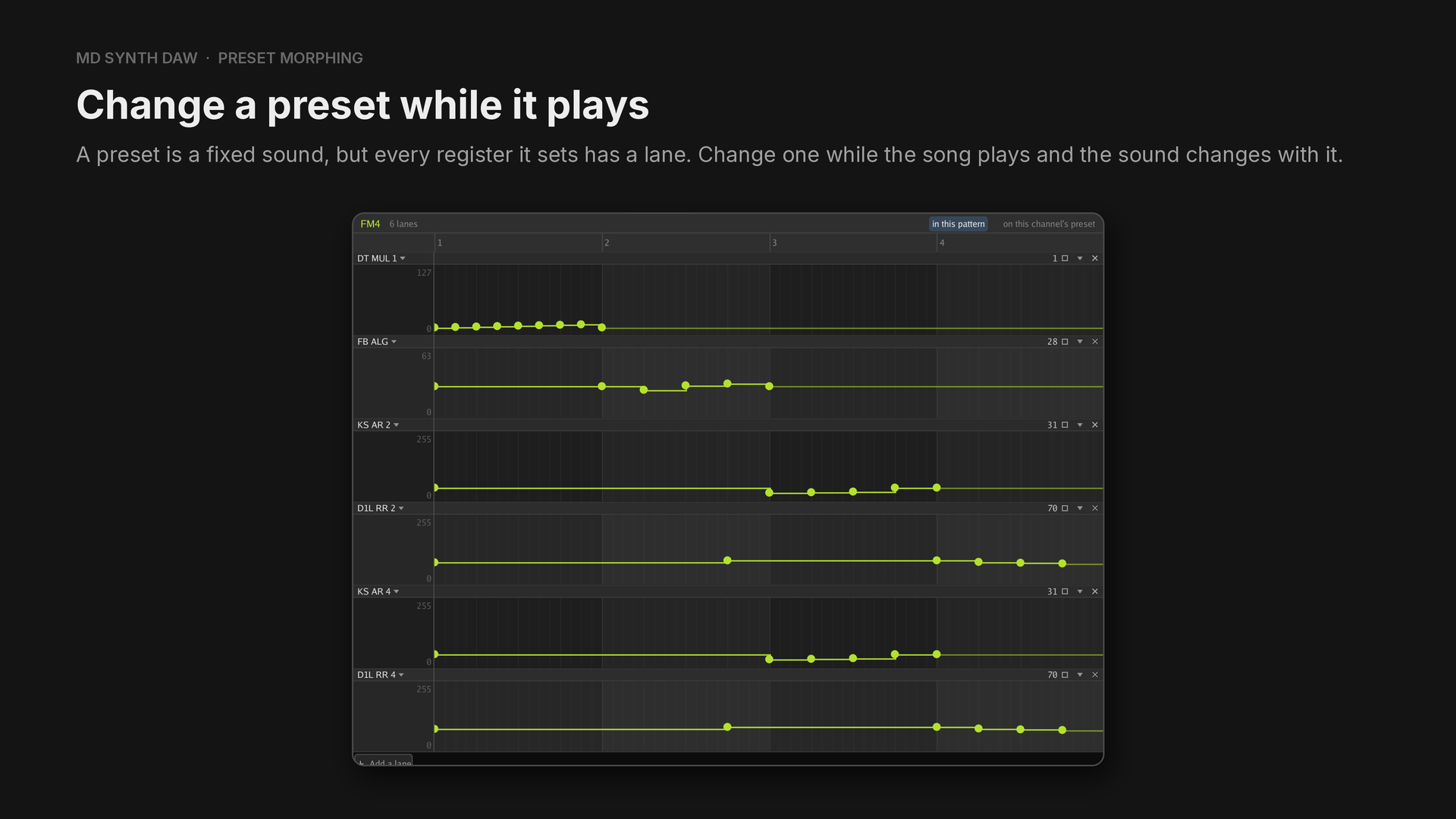
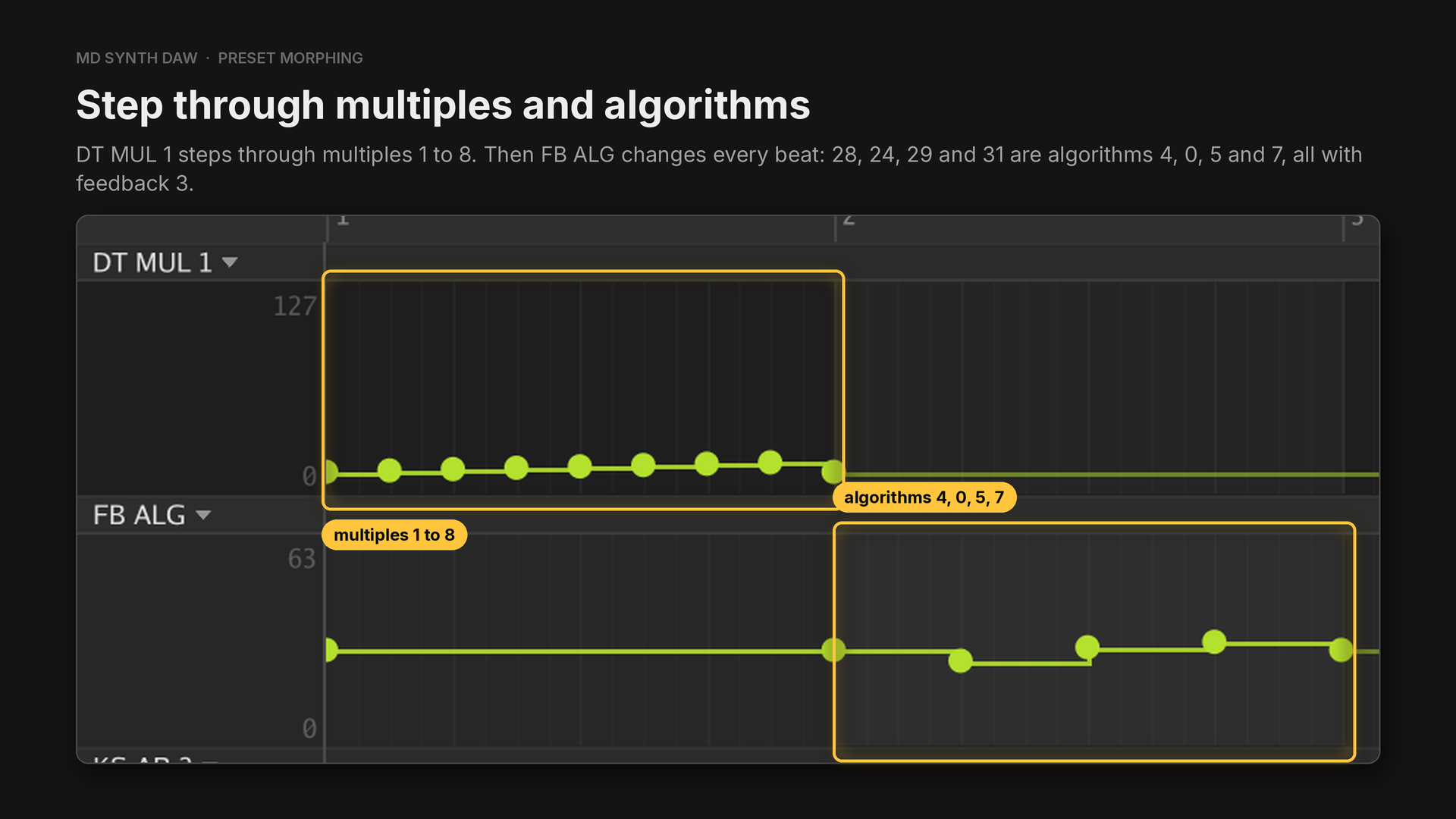
In Patch morphing (FM4, preset Morph bell, algorithm 4), the multiples change one per eighth note.
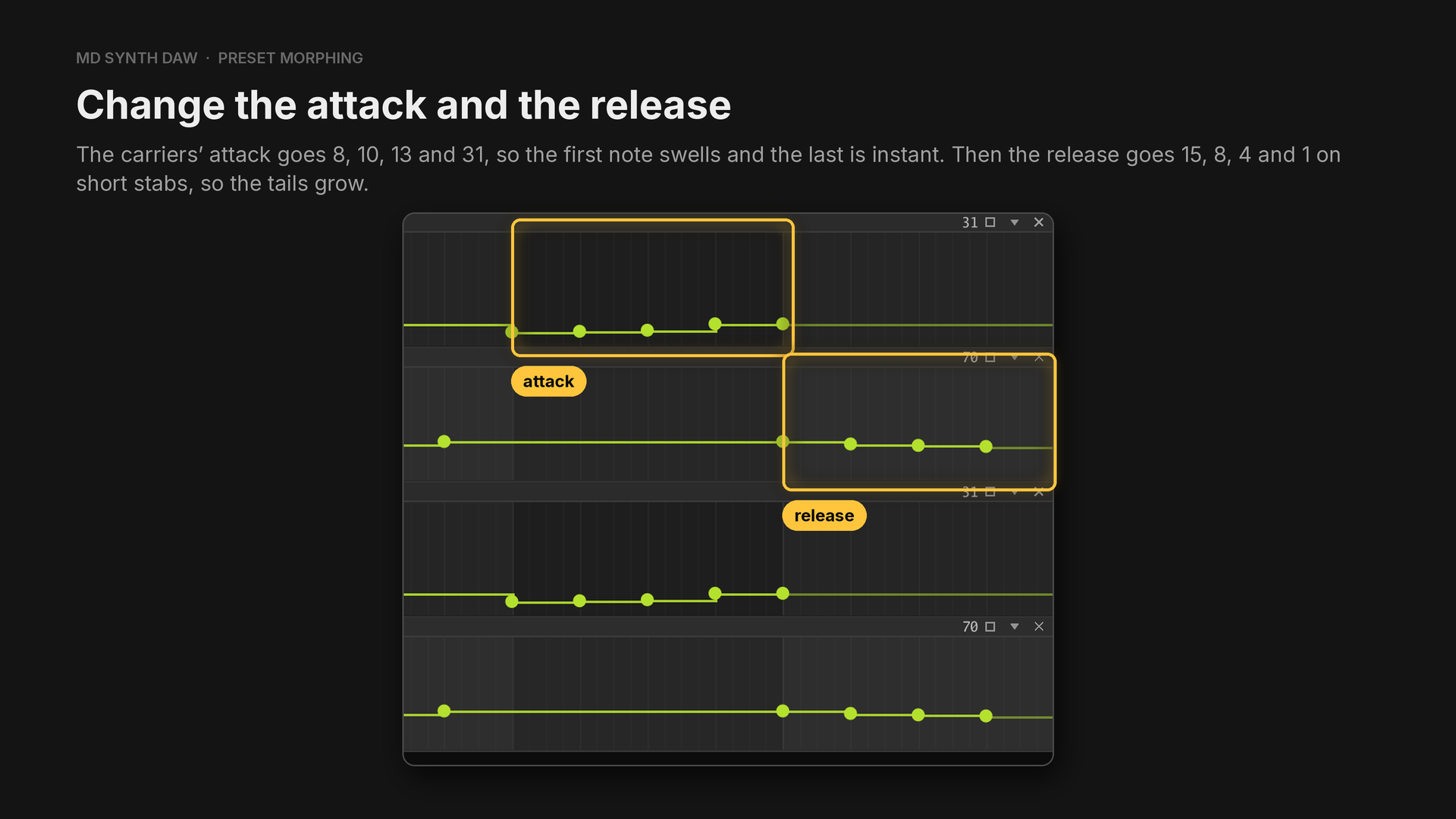
KS AR 2 and KS AR 4 set the attack, one value per note. The first note never reaches full level,
and the next two take about 275 ms and 125 ms. D1L RR 2 and D1L RR 4 set the release, with the
values 79, 72, 68 and 65.
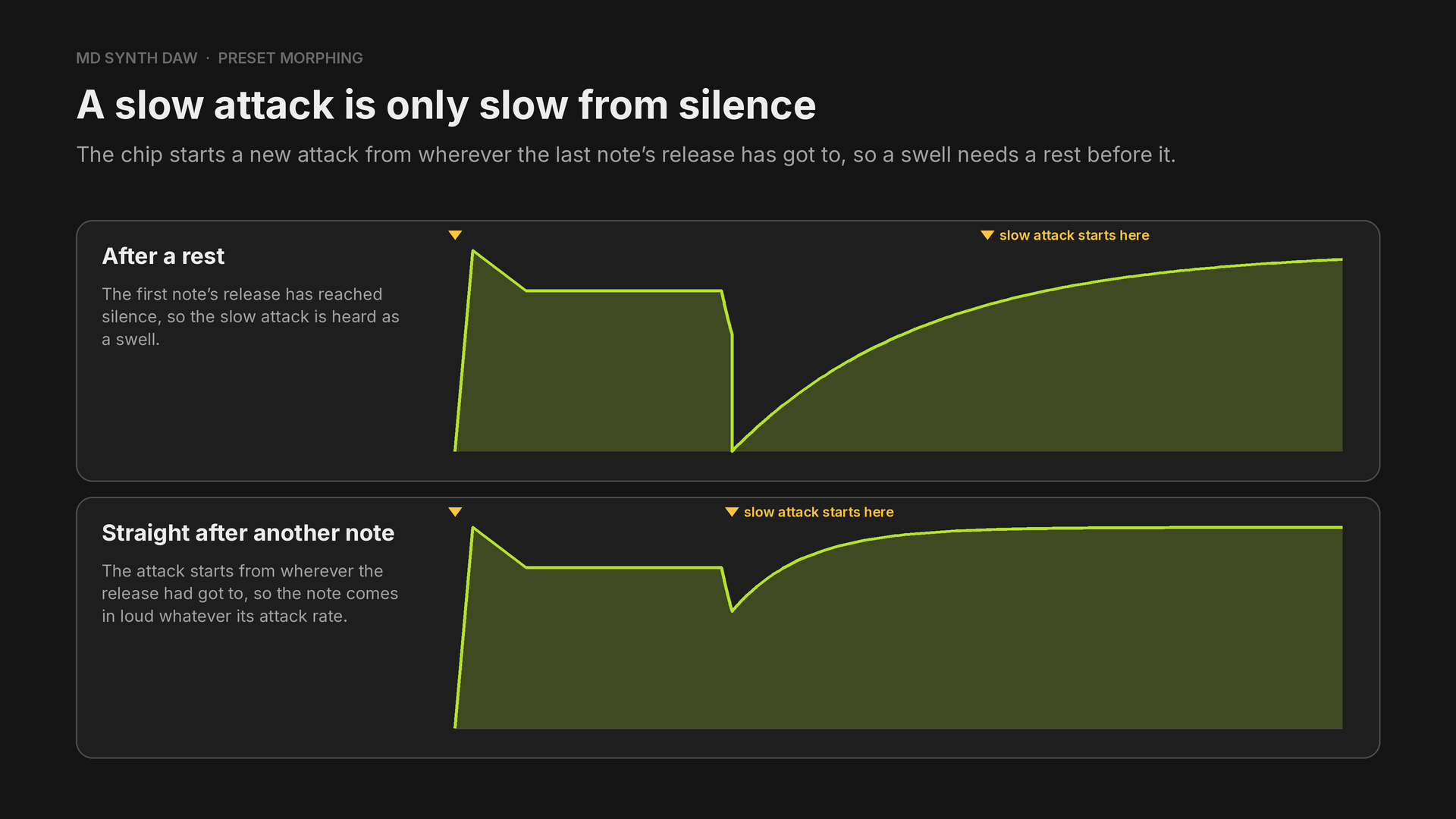
That's why the attack notes in the example are short, with rests between them.
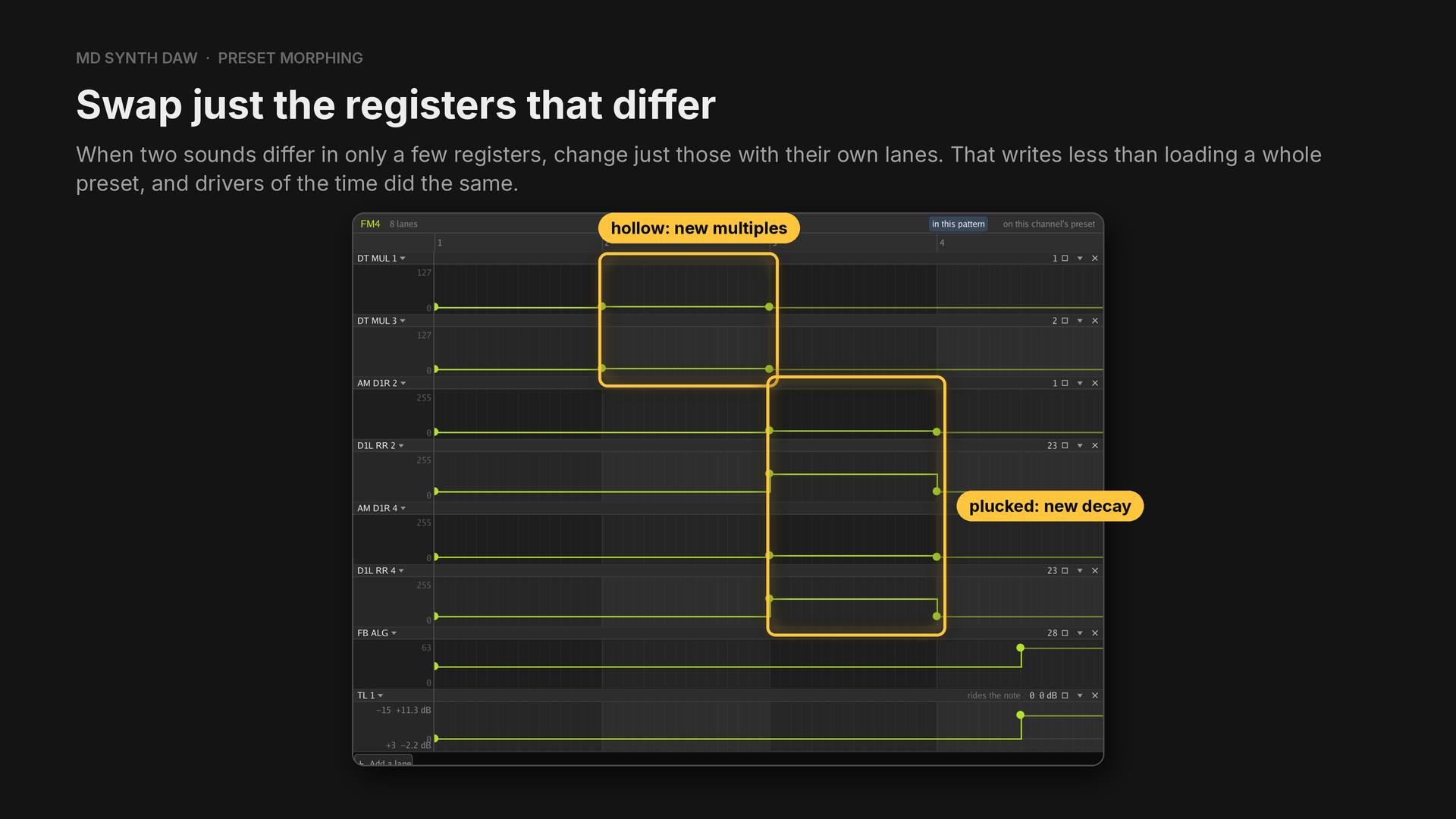
In Manual preset swapping (FM4, preset Plain lead), every lane starts with a point holding the
preset's own value. Bar 2 turns hollow when DT MUL 1 becomes 3 and DT MUL 3 becomes 5. Bar 3
turns plucked: the multiples go back, AM D1R 2 and 4 become 12, and D1L RR 2 and 4 become
151, sustain level 9 with the same release.
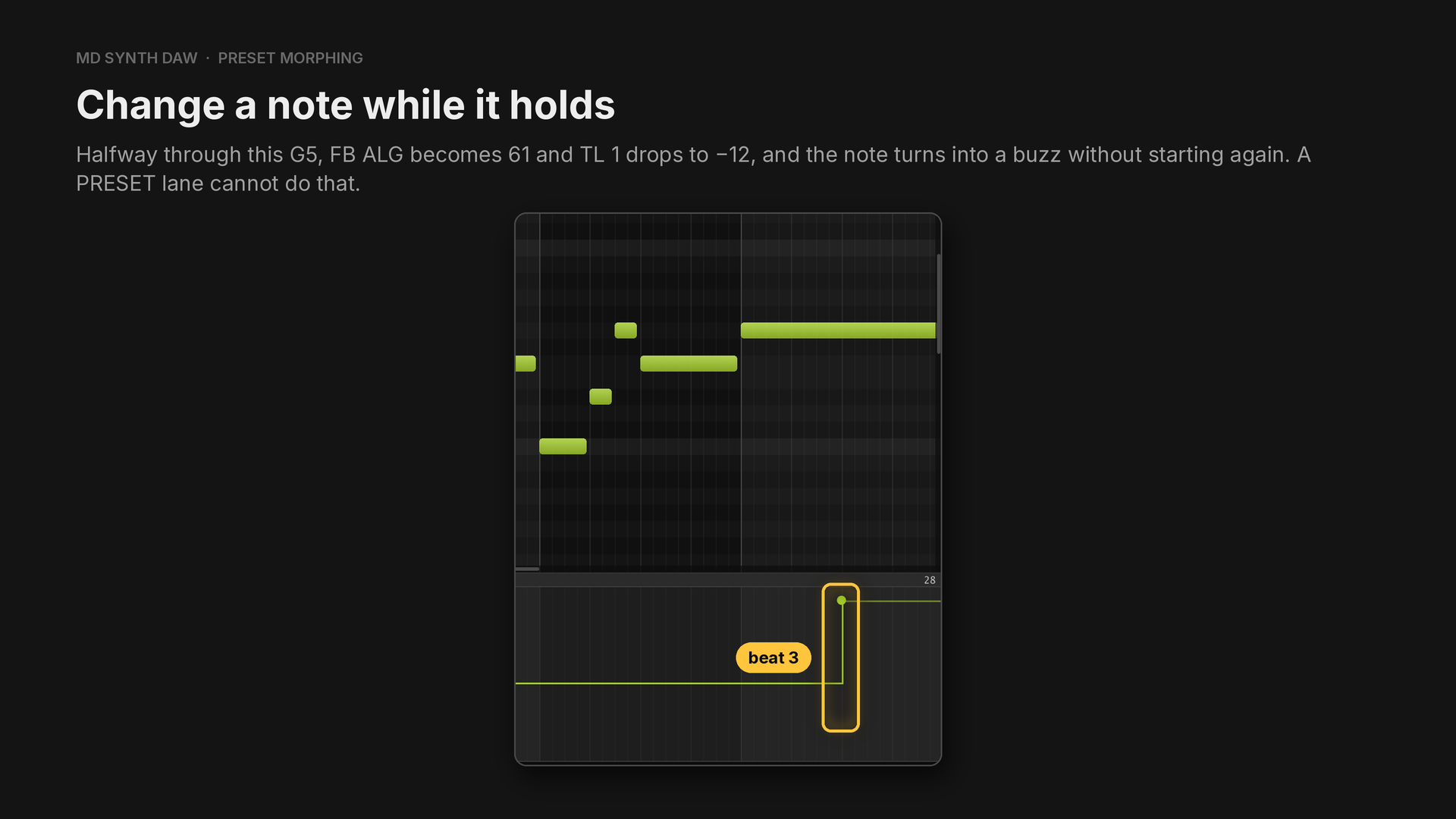
In bar 4 the G5 starts on the plain preset, and the change comes on beat 3. FB ALG 61 is feedback
7 on algorithm 5.
28Preset swapping, and presets that move#
Hear it: Preset swapping
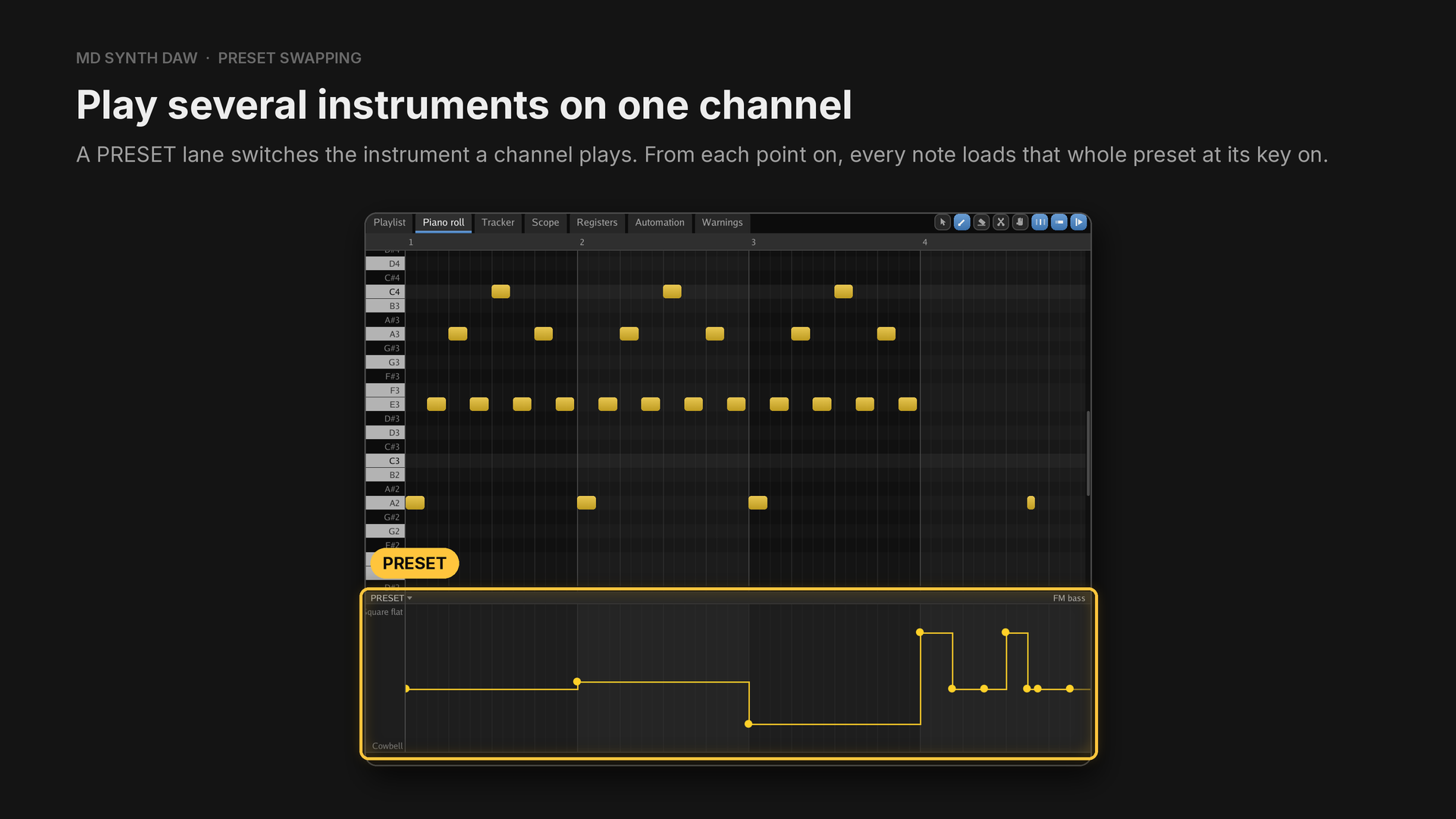
Six FM channels, or five with drum samples, never feel like enough. A sound driver changes voice the same way.
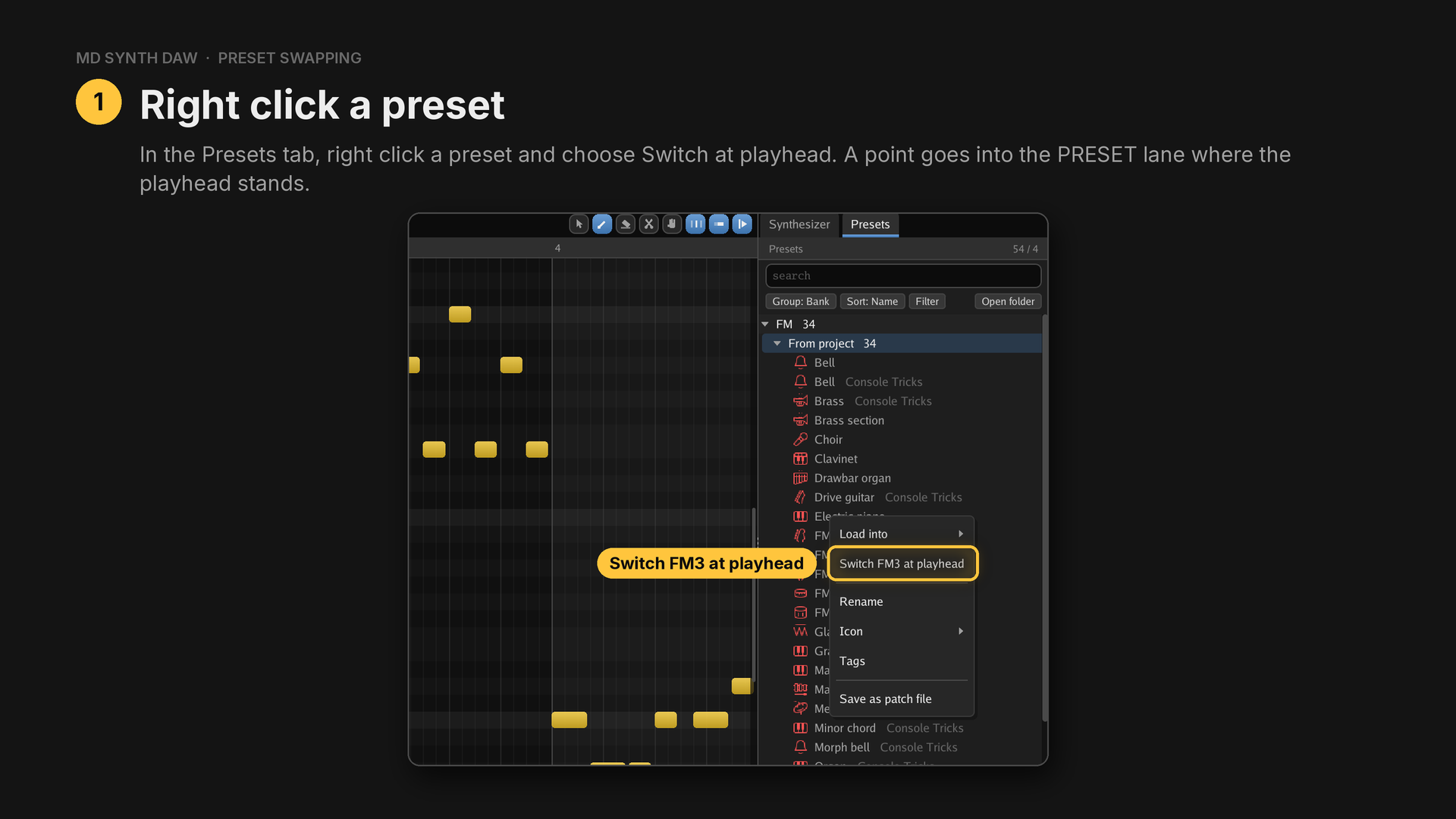
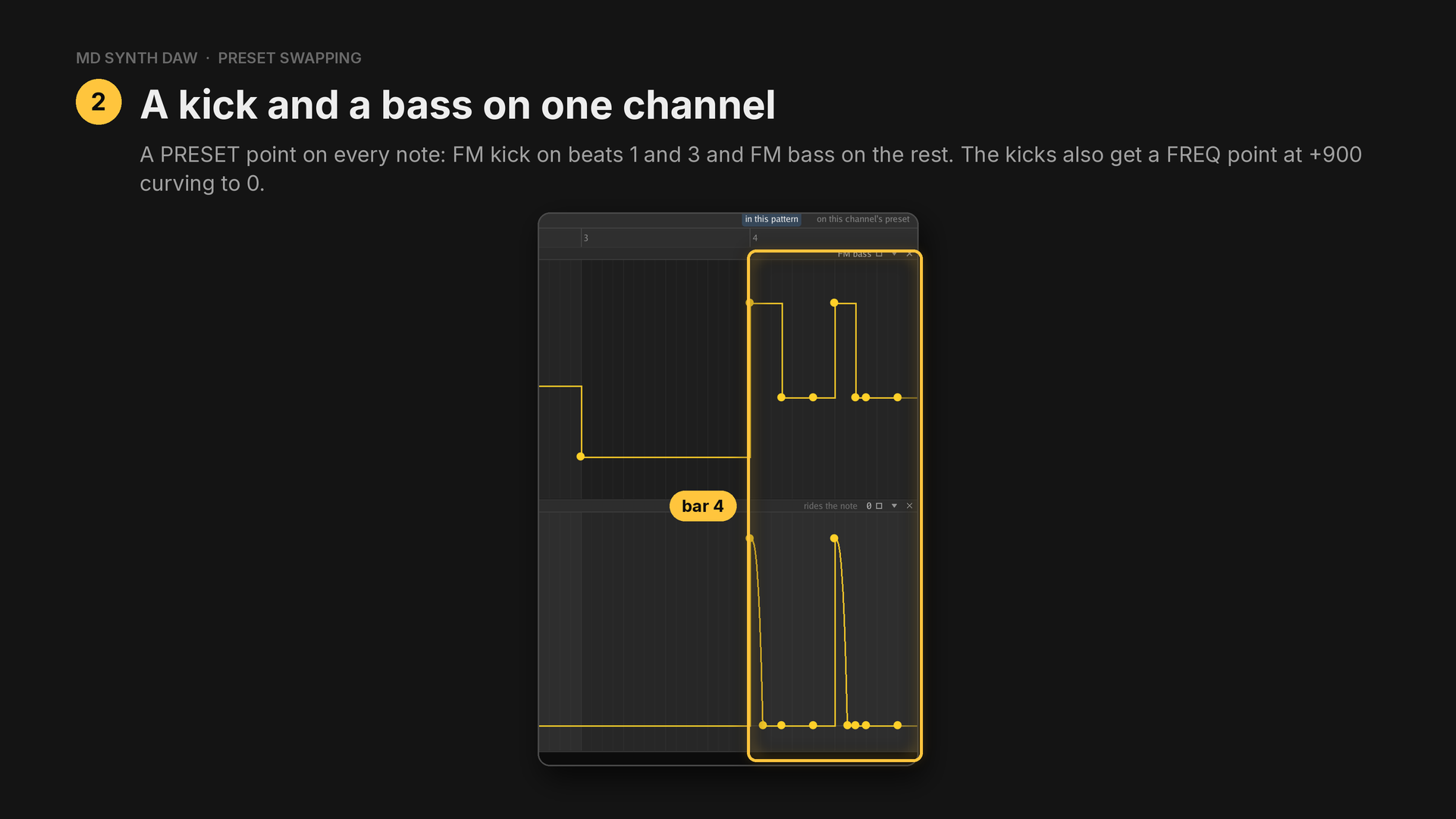
The example plays the same riff on FM3 as FM bass, Organ and Brass in bars 1 to 3, and the
kick and the bass share bar 4. The kicks' FREQ curves over 30 ticks, and the bass notes get a
point at 0.
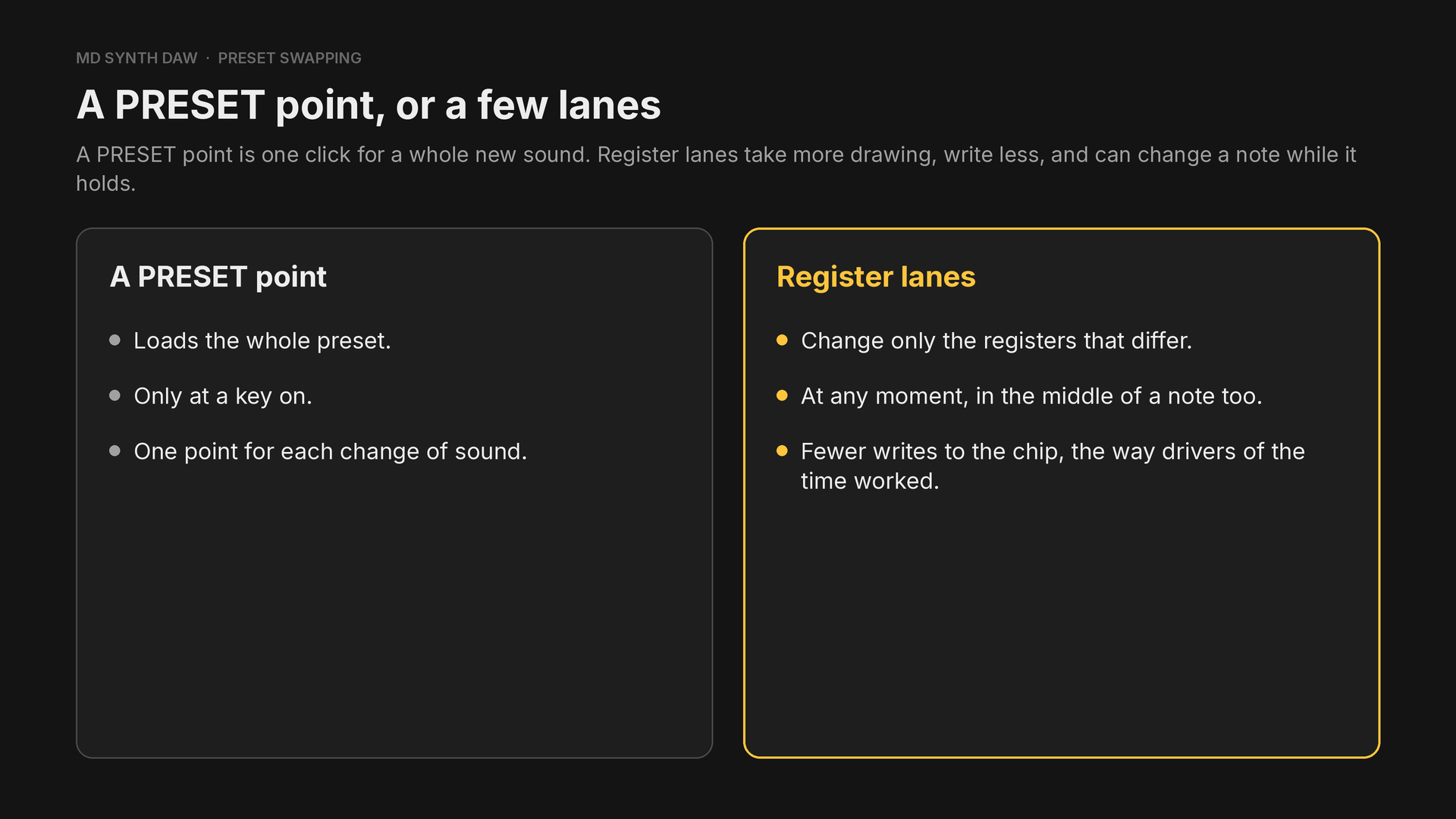
Changing a preset while it plays shows the lanes at work.
Presets that move on every note#
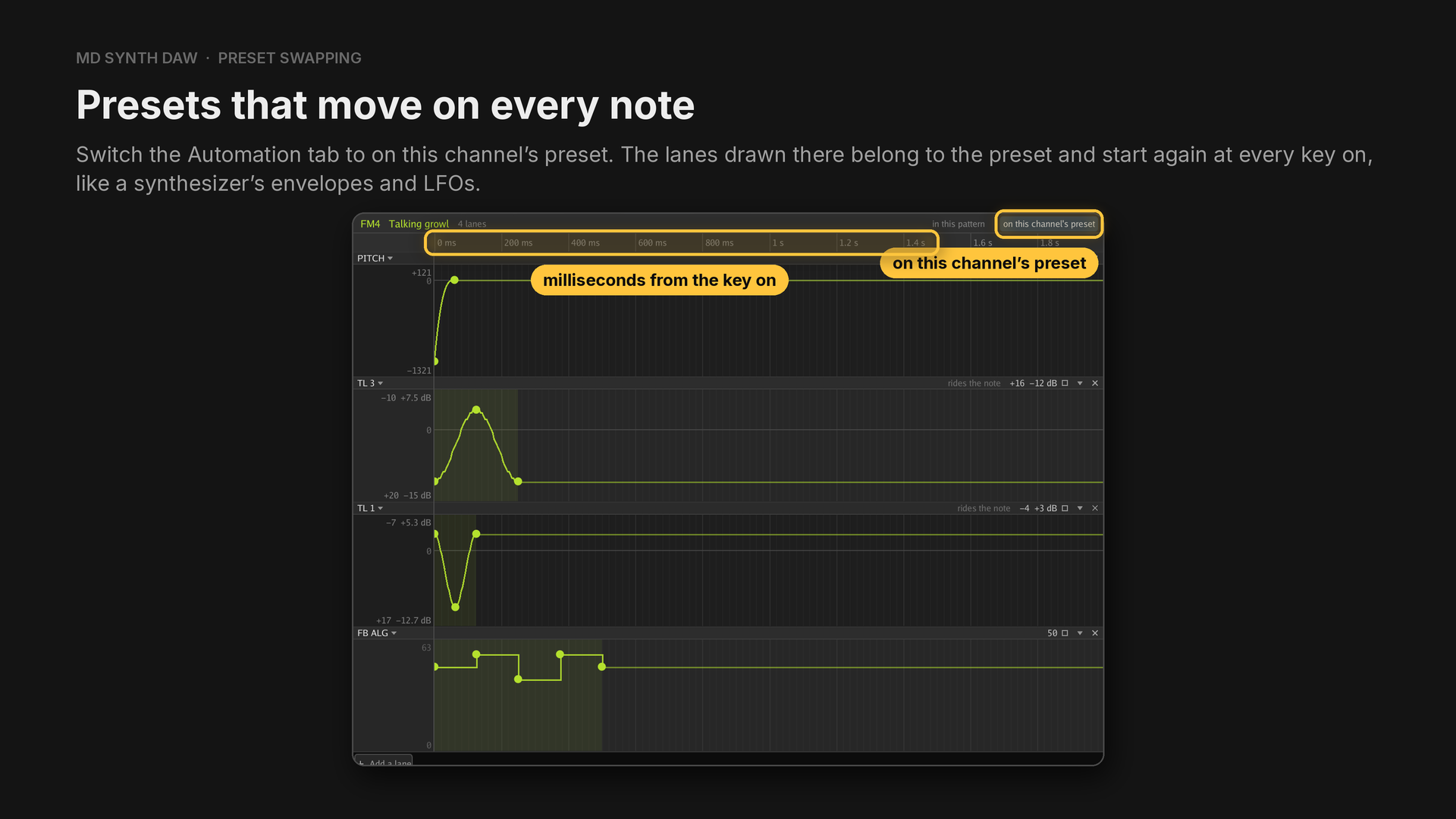
A preset's PITCH lane is in cents, 1200 to an octave, so a drop follows whichever note plays it.
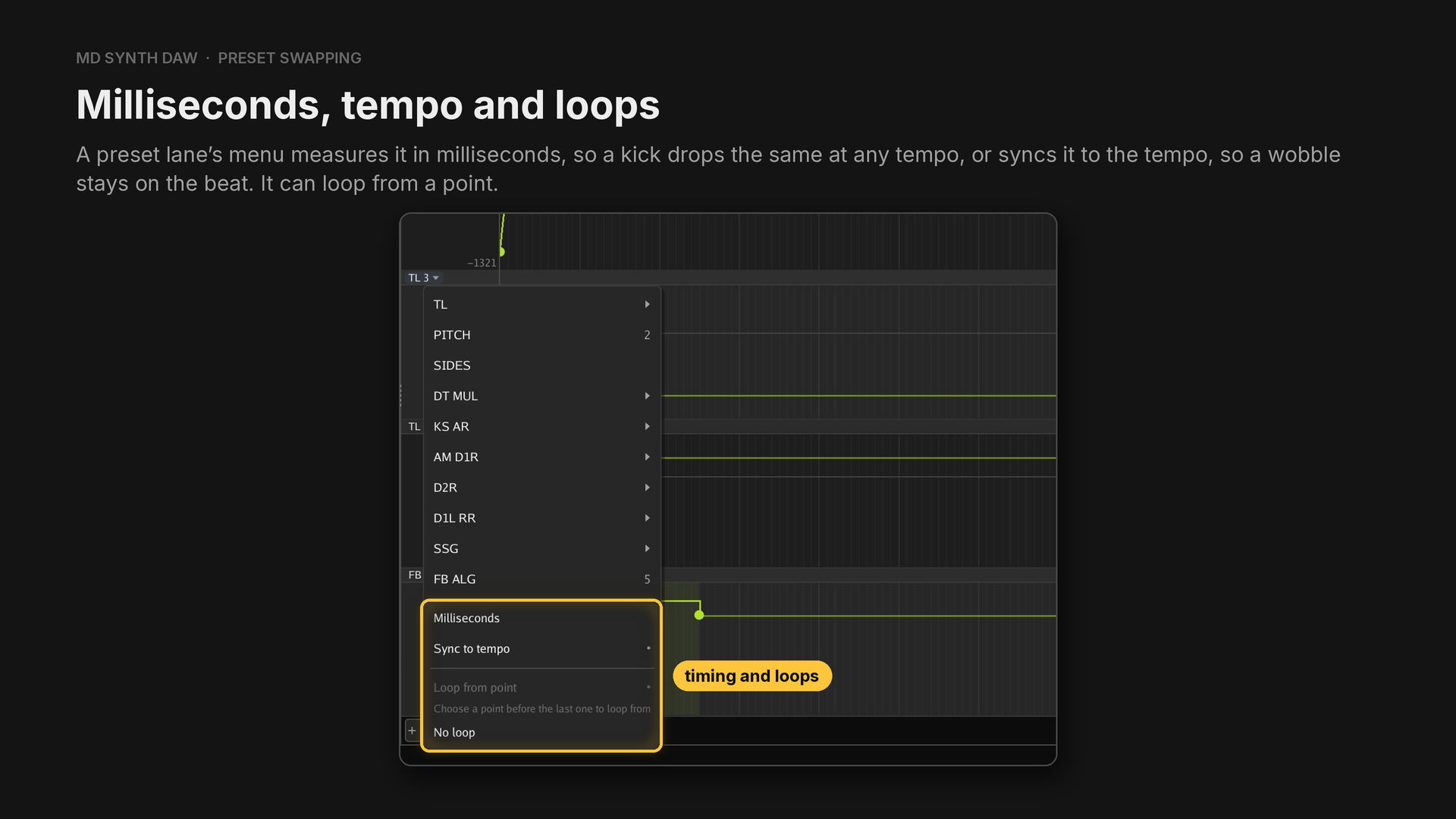
Loop from point repeats the lane for as long as the note sounds. On an FM channel the lanes run on through the release, until they end, the channel plays its next note, or two seconds have passed.
In the Presets tab, search tag:moving to find the presets in Default that move this way: kicks,
a reese, a growl, a wobble and a laser among them. Talking growl, in the picture, moves its pitch,
two operator levels and its feedback on every note.
29Chords and arpeggios#
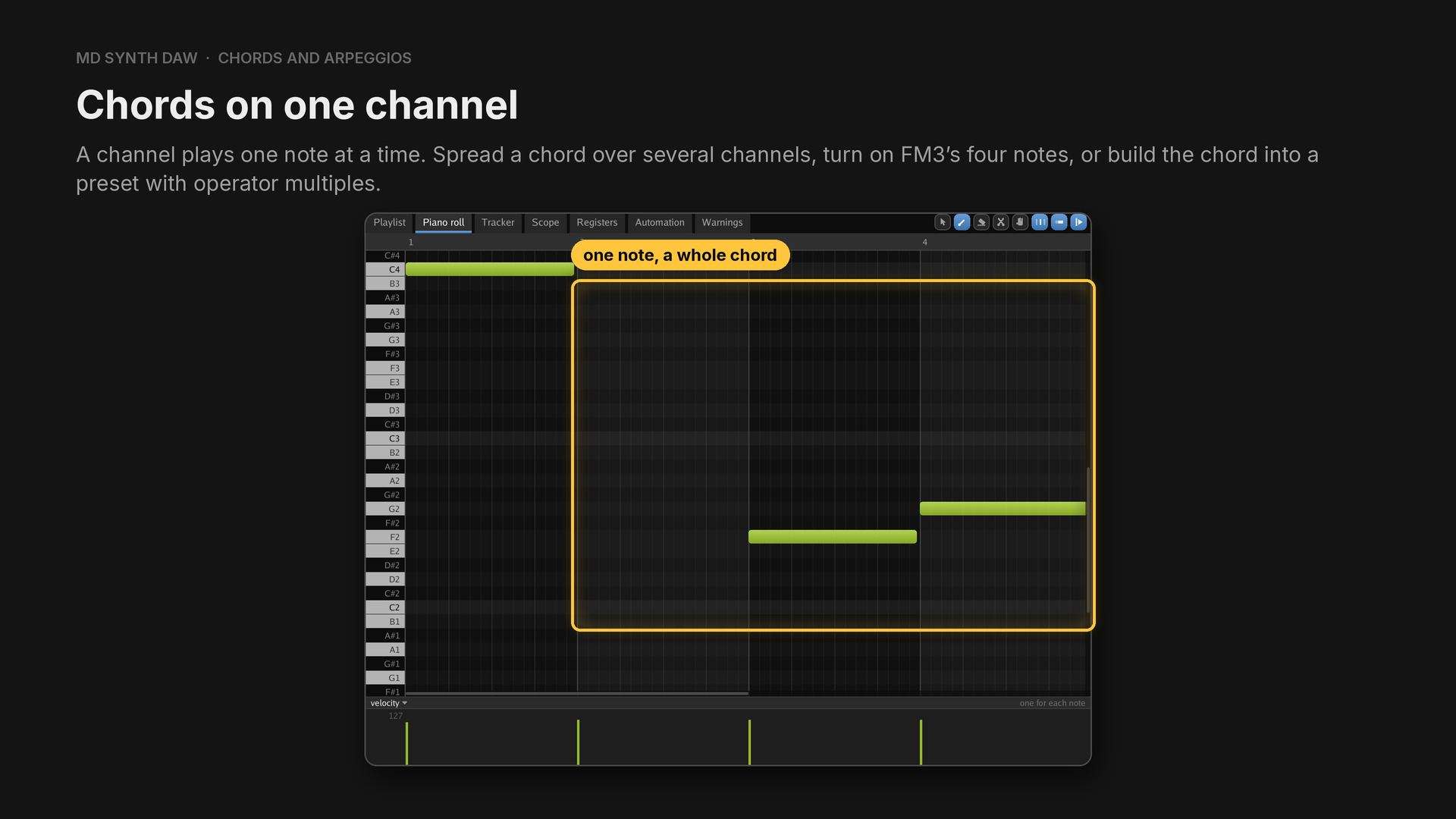
FM3 four notes#
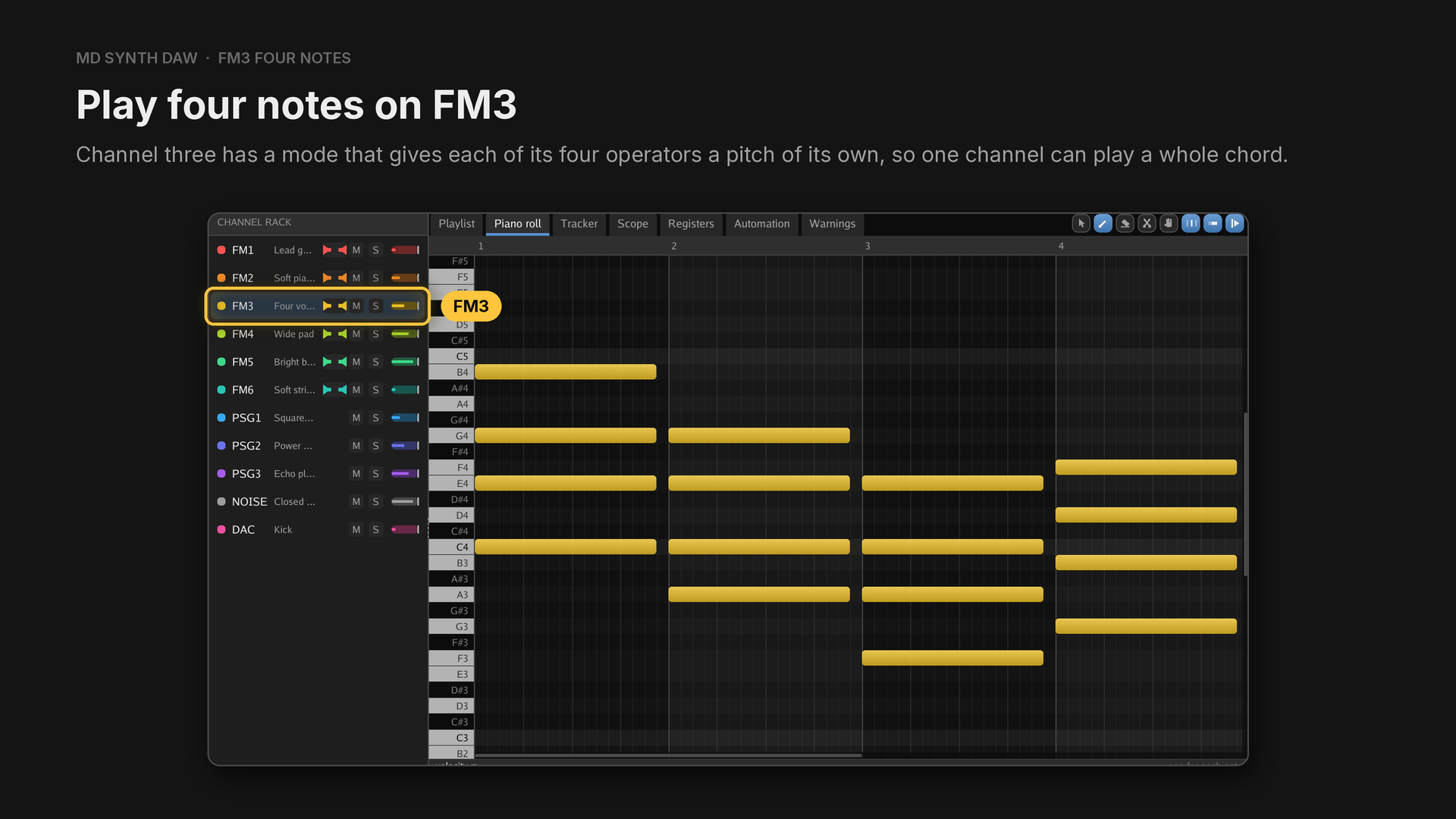
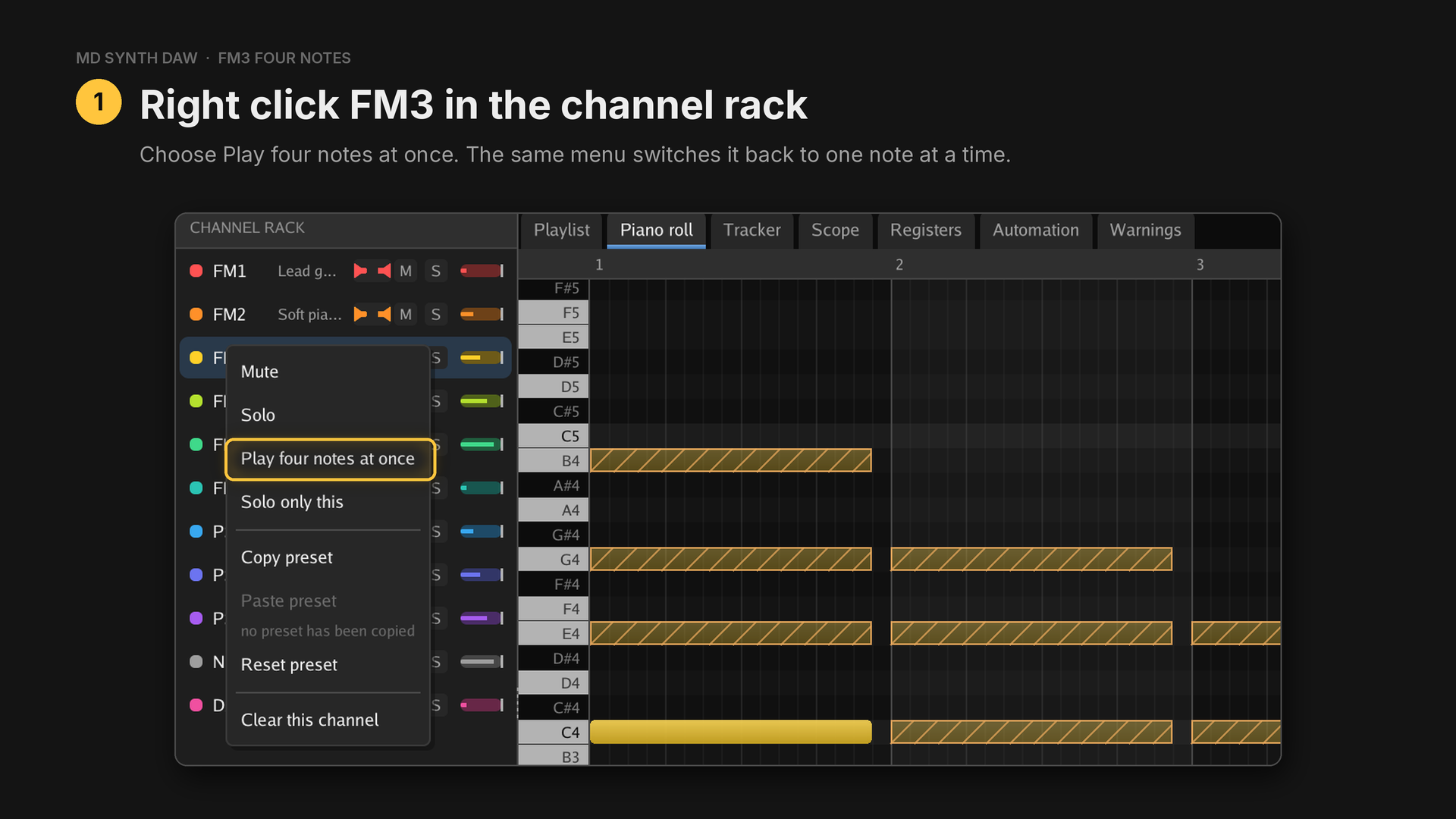
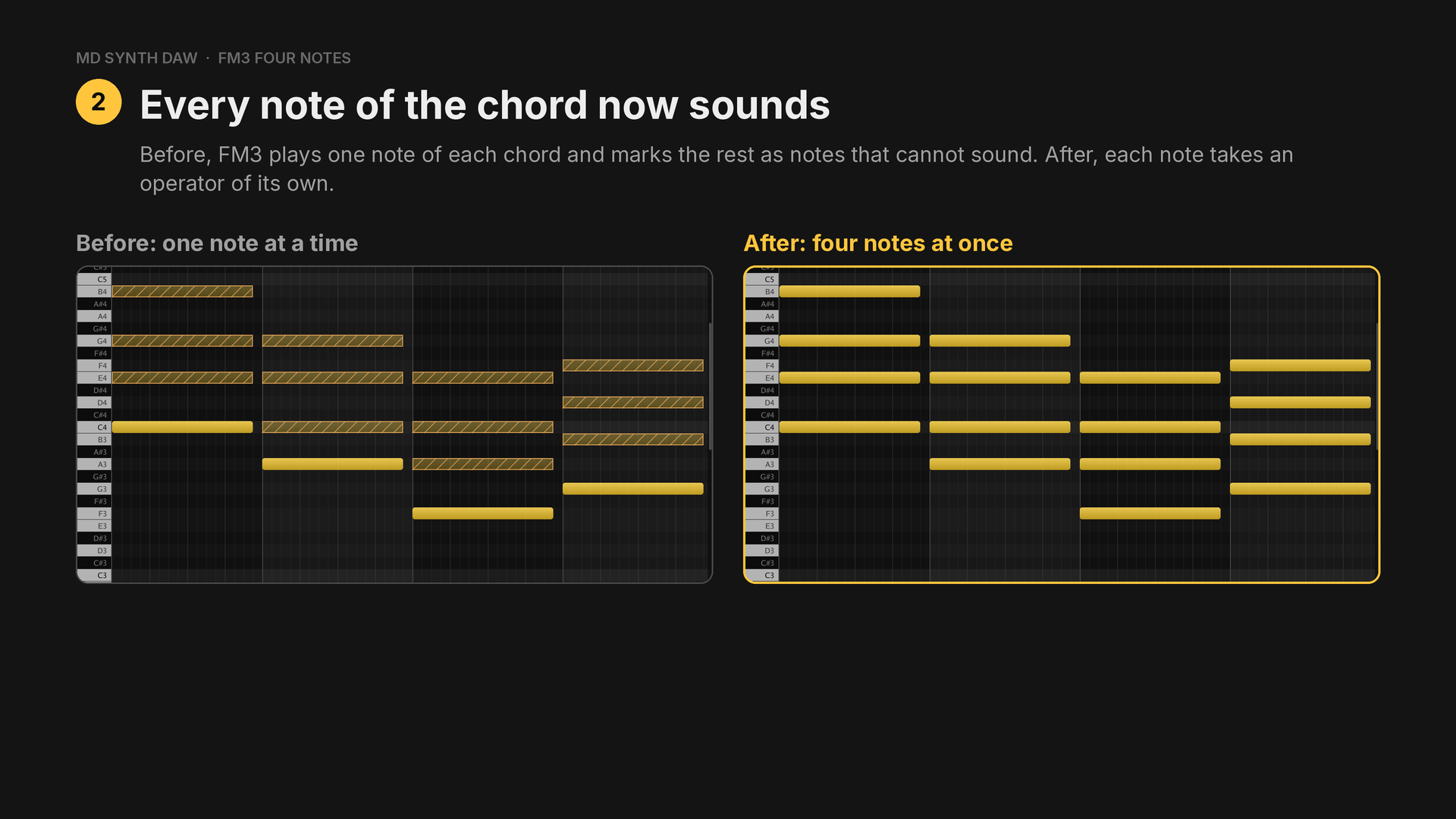
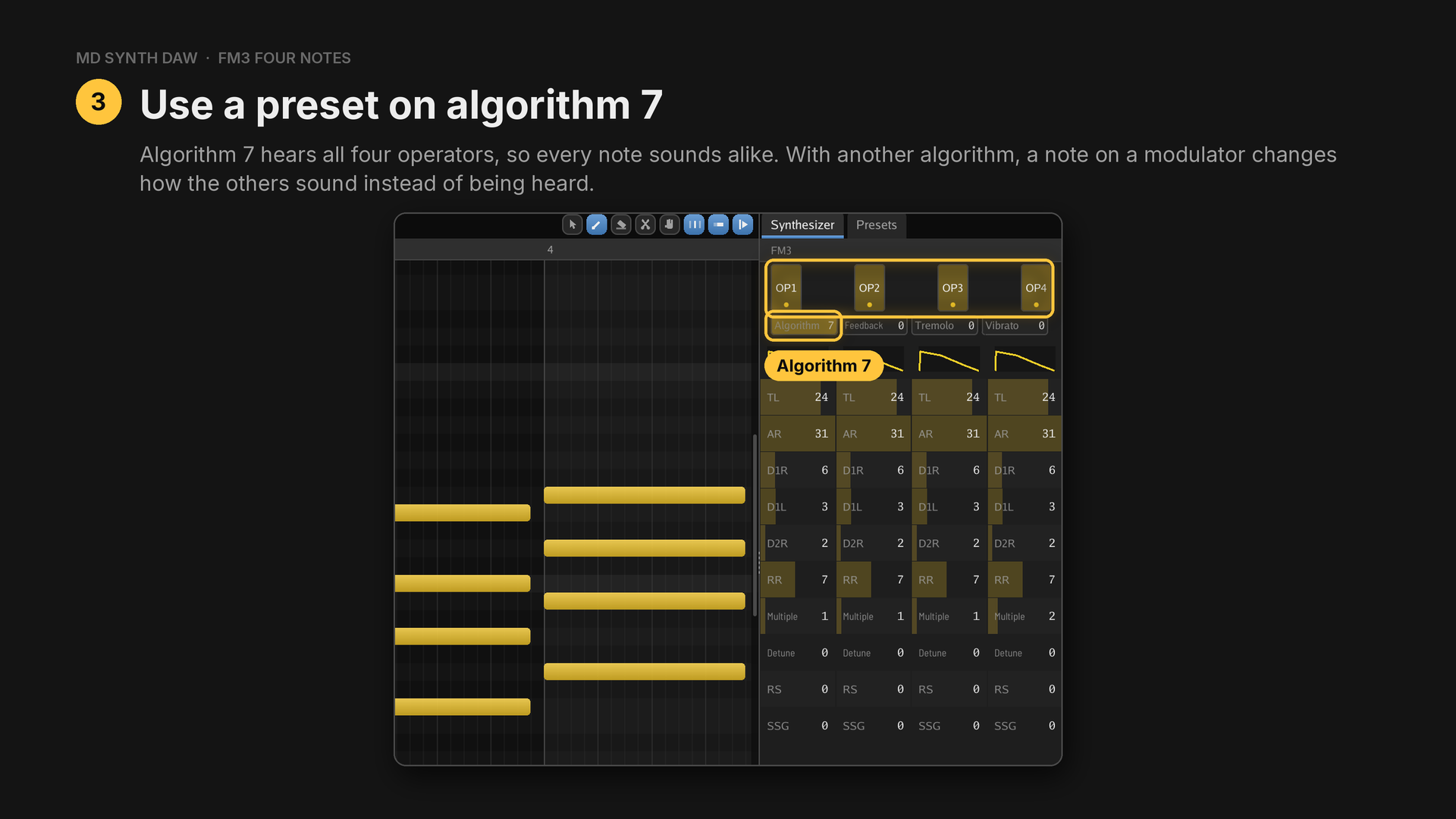
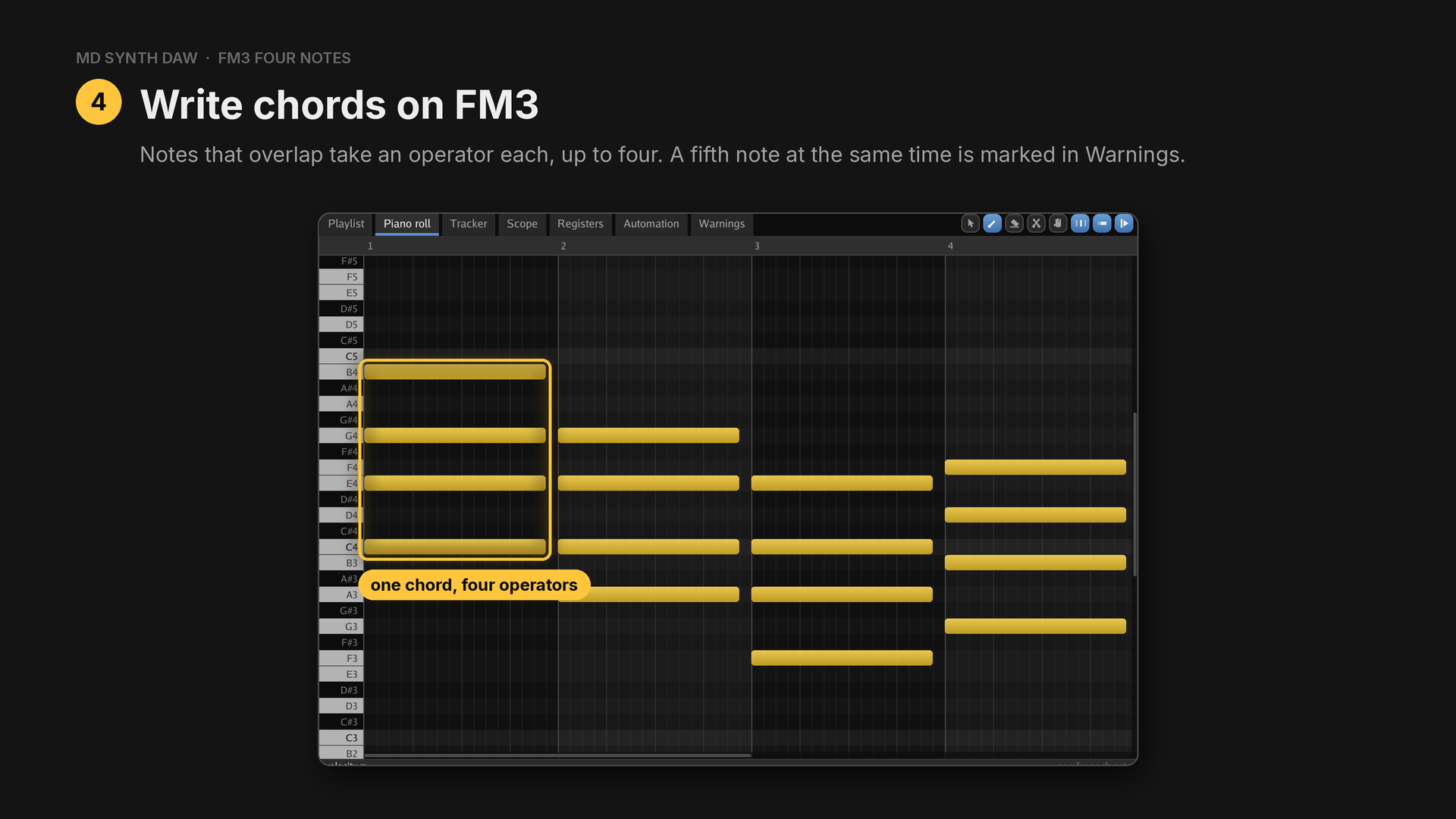
The OP1 FREQ, OP2 FREQ and OP3 FREQ lanes set one operator's pitch exactly, and VGM exports
keep the mode.
Chords from operator multiples#
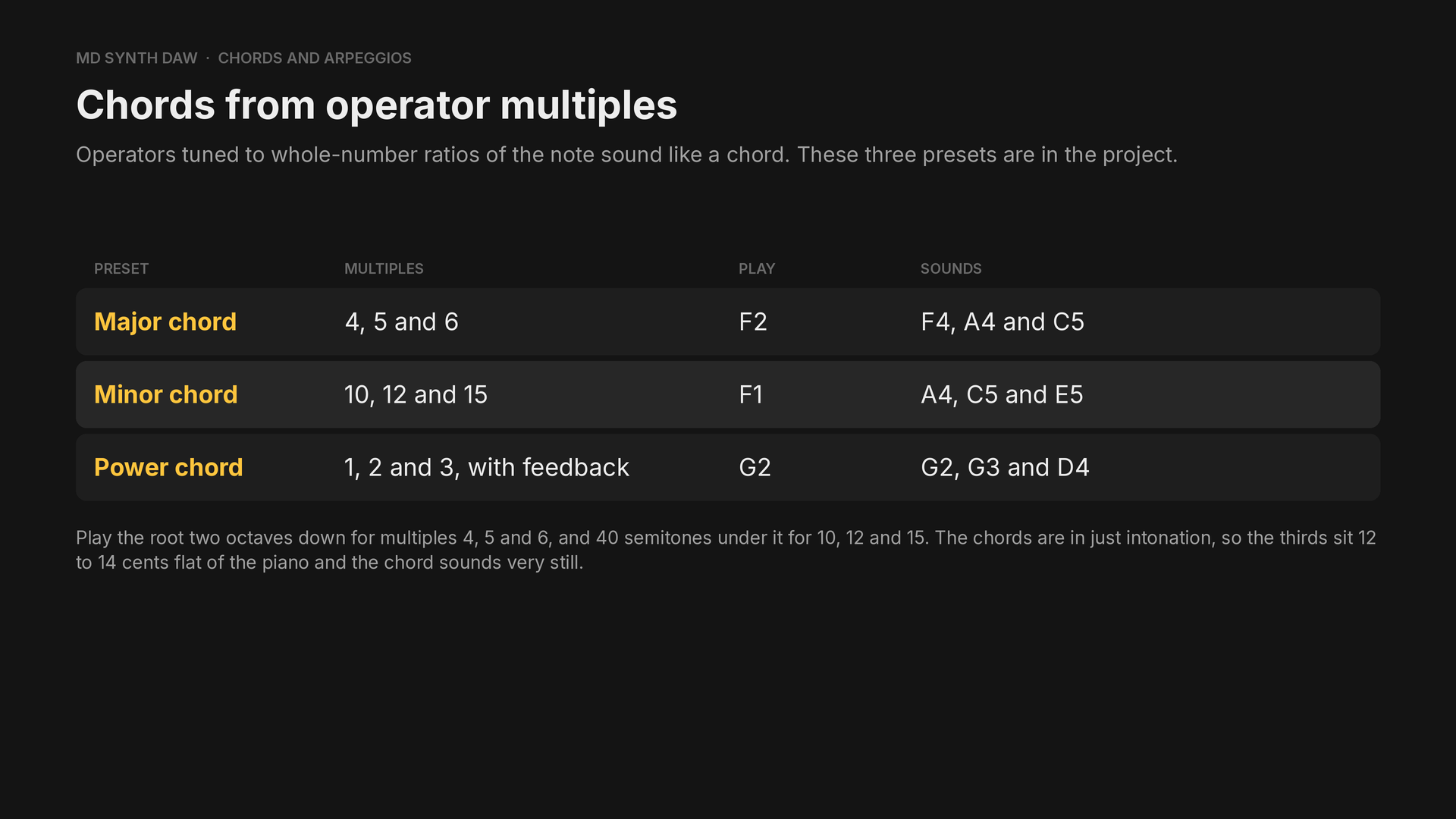
40 semitones is three octaves and a major third.
In the Chords example:
- Bar 1: C major over four channels: C4 and E4 on FM4 and FM5, G4 and C5 on PSG1 and PSG2.
- Bar 2: A minor on FM4 alone, preset Minor chord: the note F1 sounds A4, C5 and E5.
- Bar 3: F major on FM4 alone, preset Major chord: F2 sounds F4, A4 and C5.
- Bar 4: a G power chord on FM4 alone, preset Power chord: G2 sounds G2, G3 and D4.
Measured, bar 2's peaks are at 436, 524 and 655 Hz and bar 3's at 349, 436 and 524 Hz.
Arpeggios#
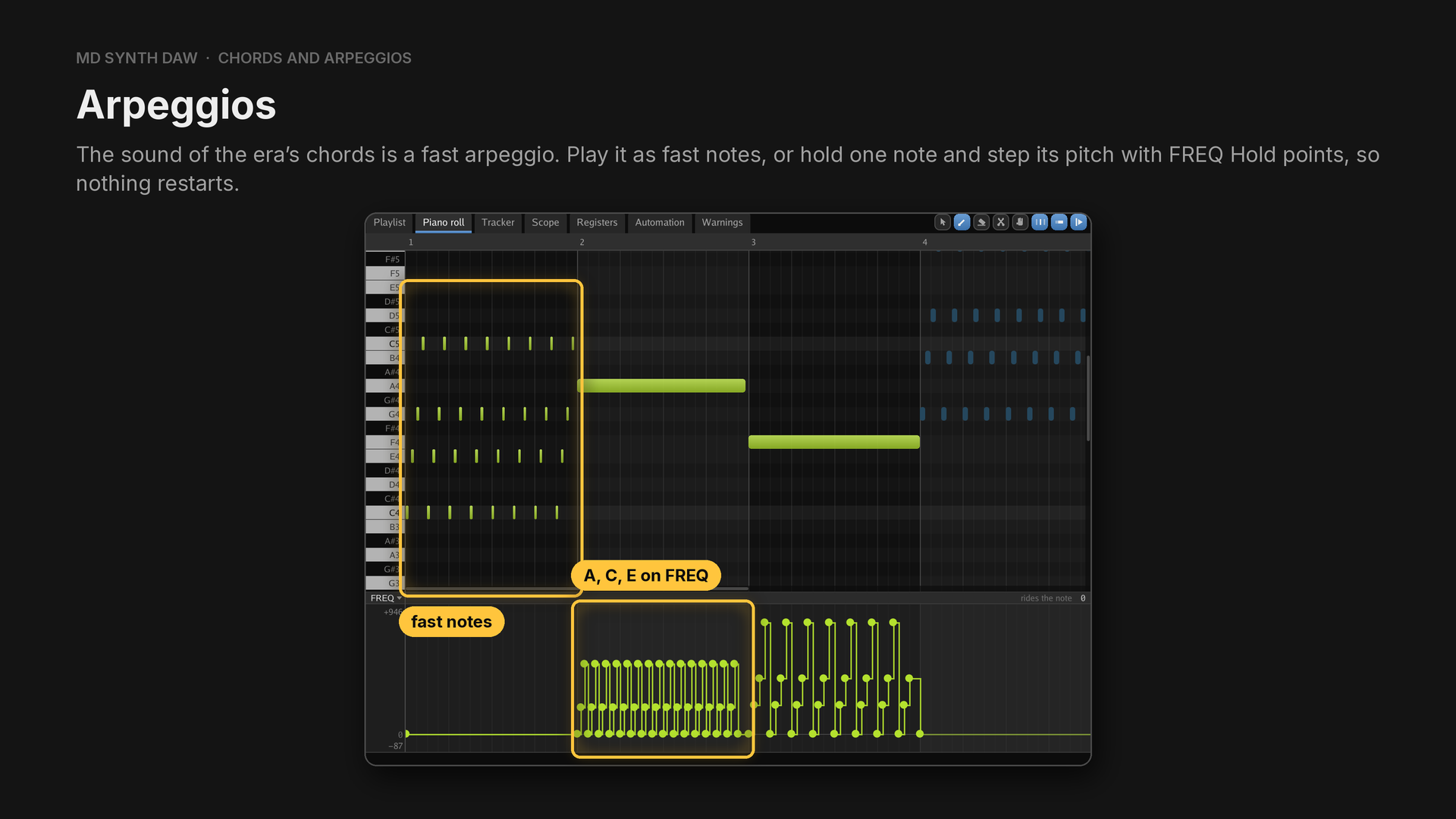
In the Arpeggios example:
- Bar 1: C major as thirty second notes on FM4 (preset Organ). Every note is a key on and ends a sixty fourth early, so it chops.
- Bar 2: one A4 held on FM4, with Hold points every 8 ticks on
FREQcycling 0, 205 and 540, which are A, C and E. It's smooth, because nothing restarts. - Bar 3: one F4 held, stepping 0, 223, 428 and 859 every 12 ticks: F, A, C and the F above.
- Bar 4: G major as thirty second notes on PSG1 (preset Square lead). A square has no key on to click, so fast notes are clean there.
30Echo and sidechain#
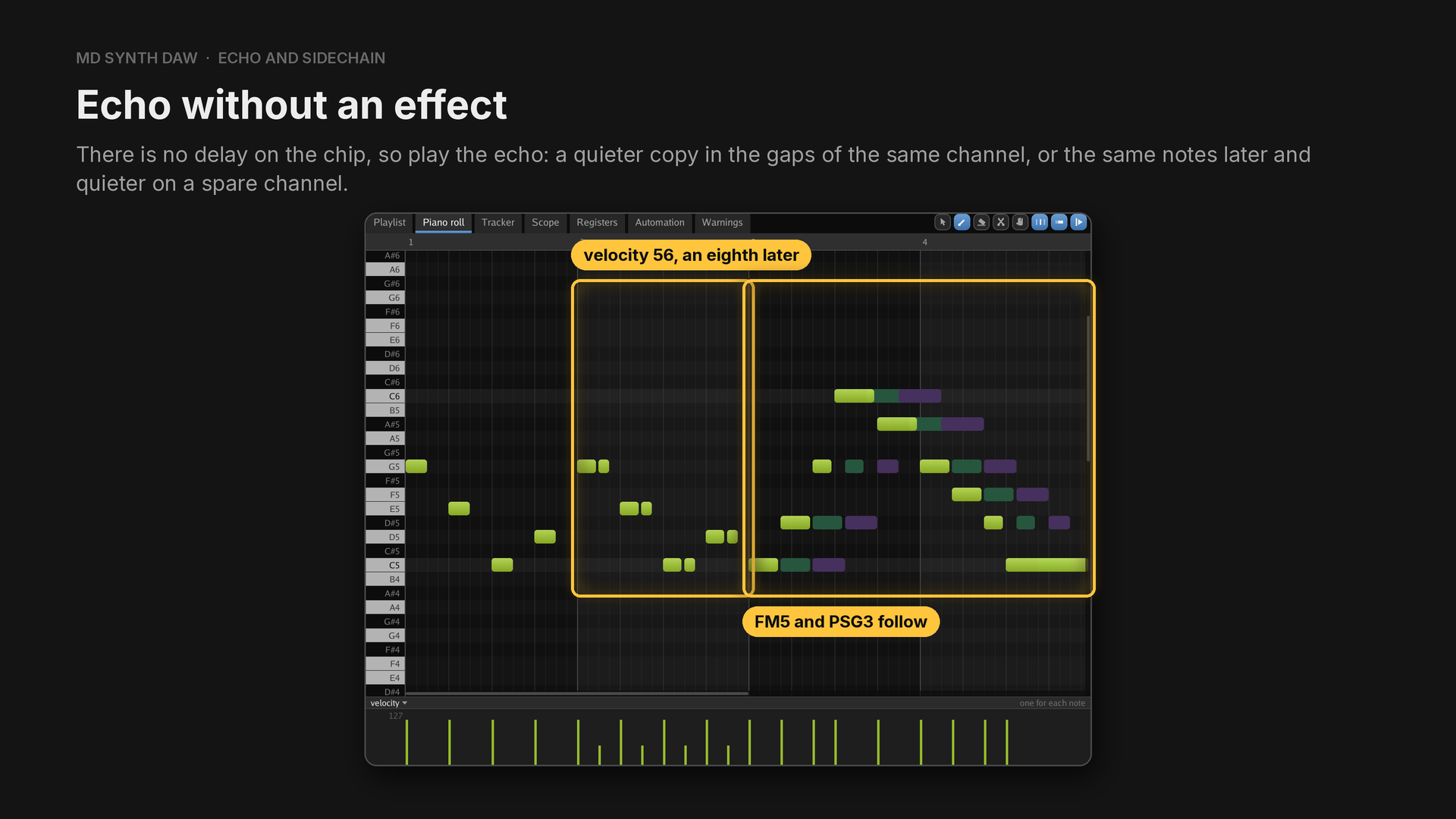
In the example (preset FM pluck), bar 1 is dry on FM4. In bar 2 a quieter copy of each note, velocity 56, comes an eighth later and fills the gap before the next one. In bars 3 and 4, FM4 plays a longer phrase panned left, FM5 plays the same notes panned right a dotted eighth (72 ticks) later at velocity 72, and PSG3 plays them a dotted quarter (144 ticks) later on Square pluck.
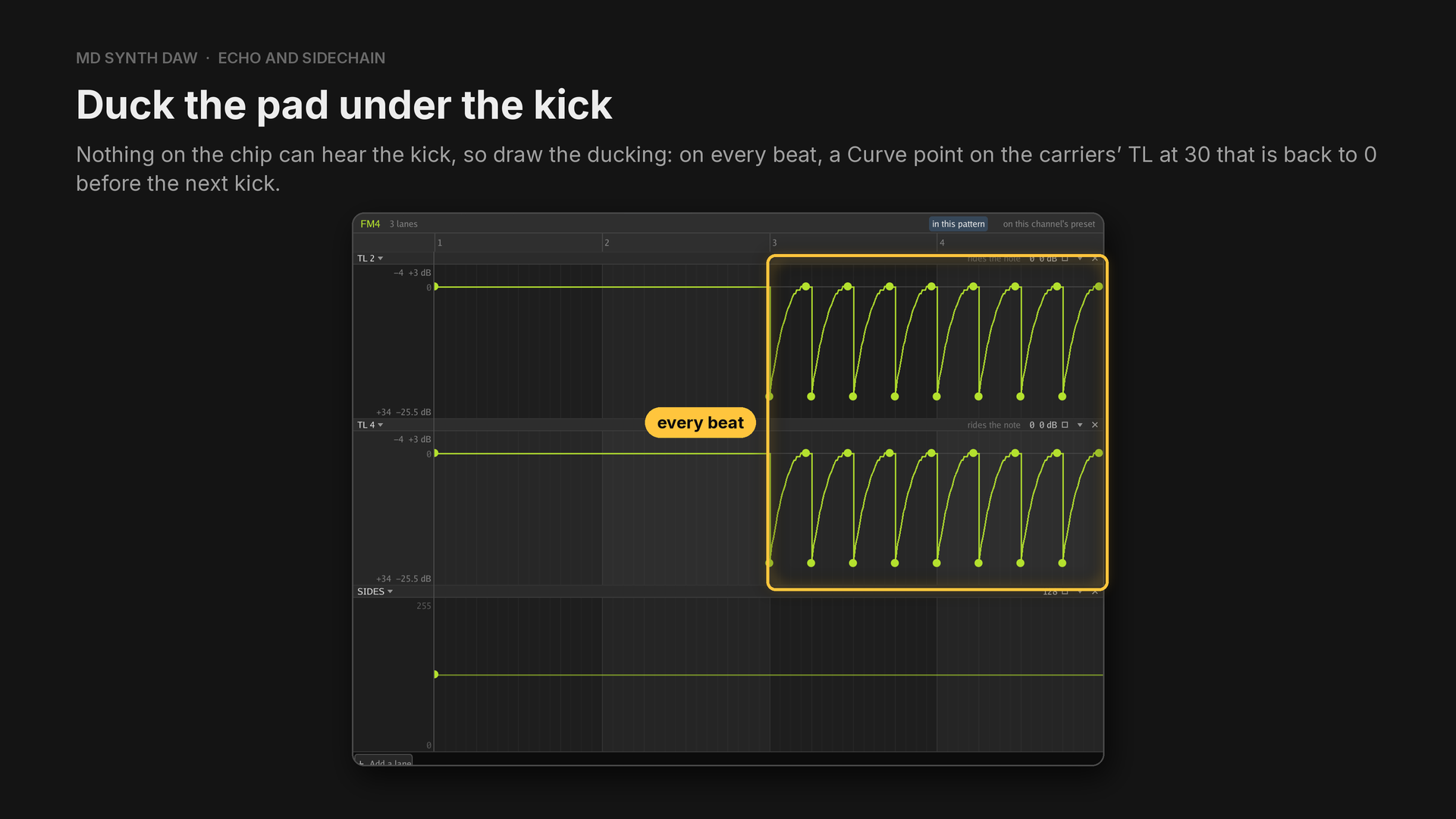
There is no compressor either. The example plays the Drum Kit's kick on every beat, Pad on FM4 and
FM5 and Square flat on PSG1 and PSG2. Bars 1 and 2 have no ducking. In bars 3 and 4, on every beat,
TL 2 and TL 4 on FM4 and FM5 get a Curve point at 30 that returns to 0 by tick 84, seven eighths
of the beat, and the squares' LEVEL lanes do the same from 8. Measured above 400 Hz, where the
kick hardly reaches, bar 2 holds steady and bar 4 dips about 11 dB on every beat.
31Squares, noise, drums and samples#
Square swells#
Hear it: Square swells
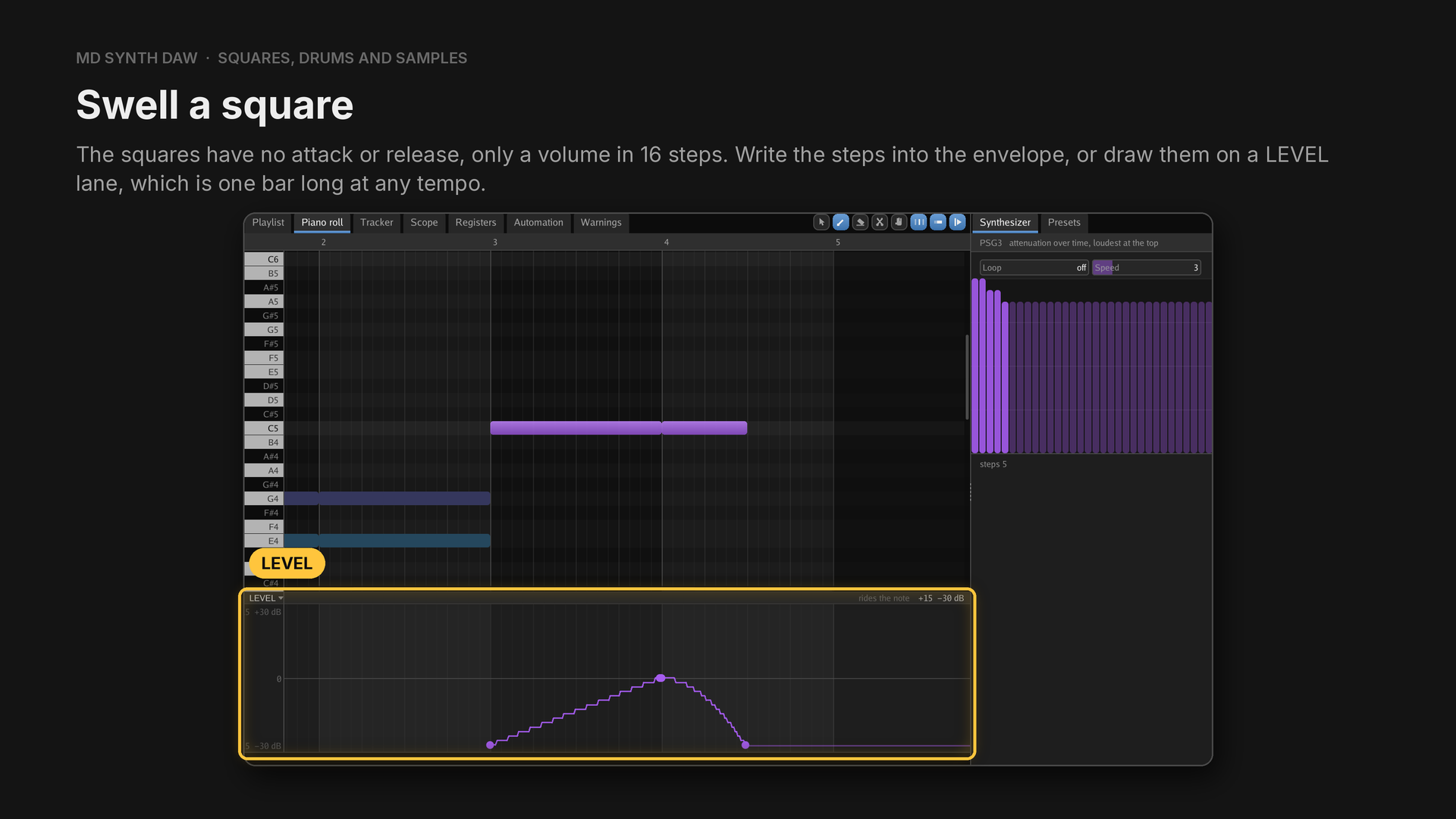
In the Square swells example:
- Bar 1: Square pluck on PSG1 and PSG2, whose envelope steps down to decay the note.
- Bar 2: Slow square, whose envelope steps from 15 down to 3, 6 frames a step, so the chord swells in over about a second.
- Bar 3: a note on PSG3 with a
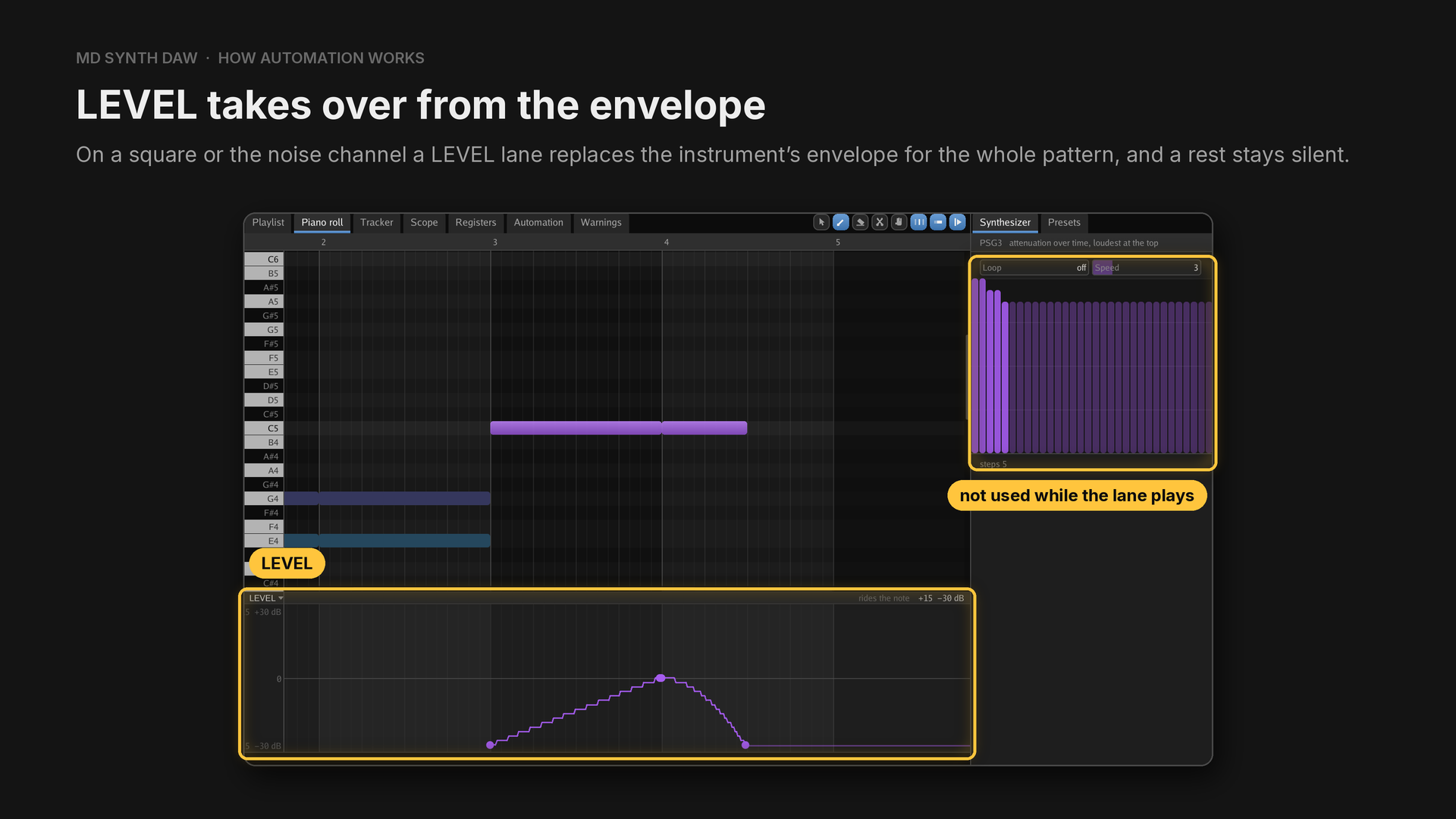
LEVELlane running Linear from 15 to 0 over the bar. - Bar 4: PSG3 fades out with a Curve, while the noise channel plays Cymbal swell with its
LEVELcurving the other way: a reverse cymbal.
The envelope examples and the lane examples are on different squares, because a LEVEL lane
replaces the envelope for that channel in the whole pattern.
FM drums#
Hear it: FM drums
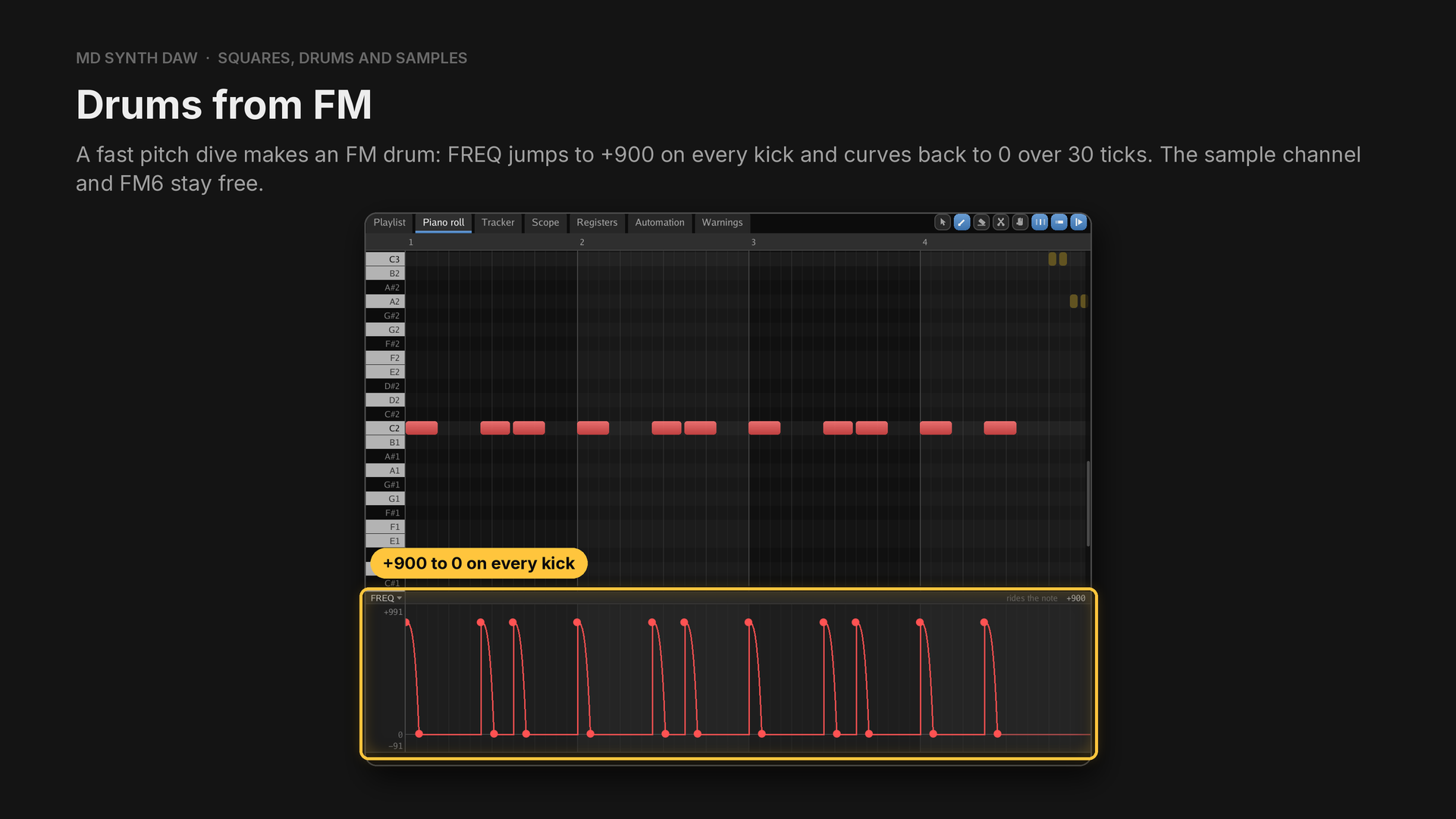
Drum samples take FM6, and the sample channel plays one sample at a time. Layer the noise channel where an FM drum needs a rattle.
- Kick on FM1, preset FM kick.
- Snare on FM2, preset FM snare, with
FREQ+200 falling to 0, and the noise channel playing Noise snare on the same beats. - Hats on the noise channel between the snares.
- Toms on FM3 in bar 4, preset FM tom, each diving from +320.
Pitched noise#
Hear it: Pitched noise
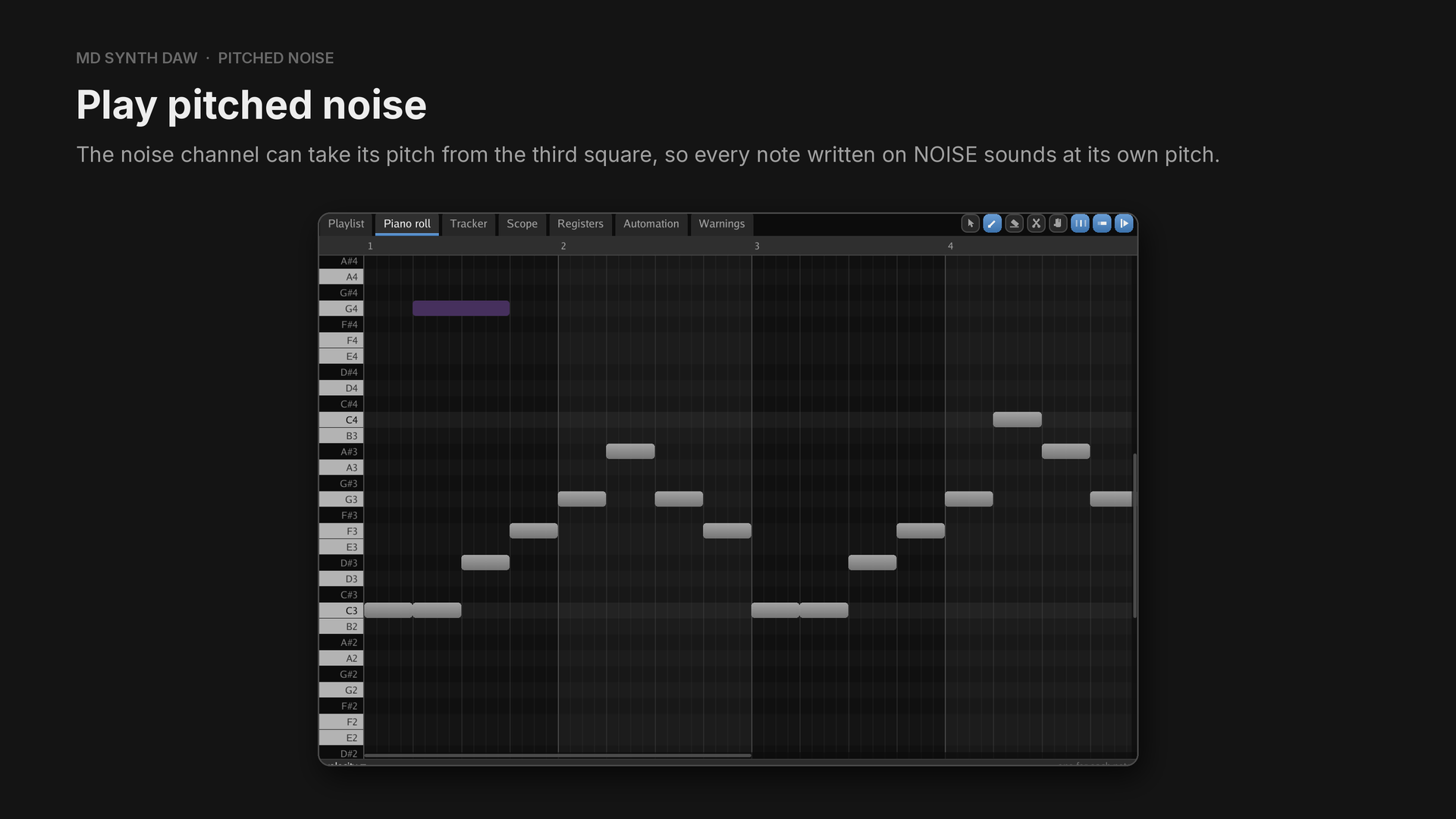
The noise channel has three fixed speeds, so on its own it can't play a tune.
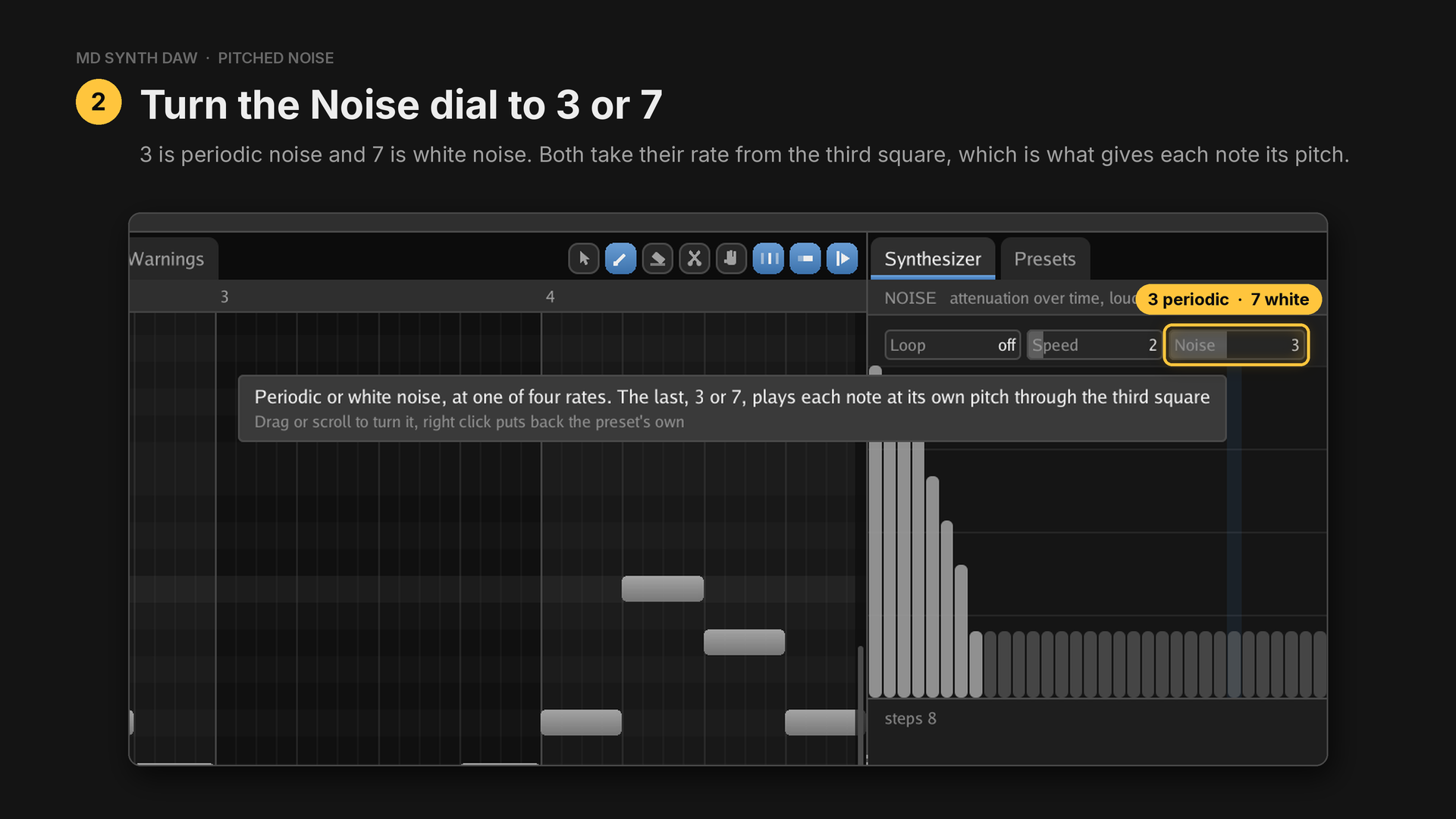
Choose NOISE in the channel rack to find the dial in its preset, then write notes on NOISE.
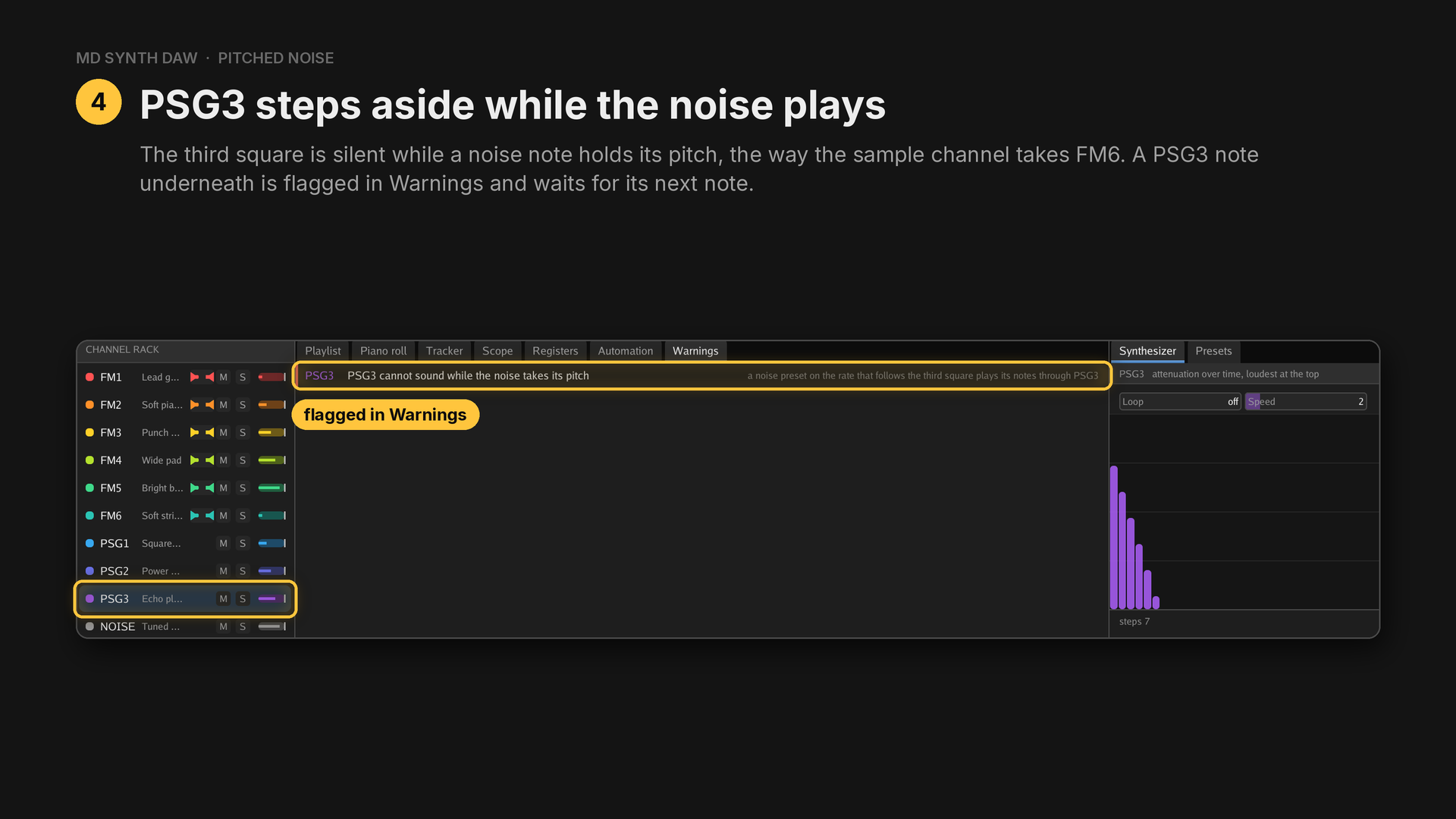
Periodic noise sounds 3 octaves under the square that clocks it, and the app tunes the square to allow for it.
Sharing channel six#
Hear it: Sharing channel six
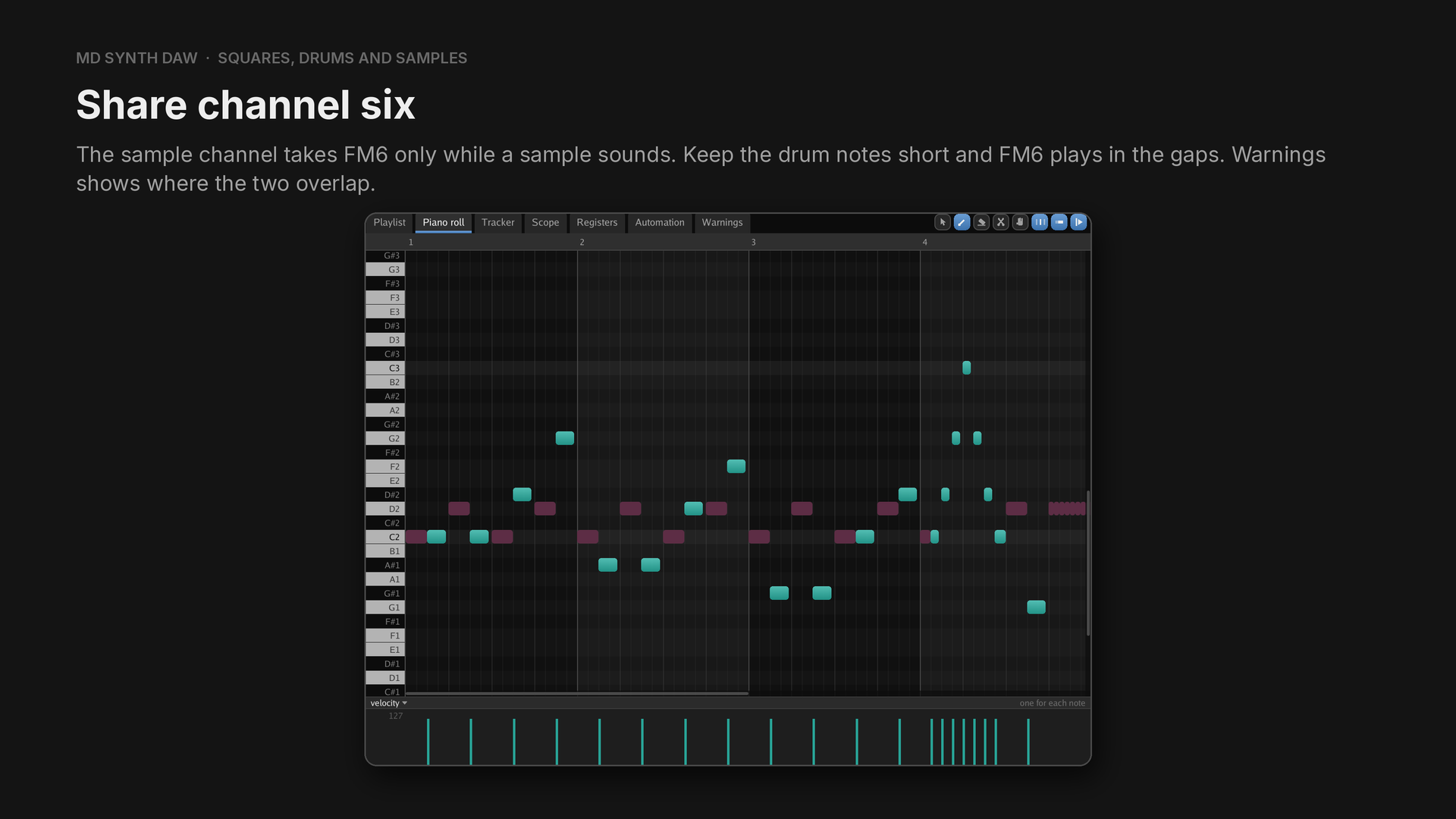
In the example, kick and snare play eighth notes on every beat and FM6 plays a bass note (FM bass) on every offbeat, ending before the next drum starts. A sample cuts off an FM6 note it overlaps.
Sample stutter#
Hear it: Sample stutter
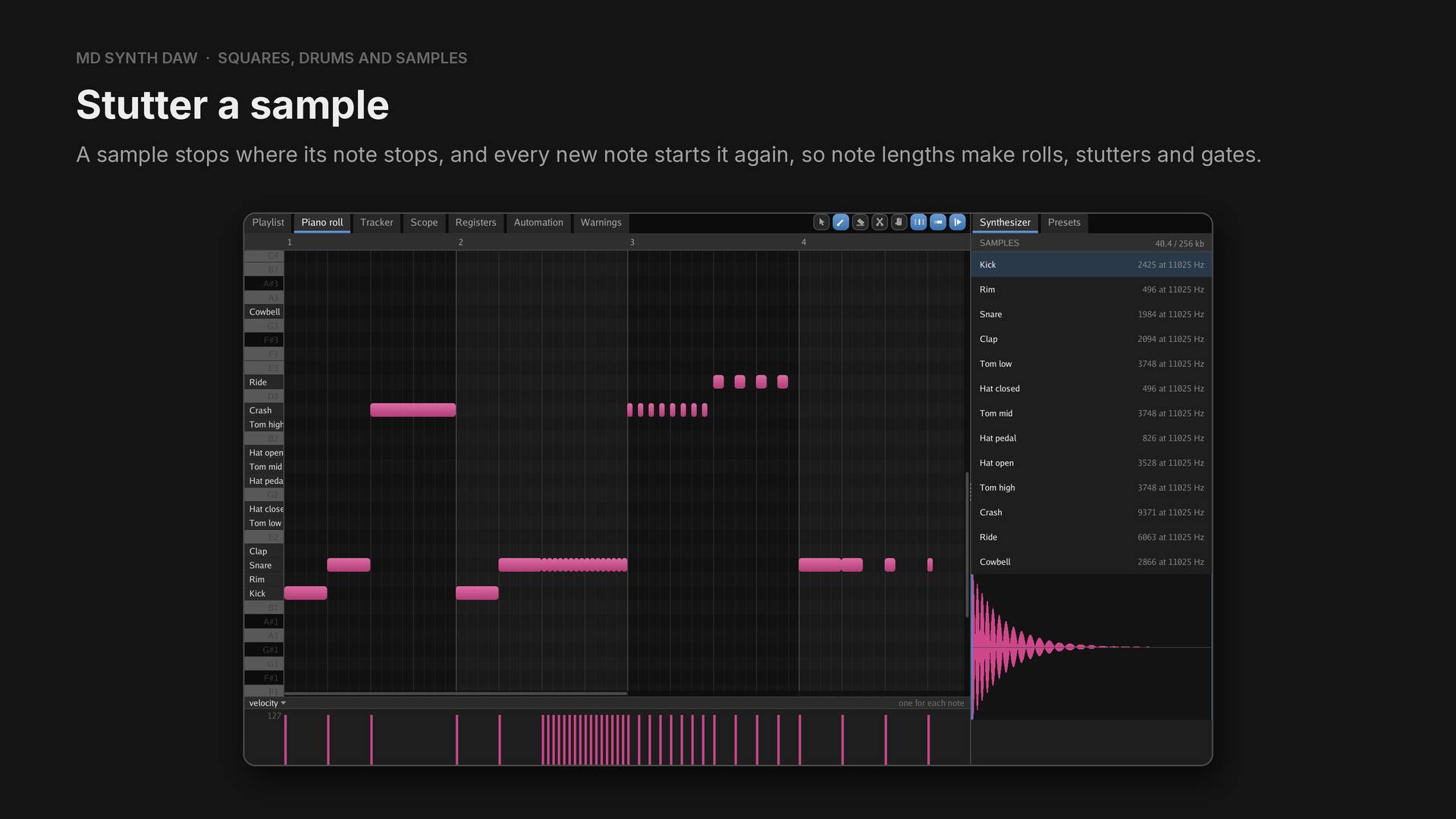
The sample channel has no pitch or volume control, so note lengths are what you have to work with.
- Bar 1: kick, snare and crash on long notes, so each plays to its end.
- Bar 2: kick and snare, then 16 snare notes a thirty second long each: a roll that restarts the snare every time.
- Bar 3: the crash as eight notes, each 12 ticks long on a sixteenth grid, so it stutters on its attack. Then the ride on every eighth, cut to a sixteenth, which gates it.
- Bar 4: a snare on every beat, a quarter, an eighth, a sixteenth and a thirty second long. The shorter the note, the tighter the snare.
32Every example#
Each example is 10 seconds: four bars at 120 bpm and a bar of rest. The audio of each is summed from its own channels, so the tail of the example before it is left out.
| # | Example | Channels | Listen |
|---|---|---|---|
| 1 | Vibrato | FM4 | listen |
| 2 | Bends and slides | FM4 | listen |
| 3 | Tremolo and gate | FM4 | listen |
| 4 | Distortion | FM1 | listen |
| 5 | Filter sweep | FM1 | listen |
| 6 | Patch morphing | FM4 | listen |
| 7 | Preset swapping | FM3 | listen |
| 8 | Manual preset swapping | FM4 | listen |
| 9 | Chords | FM4, FM5, PSG1, PSG2 | listen |
| 10 | Arpeggios | FM4, PSG1 | listen |
| 11 | Unison detune | FM4, FM5 | listen |
| 12 | Echo | FM4, FM5, PSG3 | listen |
| 13 | Simulated panning | FM4, FM5 | listen |
| 14 | Sidechain | FM4, FM5, PSG1, PSG2, DAC | listen |
| 15 | Square swells | PSG1, PSG2, PSG3, noise | listen |
| 16 | FM drums | FM1, FM2, FM3, noise | listen |
| 17 | Pitched noise | noise, with PSG3 setting its pitch | listen |
| 18 | Sharing channel six | FM6, DAC | listen |
| 19 | Sample stutter | DAC | listen |
33Quick reference#
F number of each note, the same in every octave:
| C | C♯ | D | D♯ | E | F | F♯ | G | G♯ | A | A♯ | B |
|---|---|---|---|---|---|---|---|---|---|---|---|
| 644 | 682 | 723 | 766 | 811 | 859 | 910 | 965 | 1022 | 1083 | 1147 | 1215 |
FREQ for an interval: multiply the note's F number by
| Semitones | 1 | 2 | 3 | 4 | 5 | 7 | 12 |
|---|---|---|---|---|---|---|---|
| Up | 0.059 | 0.122 | 0.189 | 0.260 | 0.335 | 0.498 | 1 |
| Down | −0.056 | −0.109 | −0.159 | −0.206 | −0.251 | −0.333 | −0.5 |
PERIOD moves a square in period steps instead, and runs the other way: a bigger number is a lower
pitch.
SIDES
| Value | Plays |
|---|---|
| 128 | left only |
| 64 | right only |
| 192 | both outputs |
| 197 | both, with vibrato depth 5 |
| 240 | both, with tremolo depth 3 |
LFO speeds at 60 Hz: 3.85, 5.4, 5.86, 6.21, 6.71, 9.46, 52.0 and 83.2 Hz.
One TL step is 0.75 dB.
Ticks: 96 to a beat, 384 to a bar.